NARUTO X BORUTO 忍者TRIBES
Updated
Current Version
1.1.10
Offered By

With your passion for NARUTO X BORUTO 忍者TRIBES, you shouldn’t have to limit yourself to the small screen of a phone. Play like a pro and take full control of the game using a keyboard and mouse. MEmu gives you everything you’re looking for. Download and play NARUTO X BORUTO 忍者TRIBES on PC. Play as long as you want — no more worries about battery life, mobile data, or unexpected calls. The all-new MEmu 9 is the best way to play NARUTO X BORUTO 忍者TRIBES on PC. With our expertly designed keymapping system, NARUTO X BORUTO 忍者TRIBES feels just like a real PC game. The MEmu multi-instance manager lets you run two or more accounts on the same device at the same time. Most importantly, our exclusive emulation engine unlocks your PC’s full potential, delivering smooth and seamless performance.
Show more
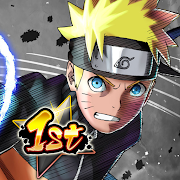
Download NARUTO X BORUTO 忍者TRIBES on PC with MEmu Android Emulator. Enjoy playing on big screen. ナルトとボルトが真にX(クロス)するワンタップ忍連係バトル!


ナルトとボルトが真にX(クロス)するワンタップ忍連係バトル!
NARUTO X BORUTOの最新作、略して「忍トラ」がついに登場!
時代を超えた忍たちを育ててスリーマンセルを結成し、アニメのようなド迫力のTRIBE(連係奥義)で勝負を決めろ!
■本作のゲーム性
本作は、様々な世代の忍たちが時代を超えて登場し、
かんたん操作で爽快なアクションを繰り広げられる“ワンタップ忍連係バトル”!
ワンタップだけで、超2D演出による忍たちの迫力のバトルを楽しめます。
■アニメさながらのスリーマンセル、ツーマンセルを再現
バトルでは忍たちの”繋がり”や”連係”を意識した、
スリーマンセルやツーマンセルのチーム編成をすることが重要!
なかでも、忍たちの”繋がり”によって放たれる強力なTRIBE (連係奥義)は、
アニメで観た、あのチームのド迫力かつ高威力の忍術を繰り出すことができます。
■時代を超えて出会う忍たちのまだ見ぬ連係
本編でおなじみのスリーマンセルやツーマンセルはもちろん、
『忍者TRIBES』だけの、時代を超えたスリーマンセルやツーマンセルも登場!
「若き日のナルト」と「ボルト」による「時代を超えた螺旋丸」のTRIBE (連係奥義)は必見!
たくさんの忍を集め、色んな連係を試してみよう!
■豊富な育成軸とゲームコンテンツ
ステータスだけでなく、術や特性など本作では、1人あたりの忍の育成軸を多数用意!
育成することで、忍たちはさらに強く!
さらに育成だけでなく、ゲームコンテンツも充実!
所持しているすべての忍たちで挑む無間の塔(タワーバトル)、他プレイヤーの忍データと闘う忍界闘技場(PvP)、他プレイヤーと強力して、強い敵に挑む強襲戦(レイドバトル)など…ゲームコンテンツは多種多様!
ゲームを進めれば進めるほど、育成軸とコンテンツが解放していくぞ!
忍を強化し、自分だけの最強の忍たちと共に闘おう!!
※ニントラ、にんとら、忍とら、にんトラ
【動作環境、その他お問い合わせ】
https://bnfaq.channel.or.jp/contact/faq_list/1996
※このアプリは、必ず上記リンク先に記載の動作環境でご利⽤ください。なお、動
作環境でご利⽤の場合でも、お客様のご利⽤状況や機種特有の要因により、アプリ
が正常に動作しないことがあります。
©岸本斉史 スコット/集英社・テレビ東京・ぴえろ
©2020 BANDAI NAMCO Entertainment Inc.
本アプリケーションは、権利者の正式な許諾を得て配信しています。
Show more

1. Download MEmu installer and finish the setup

2. Start MEmu then open Google Play on the desktop

3. Search NARUTO X BORUTO 忍者TRIBES in Google Play
Install
4. Download and Install NARUTO X BORUTO 忍者TRIBES
5. On install completion click the icon to start

6. Enjoy playing NARUTO X BORUTO 忍者TRIBES on PC with MEmu
MEmu Play is the best Android emulator and 100 million people already enjoy its superb Android gaming experience. The MEmu virtualization technology empowers you to play thousands of Android games smoothly on your PC, even the most graphic-intensive ones.
Bigger screen with better graphics; Long duration, without limitation of battery or mobile data.
Full Keymapping support for precise control of keyboard and mouse or gamepad.
Multiple game accounts or tasks on single PC at one time with Multi-Instance manager.
Play NARUTO X BORUTO 忍者TRIBES on PC by following steps: