Bluey: Let's Play!
Updated
Current Version
2026.10.0
Offered By

With your passion for Bluey: Let's Play!, you shouldn’t have to limit yourself to the small screen of a phone. Play like a pro and take full control of the game using a keyboard and mouse. MEmu gives you everything you’re looking for. Download and play Bluey: Let's Play! on PC. Play as long as you want — no more worries about battery life, mobile data, or unexpected calls. The all-new MEmu 9 is the best way to play Bluey: Let's Play! on PC. With our expertly designed keymapping system, Bluey: Let's Play! feels just like a real PC game. The MEmu multi-instance manager lets you run two or more accounts on the same device at the same time. Most importantly, our exclusive emulation engine unlocks your PC’s full potential, delivering smooth and seamless performance.
Show more
Download Bluey: Let's Play! on PC with MEmu Android Emulator. Enjoy playing on big screen. Explore, imagine, create & play in Bluey's house.
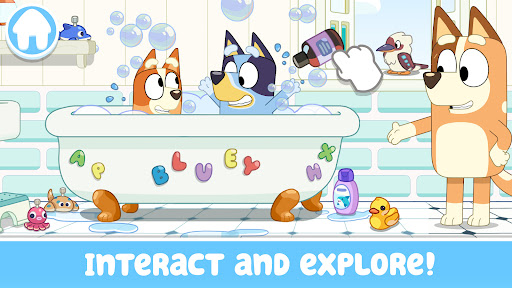
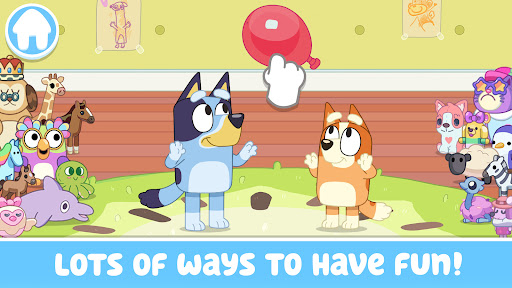
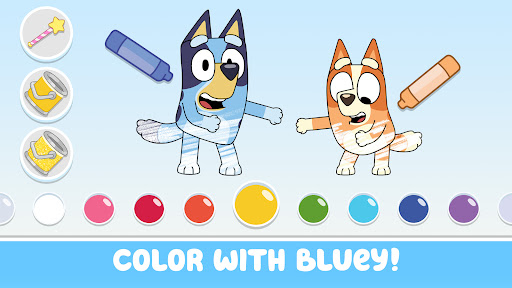
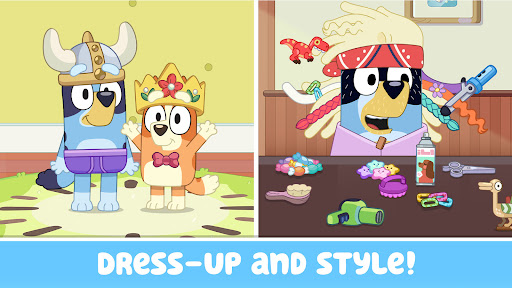
Explore, imagine, create & play in Bluey's house. There's so much to do!
Wackadoo! Come join Bluey, her friends & family! For real life.
Fun, easy & calm kids learning game for boys and girls of all ages. Preschool children and toddlers will enjoy this app. Parents and other family members can play along too!
EXPLORE
Discover and play all over the Heeler family home, just like in the TV show! Hunt for longdogs, play a game of Pop up Croc, listen to your favorite Bluey tunes, and so much more! Can you find all the hidden surprises?
IMAGINE
Every room allows for deep, imaginative play. Just like Bluey, anything is possible if you use your imagination! Make up your own stories as you go, or re-create your favorite Bluey moments. Bingo, Bandit, Chili, and all of Bluey’s friends and family are here and ready to join the fun.
CREATE
Bluey's house is your virtual playset and the fun is at your fingertips! Tap, drag and interact with everything. Cook up some favorite recipes in the kitchen, help build a pizza oven in the backyard or throw a tea party - there’s no end to what you can create!
PLAY
Have a game of keepy-uppy, bounce on the trampoline, splash in a tub full of bubbles or swing in the backyard - the possibilities are endless!
COLORING
Fun toddler coloring games and kids coloring pages. Color your favorite scenes and characters from the Bluey world.
SAFE & KID FRIENDLY
Fun kids games designed for preschool, toddler, kindergarten, elementary school girls & boys, based on their favorite show available on YouTube, YouTube Kids & Disney+. This interactive Bluey game is easy and fun to play for children aged 2-9.
ABOUT BLUEY
Bluey is a loveable, inexhaustible six year-old Blue Heeler dog, who loves to turn everyday family life into boundless, playful adventures, developing her imagination and resilience as she goes. The award-winning TV show has been praised for its depiction of modern families and positive parenting.
ABOUT BUDGE STUDIOS
Budge Studios was founded in 2010 with the mission to entertain and educate toddler boys and girls around the world, through innovation, creativity and fun. Its high-quality app portfolio consists of original and branded properties, including Bluey, Disney Frozen, Barbie, PAW Patrol, Hot Wheels, Thomas & Friends, Transformers, My Little Pony, Strawberry Shortcake, Miraculous, Caillou, The Smurfs, Miss Hollywood, Hello Kitty and Crayola. Budge Studios maintains the highest standards of safety and age-appropriateness, and has become a global leader in children’s apps for smartphones and tablets. Designed for all ages from a baby to toddler to elementary school aged, kids will enjoy these fun toddler games for 2,3,4,5,6,7 year olds. Budge Studios crafts fantastic, safe games where every toddler explores and learns with vibrant coloring activities. Parents trust our dedication to toddler safety and quality. Discover delightful toddler games filled with endless coloring fun for creative expression and engaging coloring. Where toddlers learn and grow through imaginative play, captivating coloring, cooking games, pretend play and more! For safe digital fun designed for your toddler, choose our educational coloring experiences!
A paid subscription is required to access some app content.
Need Help?
Contact us at: support@budgestudios.ca
BLUEY TM and BLUEY character logos TM & © Ludo Studio Pty Ltd 2018. Licensed by BBC Studios. BBC logo TM & © BBC 1996
BUDGE and BUDGE STUDIOS are trademarks of Budge Studios Inc.
Bluey: Let's Play © 2025 Budge Studios Inc. All Rights Reserved.
Show more

1. Download MEmu installer and finish the setup

2. Start MEmu then open Google Play on the desktop

3. Search Bluey: Let's Play! in Google Play
Install
4. Download and Install Bluey: Let's Play!
5. On install completion click the icon to start

6. Enjoy playing Bluey: Let's Play! on PC with MEmu
MEmu Play is the best Android emulator and 100 million people already enjoy its superb Android gaming experience. The MEmu virtualization technology empowers you to play thousands of Android games smoothly on your PC, even the most graphic-intensive ones.
Bigger screen with better graphics; Long duration, without limitation of battery or mobile data.
Full Keymapping support for precise control of keyboard and mouse or gamepad.
Multiple game accounts or tasks on single PC at one time with Multi-Instance manager.
Play Bluey: Let's Play! on PC by following steps: