巨獸重返
Updated
Current Version
Offered By

With your passion for 巨獸重返, you shouldn’t have to limit yourself to the small screen of a phone. Play like a pro and take full control of the game using a keyboard and mouse. MEmu gives you everything you’re looking for. Download and play 巨獸重返 on PC. Play as long as you want — no more worries about battery life, mobile data, or unexpected calls. The all-new MEmu 9 is the best way to play 巨獸重返 on PC. With our expertly designed keymapping system, 巨獸重返 feels just like a real PC game. The MEmu multi-instance manager lets you run two or more accounts on the same device at the same time. Most importantly, our exclusive emulation engine unlocks your PC’s full potential, delivering smooth and seamless performance.
Show more
Download 巨獸重返 on PC with MEmu Android Emulator. Enjoy playing on big screen. In the wasteland world, giant beasts are raging, how can human beings survive?
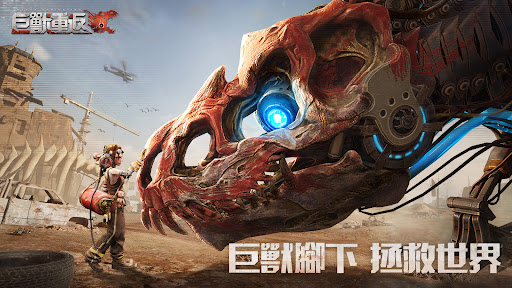
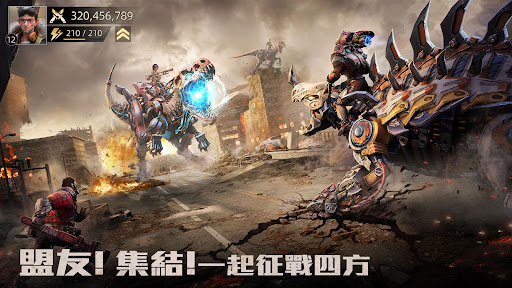
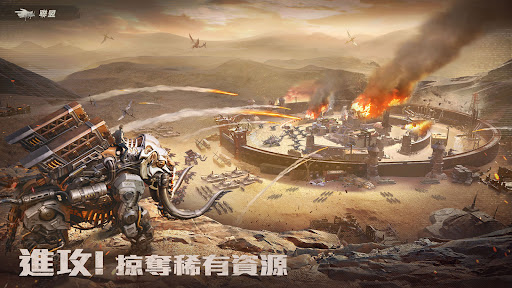
In the wasteland world, giant beasts are raging, how can human beings survive?
The once prosperous human world was wiped out due to the appearance of alloy behemoths. Wherever the behemoths went, human beings were displaced.
Survive, flee and kill in this world for hundreds of years, until you, a commander like no other, appeared.
You will lead the survivors to hunt giant beasts, transform giant beasts, train troops, form alliances, and save the last homeland of mankind.
【Free to explore the world】
The super-large wasteland world allows you to explore freely and search for the remains of human beings.
Rare behemoth sightings? Mysterious figure asking for help? Rare resource points? There are many surprises waiting for you on the adventure road.
【Building a Wasteland Home】
In the wasteland world, the shelter will be the only place that can bring you a sense of warmth and security.
You can freely arrange your shelter, the roof is made of giant skeletons, and all the souvenirs you have collected are placed on it, as you like.
【Create an exclusive monster】
The giant mechanical beasts are raging everywhere, killing humans and being extremely cruel.
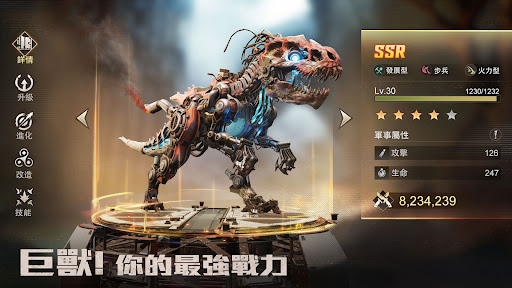
You can make dozens of hunting weapons with your own hands, hunt, capture, domesticate and transform them to become your powerful combat force!
Bombarding Mammoth, Heavy Hammer Ankylosaurus, Furious Tyrant, Blood Claw Velociraptor, Burning Pterosaur... Create your own giant beast army.
【Training Elite Troops】
warn! Be sure to bring enough people when you go out to find supplies, the giant beasts will attack at any time!
You can freely form expedition troops and create the most handy lineup.
【Form a strong alliance】
Under the doomsday, don't fight alone!
Form an alliance with friends or join a strong alliance, share resources, quickly upgrade, expand the sphere of influence, and lead the survivors to rebuild their homes and find hope.
※The game software classification management method is classified as: supplementary 15 levels.
※This game contains violence and horror.
※This game is free to use, and the game also provides paid services such as purchasing virtual game coins and items.
※Playing the game for a long time may easily affect the normal work and rest. It is advisable to rest and exercise moderately.
Show more

1. Download MEmu installer and finish the setup

2. Start MEmu then open Google Play on the desktop

3. Search 巨獸重返 in Google Play
Install
4. Download and Install 巨獸重返
5. On install completion click the icon to start

6. Enjoy playing 巨獸重返 on PC with MEmu
MEmu Play is the best Android emulator and 100 million people already enjoy its superb Android gaming experience. The MEmu virtualization technology empowers you to play thousands of Android games smoothly on your PC, even the most graphic-intensive ones.
Bigger screen with better graphics; Long duration, without limitation of battery or mobile data.
Full Keymapping support for precise control of keyboard and mouse or gamepad.
Multiple game accounts or tasks on single PC at one time with Multi-Instance manager.
Play 巨獸重返 on PC by following steps: