ManhwaClan
Updated
Current Version
1.0
Offered By

Stop worrying about high battery drain when using ManhwaClan on your phone. Free yourself from the tiny screen and enjoy the app on a much larger display. From now on, get a full-screen experience of your app with the convenience of a keyboard and mouse. MEmu offers you all the surprising features you’d expect: quick installation and easy setup, intuitive controls, and no more worries about battery life, mobile data, or unexpected calls. The all-new MEmu 9 is the choice for using ManhwaClan on your computer. With the MEmu multi-instance manager, you can run two or more accounts at the same time. Most importantly, our exclusive emulation engine unlocks your PC’s full potential, delivering smooth and enjoyable performance.
Show more
Download ManhwaClan on PC with MEmu Android Emulator. Enjoy playing on big screen. ManhwaClan fits users who want quick, on the go access to manhwa on a phone or tablet.
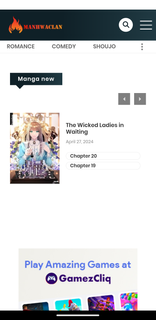
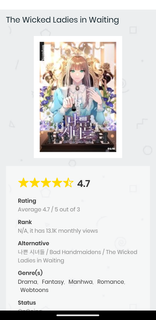

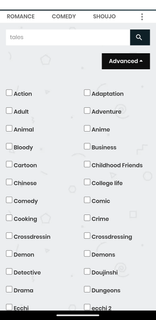
ManhwaClan fits users who want quick, on the go access to manhwa on a phone or tablet. It offers a broad catalog and a mobile friendly reading experience, so chapters are easy to follow without distraction. Navigation stays simple from series to chapter, which helps you focus on the story. For Android installation, the ManhwaClan APK provides a direct way to set up the app on your device.ManhwaClan FeaturesExplore by genre Browse a wide range of categories such as action, adventure, romance, and suspense. Open a series page to see chapters and start reading right away. Move between titles using clear lists and straightforward filters.Reading controls that fit your screenYou can adjust brightness and font size to match your environment and comfort. Page layouts are optimized for small screens, so panels and text remain readable. Simple taps or swipes help you move between pages and chapters without extra steps.Recommendations based on your tastesManhwaClan suggests titles that align with your preferences and recent activity. These suggestions help you find series similar to what you already enjoy. You can review picks, open details, and add new stories to your reading list.Offline reading for travel and commutesYou can save selected chapters for times when a connection is not available. This keeps your reading uninterrupted during flights, subways, or areas with poor signal. Downloads remain organized, and stored chapters are available from a dedicated section.Get started with ManhwaClanThis app offers a focused way to read and manage manhwa on mobile, with clear browsing and flexible reader settings. Install the ManhwaClan latest version to explore the catalog and tailor the viewing experience to your needs.
Show more

1. Download MEmu installer and finish the setup

2. Start MEmu then open Google Play on the desktop

3. Search ManhwaClan in Google Play
Install
4. Download and Install ManhwaClan
5. On install completion click the icon to start

6. Enjoy using ManhwaClan on PC with MEmu
MEmu Play is the best Android emulator, and 100 million users already enjoy its superb Android app experience. Powered by advanced virtualization technology, it lets you enjoy thousands of Android apps smoothly on your PC—including the most graphics-intensive ones.
Bigger screen with better graphics; Long duration, without limitation of battery or mobile data.
Full Keymapping support for precise control of keyboard and mouse or gamepad.
Multiple game accounts or tasks on single PC at one time with Multi-Instance manager.
Use ManhwaClan on PC by following steps: