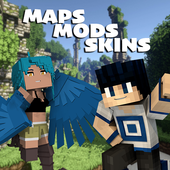
Mods, Skins, Maps for Minecraft PE
Updated
Current Version
2.9
Offered By

With your passion for Mods, Skins, Maps for Minecraft PE, you shouldn’t have to limit yourself to the small screen of a phone. Play like a pro and take full control of the game using a keyboard and mouse. MEmu gives you everything you’re looking for. Download and play Mods, Skins, Maps for Minecraft PE on PC. Play as long as you want — no more worries about battery life, mobile data, or unexpected calls. The all-new MEmu 9 is the best way to play Mods, Skins, Maps for Minecraft PE on PC. With our expertly designed keymapping system, Mods, Skins, Maps for Minecraft PE feels just like a real PC game. The MEmu multi-instance manager lets you run two or more accounts on the same device at the same time. Most importantly, our exclusive emulation engine unlocks your PC’s full potential, delivering smooth and seamless performance.
Show more
Download Mods, Skins, Maps for Minecraft PE on PC with MEmu Android Emulator. Enjoy playing on big screen. New application for Minecraft PE lovers!
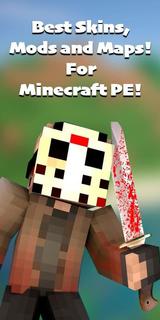
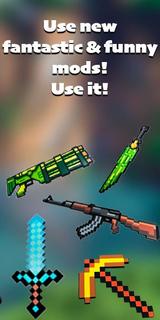
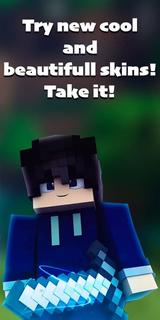
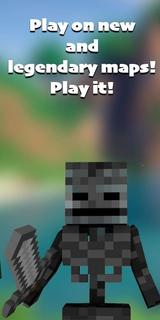
New application for Minecraft PE lovers! We are sure that you have been looking for a similar application for a long time. It contains different Mods, Skins, Maps for your favorite game. Each category contains a large selection of everything you need to make your game more varied and interesting. Change your surroundings, your appearance, resources and, in general, anything you want with our application! Cities for minecraft, anime skins, weapons, maps based on your favorite movies and video games - it's all in the app! The application "Mods, Skins, Maps for Minecraft PE" is very easy to use. You just need to install it and choose exactly what you need from a huge catalog! The app has a "search" function, which will make it easier for you if you already know what you want to download. If not, all mods, skins, maps for Minecraft do not have a description and screenshots. You don't have to look for something for a long time, you can spend this time on the game itself! You can easily change the world by choosing the genre you want to play. New weapons and armor for minecraft will help you survive in the virtual world. If the game seems too simple to you, you can add various monsters and mobs. One of the most important components of the game is your appearance. You can pick up those skins for minecraft that suit the style of your game. The choice is very large! Maps for minecraft include: city maps for minecraft, horror maps, parkour maps, house map etc. Mods for Minecraft include: animal mods, furniture mods, car mods, fnaf mods, dragon and dinosaur mods, etc. Skins for minecraft include: anime skins, fnaf skins, boys skins, girls skins, and invisible skins. You will definitely like our app "Mods, Skins, Maps for minecraft", because we have collected everything for an interesting game! Save your favorite maps, mods and skins for minecraft and share them with your friends! DISCLAIMER: This is an unofficial application for Minecraft Pocket Edition. This application is not affiliated in any way with Mojang AB. The Minecraft name, Minecraft brand and Minecraft assets are the property of Mojang AB or their respectful owner. All rights reserved. According to http://account.mojang.com/documents/brand_guidelines - About our Subscription: Mods, Skins, Maps for Minecraft PE provides one premium subscription that automatically renews but can be canceled at any time. -Full access to content. -Unlimited content usage. You have the option to use a 3-day trial period and if you cancel your subscription during the 3-day trial period, you will not be charged and you can do this at any time. After the free 3-day period ends, payment will be verified and charged automatically the price that is set for your country per month. You will be charged only after the expiration date and your Premium subscription will automatically renew for 1 month. Payment will only be charged after purchase confirmation from your Google account. The trial period will automatically renew to a paid subscription unless turned off at least 24 hours before the end of the current period. You can turn off auto-renewal and manage your subscriptions by going to setting in your Google Play store account after purchase. To manage subscriptions or cancellations, follow the link for details: https://support.google.com/googleplay/answer/7018481?co=GENIE.Platform%3DAndroid&hl=en Any unused portion of the 3-day free trial (if offered) will be forfeited when purchasing a premium subscription during the free trial. Privacy policy: https://docs.google.com/document/d/1OTcSCLawiR13Ku-07w7v4IrLhEVL7oIVPUNLNVpf7-I/edit?usp=sharing Terms & Conditions: https://docs.google.com/document/d/11bB3aE_wDY5XSAXd2ZYdPh_39k1vwrgboG0znpkm6Ok/edit?usp=sharing
Show more

1. Download MEmu installer and finish the setup

2. Start MEmu then open Google Play on the desktop

3. Search Mods, Skins, Maps for Minecraft PE in Google Play
Install
4. Download and Install Mods, Skins, Maps for Minecraft PE
5. On install completion click the icon to start

6. Enjoy playing Mods, Skins, Maps for Minecraft PE on PC with MEmu
MEmu Play is the best Android emulator and 100 million people already enjoy its superb Android gaming experience. The MEmu virtualization technology empowers you to play thousands of Android games smoothly on your PC, even the most graphic-intensive ones.
Bigger screen with better graphics; Long duration, without limitation of battery or mobile data.
Full Keymapping support for precise control of keyboard and mouse or gamepad.
Multiple game accounts or tasks on single PC at one time with Multi-Instance manager.
Play Mods, Skins, Maps for Minecraft PE on PC by following steps: