天境傳説
Updated
Current Version
1.0.61
Offered By

With your passion for 天境傳説, you shouldn’t have to limit yourself to the small screen of a phone. Play like a pro and take full control of the game using a keyboard and mouse. MEmu gives you everything you’re looking for. Download and play 天境傳説 on PC. Play as long as you want — no more worries about battery life, mobile data, or unexpected calls. The all-new MEmu 9 is the best way to play 天境傳説 on PC. With our expertly designed keymapping system, 天境傳説 feels just like a real PC game. The MEmu multi-instance manager lets you run two or more accounts on the same device at the same time. Most importantly, our exclusive emulation engine unlocks your PC’s full potential, delivering smooth and seamless performance.
Show more
Download 天境傳説 on PC with MEmu Android Emulator. Enjoy playing on big screen. This is a very simple dot-to-dot connection game!
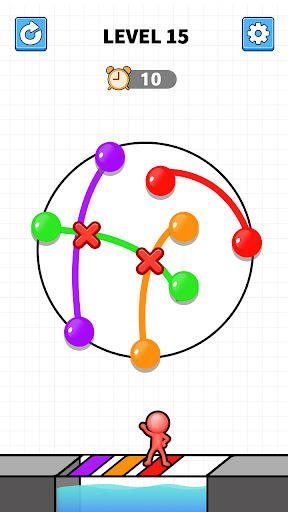
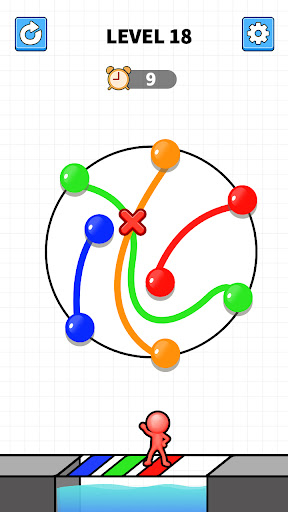
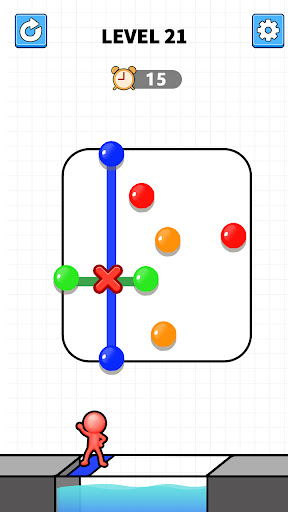
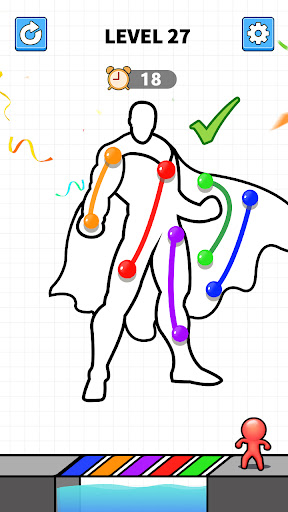
This is a very simple dot-to-dot connection game!
1. What is your mission? Connect the dots with matching colors to make the bridge link.
2. Connect all colors and fill the entire bridge!
We invite you to travel the heavens with the contracted demons - this is a vast world where humans, demons, and gods coexist!
Feature highlights:
The Legend of Hundred Demons: Challenge levels and battle against each other
Four-color spirit strategy matching: match strategy and experience fantasy adventure
Love Pets Special gameplay: cultivation, social gameplay
Easy and fun to cultivate: Easily cultivate heroes and enjoy happy growth
Contact us - FACEBOOK: https://www.facebook.com/profile.php?id=61556757826391
Magic House Interactive Entertainment is the agent of "Legend of Skyland" in Taiwan, Hong Kong and Macau.
※ This game involves sex (game characters wear clothing or costumes that highlight sexual characteristics) and violence (there are fighting, attacking, etc. that are not bloody or slightly scary scenes). It is classified as auxiliary level 12 according to the game software classification management regulations.
※ This game is free to play, but the game also provides paid services such as purchasing virtual game coins and items. Please consume moderately according to your personal interests and abilities.
※ Please pay attention to the game time and avoid being addicted. Playing games for a long time can easily affect your daily routine. It is better to take a proper rest and exercise.
Show more

1. Download MEmu installer and finish the setup

2. Start MEmu then open Google Play on the desktop

3. Search 天境傳説 in Google Play
Install
4. Download and Install 天境傳説
5. On install completion click the icon to start

6. Enjoy playing 天境傳説 on PC with MEmu
MEmu Play is the best Android emulator and 100 million people already enjoy its superb Android gaming experience. The MEmu virtualization technology empowers you to play thousands of Android games smoothly on your PC, even the most graphic-intensive ones.
Bigger screen with better graphics; Long duration, without limitation of battery or mobile data.
Full Keymapping support for precise control of keyboard and mouse or gamepad.
Multiple game accounts or tasks on single PC at one time with Multi-Instance manager.
Play 天境傳説 on PC by following steps: