SkySafari - Astronomy App
Updated
Current Version
6.8.0.6
Offered By

Stop worrying about high battery drain when using SkySafari - Astronomy App on your phone. Free yourself from the tiny screen and enjoy the app on a much larger display. From now on, get a full-screen experience of your app with the convenience of a keyboard and mouse. MEmu offers you all the surprising features you’d expect: quick installation and easy setup, intuitive controls, and no more worries about battery life, mobile data, or unexpected calls. The all-new MEmu 9 is the choice for using SkySafari - Astronomy App on your computer. With the MEmu multi-instance manager, you can run two or more accounts at the same time. Most importantly, our exclusive emulation engine unlocks your PC’s full potential, delivering smooth and enjoyable performance.
Show more
Enjoy superb experience of using SkySafari - Astronomy App on PC with MEMU App Player. It's a powerful free Android emulator which provides you with thousands of android apps for their desktop version. Enjoy connecting with friends and polishing your work with higher efficiency! SkySafari is a powerful planetarium that fits in your pocket, puts the universe at your fingertips, and is incredibly easy to use!
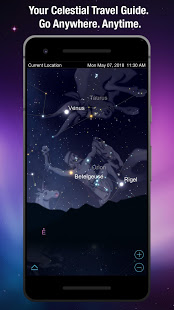
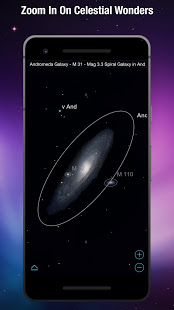
SkySafari is a powerful planetarium that fits in your pocket, puts the universe at your fingertips, and is incredibly easy to use!
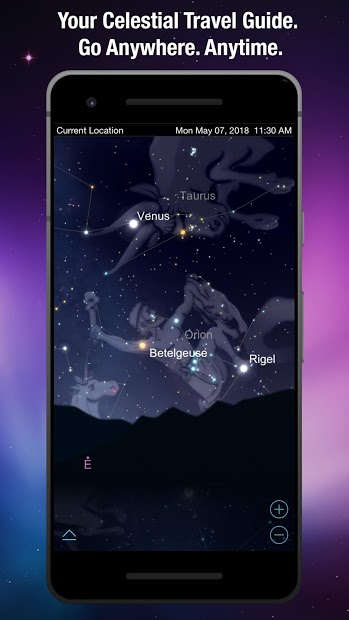
Simply hold your device to the sky and quickly locate planets, constellations, satellites, and millions of stars and deep sky objects. Packed with interactive information and rich graphics, discover why SkySafari is your perfect stargazing companion under the night sky.
Notable Features:
• Ever wanted to know what the sky looked like in 500 B.C.? What about in 2190? With SkySafari, you can simulate the night sky from anywhere on Earth many years in the past or future! Animate meteor showers, comet approaches, transits, conjunctions, and other celestial events.
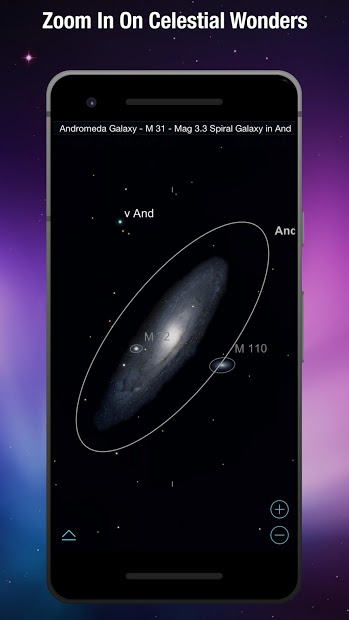
• Rich graphics unlike you’ve ever seen before! See galaxies, constellations, and more in stunning and vivid detail. Plus, optional constellation illustrations that will blow your mind.
• Just browsing the sky for something to look for? Check out the Tonight’s Best feature, which tells you which objects you’ll get the best view of tonight.
• Raise your device to the sky and SkySafari will find stars, constellations, planets, and more! The star chart updates automatically with your real time movements for the ultimate stargazing experience.
• Night Vision – Preserve your eyesight after dark.
• Locate the Sun, Moon, or Mars from our extensive database and track the arrow to be directed to their exact locations in the sky in front of you. See spectacular views of Venus, Jupiter, Saturn, and other planets!
• Learn about the history, mythology, and science of the heavens! Browse from hundreds of object descriptions, astronomical photographs, and NASA spacecraft images. Plus, stay up-to-date with SkyWeek for information about all major sky events every day – miss nothing!
• Watch animated meteor showers with complete viewing information & spectacular graphics.
• View 120,000 stars; over 200 star clusters, nebulae, and galaxies; all major planets and moons; and dozens of asteroids, comets, and satellites, including the International Space Station (ISS).
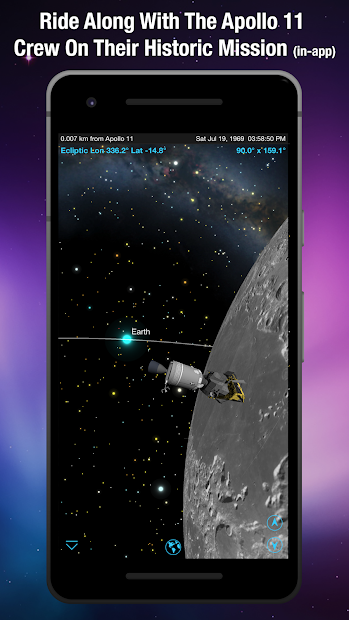
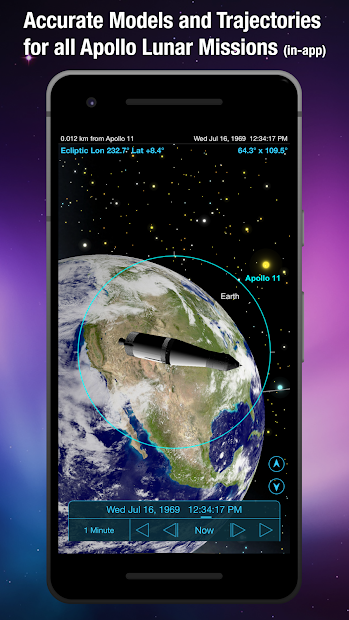
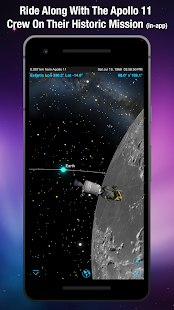
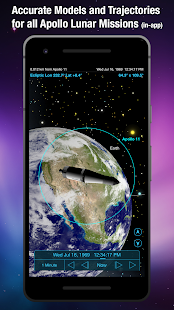
• Orbit Mode – Leave the Earth’s surface behind, and fly like a NASA space probe through the solar system (requires in-app purchase).
• Much more!
New in Version 6:
1) Complete support for Android 8. We’ve got you covered and release regular updates.
2) Clouds and astronomy, two words that rarely go together. SkySafari 6 will now (optionally) back up all your settings files and make it easily accessible on multiple devices as well as from our new web interface, LiveSky.com.
3) Redesigned toolbar, now with the ability to hide. Invisibility powers, activate!
4) Configurable font sizes - having trouble telling if that number is a 5 or a 6? Just make it bigger!
5) Better control of magnitude limits - for example, you can select to not see stars on the app that you can’t see with your naked eye!
6) Improved the databases!
7) Updated information for comets and asteroids!
8) Now the moon looks better when you zoom out!
Show more

1. Download MEmu installer and finish the setup

2. Start MEmu then open Google Play on the desktop

3. Search SkySafari - Astronomy App in Google Play
Install
4. Download and Install SkySafari - Astronomy App
5. On install completion click the icon to start

6. Enjoy using SkySafari - Astronomy App on PC with MEmu
MEmu Play is the best Android emulator, and 100 million users already enjoy its superb Android app experience. Powered by advanced virtualization technology, it lets you enjoy thousands of Android apps smoothly on your PC—including the most graphics-intensive ones.
Bigger screen with better graphics; Long duration, without limitation of battery or mobile data.
Full Keymapping support for precise control of keyboard and mouse or gamepad.
Multiple game accounts or tasks on single PC at one time with Multi-Instance manager.
Use SkySafari - Astronomy App on PC by following steps: