Darkstar - Idle RPG
Updated
Current Version
1.0.05
Offered By

With your passion for Darkstar - Idle RPG, you shouldn’t have to limit yourself to the small screen of a phone. Play like a pro and take full control of the game using a keyboard and mouse. MEmu gives you everything you’re looking for. Download and play Darkstar - Idle RPG on PC. Play as long as you want — no more worries about battery life, mobile data, or unexpected calls. The all-new MEmu 9 is the best way to play Darkstar - Idle RPG on PC. With our expertly designed keymapping system, Darkstar - Idle RPG feels just like a real PC game. The MEmu multi-instance manager lets you run two or more accounts on the same device at the same time. Most importantly, our exclusive emulation engine unlocks your PC’s full potential, delivering smooth and seamless performance.
Show more
Download Darkstar - Idle RPG on PC with MEmu Android Emulator. Enjoy playing on big screen. Set against the epic backdrop of a space war, this idle game lets you endlessly grow your fleet.
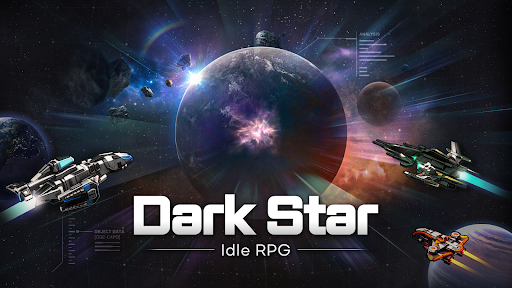
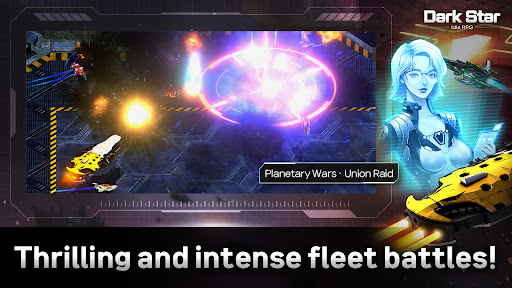
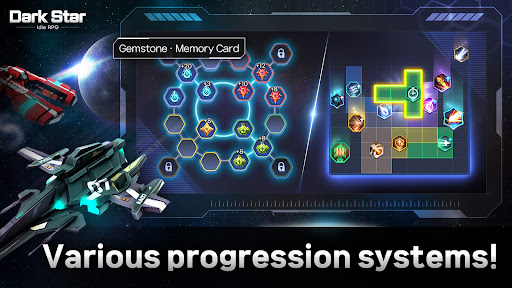
Set against the epic backdrop of a space war, this idle game lets you endlessly grow your fleet.
With high-quality graphics and stunning effects, experience an overwhelming sense of impact and fun!
Collect S-tier warship and conquer planets for an exhilarating experience.
Dive into the unparalleled world of space idle RPG gaming!
▶ Easy and Fun Mining and Space Fleet Creation System
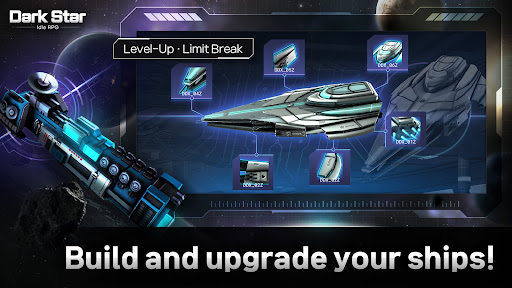
Easily mine resources with a single button operation, and raid other players’ ships to steal their resources! Use the mined and plundered resources to create even more powerful space warship!
▶ Dozens of Equipment and Spectacular Skills
Strengthen your weapons and enhance your ships using special equipment and minerals collected through unexplored planet expeditions. Enjoy the dazzling visuals that change with each weapon you equip!
▶ No More Passive Pets! Launch a Fleet of Drones!
Collect and grow dozens of drones that launch attacks with machine guns, missiles, lasers, and more as they fly in a circular pattern towards enemies. Start today, and by tomorrow, you’ll be a drone master!
▶ Endless Idle Growth and Upgrades
Enjoy simple and convenient yet exciting growth content! Experience the unique growth of an idle RPG with easy controls!
▶ Offline Rewards and Abundant Events
Grow endlessly with offline rewards! Feel the joy of rapid progression!
[■ Access Permissions Notice ■]
This app does not require any access permissions for service provision.
[■ How to Revoke Access Permissions ■]
Android 6.0 or later:
Revoke by access permission: Device Settings > Apps > More (Settings and Control) > App Settings > App Permissions > Select the corresponding access permission > Choose to allow or revoke access permission.
Revoke by app: Device Settings > Apps > Select the corresponding app > Permissions > Choose to allow or revoke access permission
◈ Customer Support Contact:
cs_darkstar@neptunecompany.kr
Show more

1. Download MEmu installer and finish the setup

2. Start MEmu then open Google Play on the desktop

3. Search Darkstar - Idle RPG in Google Play
Install
4. Download and Install Darkstar - Idle RPG
5. On install completion click the icon to start

6. Enjoy playing Darkstar - Idle RPG on PC with MEmu
MEmu Play is the best Android emulator and 100 million people already enjoy its superb Android gaming experience. The MEmu virtualization technology empowers you to play thousands of Android games smoothly on your PC, even the most graphic-intensive ones.
Bigger screen with better graphics; Long duration, without limitation of battery or mobile data.
Full Keymapping support for precise control of keyboard and mouse or gamepad.
Multiple game accounts or tasks on single PC at one time with Multi-Instance manager.
Play Darkstar - Idle RPG on PC by following steps: