Drop in the Hole
Updated
Current Version
1.0.1
Offered By

With your passion for Drop in the Hole, you shouldn’t have to limit yourself to the small screen of a phone. Play like a pro and take full control of the game using a keyboard and mouse. MEmu gives you everything you’re looking for. Download and play Drop in the Hole on PC. Play as long as you want — no more worries about battery life, mobile data, or unexpected calls. The all-new MEmu 9 is the best way to play Drop in the Hole on PC. With our expertly designed keymapping system, Drop in the Hole feels just like a real PC game. The MEmu multi-instance manager lets you run two or more accounts on the same device at the same time. Most importantly, our exclusive emulation engine unlocks your PC’s full potential, delivering smooth and seamless performance.
Show more
Download Drop in the Hole on PC with MEmu Android Emulator. Enjoy playing on big screen. Feel the thrill of swallowing the world!
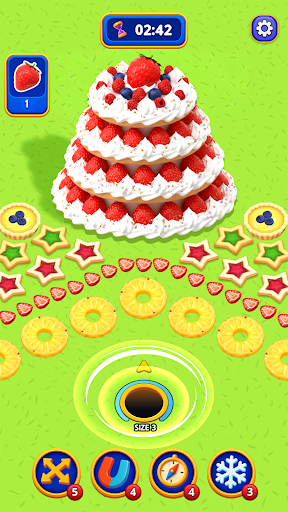
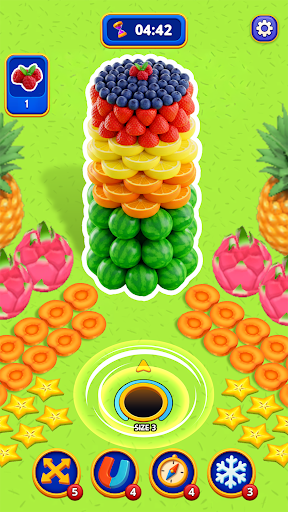
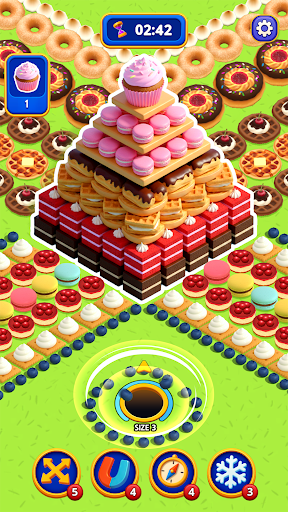
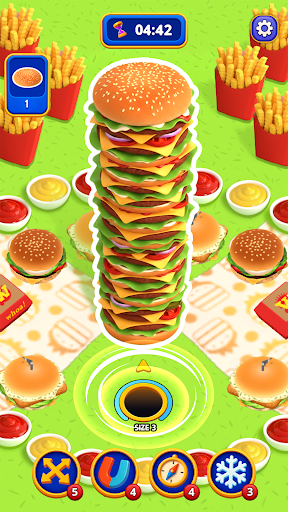
Feel the thrill of swallowing the world!
Simple yet highly addictive black hole puzzle game – Drop in the Hole!
Move your black hole to absorb items, fruits, cities, and buildings!
Experience the satisfaction and relaxation as everything disappears before your eyes.
Easy controls, intuitive puzzles, and endless growth fun await you!
Game Features
Strategic Black Hole Puzzles
▶ Drag your black hole and swallow items in the right order! Simple but strategic brain play!
▶ Grow bigger by absorbing smaller objects in this satisfying growth puzzle game!
▶ Clear stages within the time limit and enjoy the thrill of achievement!
Endless Growth & Relaxing Play
▶ The bigger the black hole, the wider the range and the faster it gets!
▶ Use boosters and skills to clear puzzles more efficiently.
▶ Enjoy this relaxing casual puzzle game offline anytime, anywhere – no internet needed!
Compete with Players Worldwide
▶ Join tournaments and team modes to challenge players around the world!
▶ Send and receive hearts and coins with friends to play together.
▶ Unlock various maps and skins to customize your own black hole style!
Various Themes
▶ Diverse theme maps and themed objects for each stage!
▶ Unlock new regions and objects to keep the gameplay fresh!
How to Play
▶ Move your black hole and swallow small items first.
▶ Clear each stage by absorbing all target objects within the time limit.
▶ Use boosters to extend time and maximize efficiency.
▶ Plan your movement strategically to earn high scores!
Recommended For You!
▶ Players who enjoy both black hole games and puzzle games.
▶ Those looking for a relaxing yet addictive casual growth game.
▶ Fans of swallow games and io-style casual games.
▶ Anyone who wants a fun offline puzzle game for short breaks.
This is more than just a puzzle game!
A perfect blend of puzzle challenge, strategy, and relaxing fun in one black hole game.
Download for free now and become the ultimate Black Hole Puzzle Master!
Official site: https://superboxgo.com
Facebook: https://www.facebook.com/superbox01
Email: help@superboxgo.com
----
Privacy Policy: https://superboxgo.com/privacypolicy_en.php
Terms of Service: https://superboxgo.com/termsofservice_en.php
Show more

1. Download MEmu installer and finish the setup

2. Start MEmu then open Google Play on the desktop

3. Search Drop in the Hole in Google Play
Install
4. Download and Install Drop in the Hole
5. On install completion click the icon to start

6. Enjoy playing Drop in the Hole on PC with MEmu
MEmu Play is the best Android emulator and 100 million people already enjoy its superb Android gaming experience. The MEmu virtualization technology empowers you to play thousands of Android games smoothly on your PC, even the most graphic-intensive ones.
Bigger screen with better graphics; Long duration, without limitation of battery or mobile data.
Full Keymapping support for precise control of keyboard and mouse or gamepad.
Multiple game accounts or tasks on single PC at one time with Multi-Instance manager.
Play Drop in the Hole on PC by following steps: