
FAIRY TAIL Wizard Chronicle
Updated
Current Version
1753265970
Offered By

With your passion for FAIRY TAIL Wizard Chronicle, you shouldn’t have to limit yourself to the small screen of a phone. Play like a pro and take full control of the game using a keyboard and mouse. MEmu gives you everything you’re looking for. Download and play FAIRY TAIL Wizard Chronicle on PC. Play as long as you want — no more worries about battery life, mobile data, or unexpected calls. The all-new MEmu 9 is the best way to play FAIRY TAIL Wizard Chronicle on PC. With our expertly designed keymapping system, FAIRY TAIL Wizard Chronicle feels just like a real PC game. The MEmu multi-instance manager lets you run two or more accounts on the same device at the same time. Most importantly, our exclusive emulation engine unlocks your PC’s full potential, delivering smooth and seamless performance.
Show more
Download FAIRY TAIL Wizard Chronicle on PC with MEmu Android Emulator. Enjoy playing on big screen. The latest ‘FAIRY TAIL’ smartphone game is here!
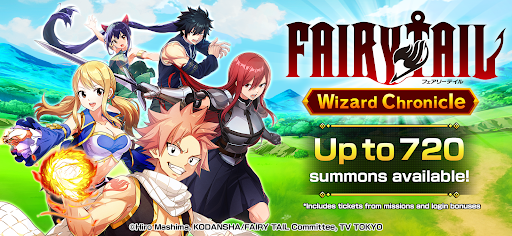



The latest ‘FAIRY TAIL’ smartphone game is here! Assemble your ultimate team and aim to conquer S-Class quests!
---------------------------------------------------------
What Is FAIRY TAIL Wizard Chronicle ?
---------------------------------------------------------
◆ A brand-new FAIRY TAIL adventure you can experience only here
Form the ultimate team that could exist only in a game!
Join your favorite wizards and take on S-Class quests.
Your very own FAIRY TAIL awaits—right on your phone!
◆ Free 720 Gacha Pulls!
After downloading, you can spin the gacha 720 times for free—
your chance to recruit a huge roster of wizards right from the start!
◆ More than 80 playable characters!
Natsu Dragneel
Lucy Heartfilia
Happy
Gray Fullbuster
Erza Scarlet
Wendy Marvell
Makarov Dreyar
Mirajane Strauss
Cana Alberona
Levy McGarden
Gajeel Redfox
Juvia Lockser
…and many other wizards appear!
◆ One-hand casual idle RPG
Auto-battles gather materials and EXP while you’re away,
so even busy players can log in later and level up in one go!
Latest news
Official website: https://madochro.com/
Notes
The release date shown in store listings is provisional.
The official launch date will be announced on X, so follow us for updates!
All images are from a version still in development and may change.
This application is distributed with full authorization from the rights holders.
©Hiro Mashima, KODANSHA/FAIRY TAIL Committee, TV TOKYO
Show more

1. Download MEmu installer and finish the setup

2. Start MEmu then open Google Play on the desktop

3. Search FAIRY TAIL Wizard Chronicle in Google Play
Install
4. Download and Install FAIRY TAIL Wizard Chronicle
5. On install completion click the icon to start

6. Enjoy playing FAIRY TAIL Wizard Chronicle on PC with MEmu
MEmu Play is the best Android emulator and 100 million people already enjoy its superb Android gaming experience. The MEmu virtualization technology empowers you to play thousands of Android games smoothly on your PC, even the most graphic-intensive ones.
Bigger screen with better graphics; Long duration, without limitation of battery or mobile data.
Full Keymapping support for precise control of keyboard and mouse or gamepad.
Multiple game accounts or tasks on single PC at one time with Multi-Instance manager.
Play FAIRY TAIL Wizard Chronicle on PC by following steps: