Frogun Encore
Updated
Current Version
Offered By

With your passion for Frogun Encore, you shouldn’t have to limit yourself to the small screen of a phone. Play like a pro and take full control of the game using a keyboard and mouse. MEmu gives you everything you’re looking for. Download and play Frogun Encore on PC. Play as long as you want — no more worries about battery life, mobile data, or unexpected calls. The all-new MEmu 9 is the best way to play Frogun Encore on PC. With our expertly designed keymapping system, Frogun Encore feels just like a real PC game. The MEmu multi-instance manager lets you run two or more accounts on the same device at the same time. Most importantly, our exclusive emulation engine unlocks your PC’s full potential, delivering smooth and seamless performance.
Show more
Download Frogun Encore on PC with MEmu Android Emulator. Enjoy playing on big screen. Three whole years have passed since Renata defeated Beelzebub, and her small vacation in Jake's town is cut short when the fly bois attack again!
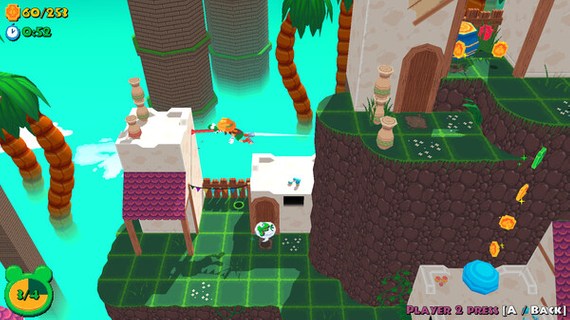
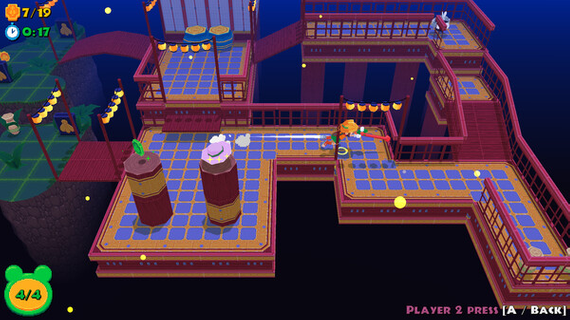
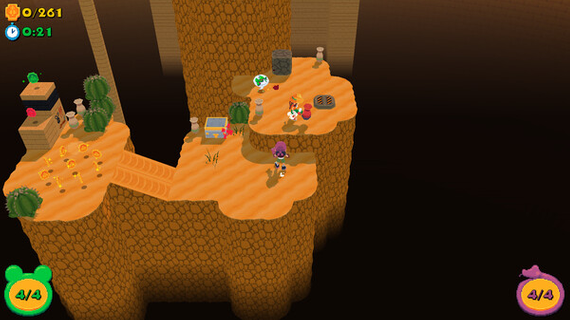
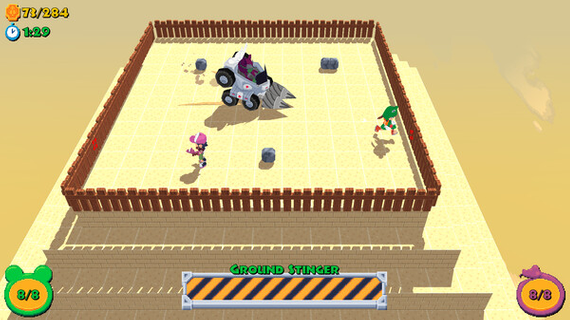
Three whole years have passed since Renata defeated Beelzebub, and her small vacation in Jake's town is cut short when the fly bois attack again! It seems one of Beelzebub's loyal followers has an evil scheme in motion to bring him back, and Renata, Jake and Hatter will have to travel the whole world to foil his plans. Join Renata on a brand new FROGUN adventure in this fast-paced classic 3D platformer! Building off of the original gameplay, FROGUN Encore features a slew of new movements, like the double jump, sling catapult and toss jump! Plus, experience FROGUN in true couch co-op. Have Jake pop in at any time to explore together the perilous ruins! As Renata (and Jake!) navigate the world in all new environments, collect notes and all sorts of treasure and retrieve all fly emblems. Features-Explore colorful levels as you trek across the world - explore whimsical areas and environments in stylish lowpoly aesthetic-Expanded fluid movement ; jump, double jump, swing on ledges and poles, grapple, and use your trusty Frogun to navigate the environment in new, unique ways!-Fight big bosses-Find secret areas or shortcuts by mastering advanced jumping & grappling mechanics! How nimble are you?-Collect emblems by fulfilling level challenges, and discover the stories of other adventurers through hidden diary notes-Unlock hats for your characters and show off your swag!-A poseable photo mode to let you show off your creativity!-True Co-Op; play with your best friend and cooperate or race together towards the end of each level!
Show more

1. Download MEmu installer and finish the setup

2. Start MEmu then open Google Play on the desktop

3. Search Frogun Encore in Google Play
Install
4. Download and Install Frogun Encore
5. On install completion click the icon to start

6. Enjoy playing Frogun Encore on PC with MEmu
MEmu Play is the best Android emulator and 100 million people already enjoy its superb Android gaming experience. The MEmu virtualization technology empowers you to play thousands of Android games smoothly on your PC, even the most graphic-intensive ones.
Bigger screen with better graphics; Long duration, without limitation of battery or mobile data.
Full Keymapping support for precise control of keyboard and mouse or gamepad.
Multiple game accounts or tasks on single PC at one time with Multi-Instance manager.
Play Frogun Encore on PC by following steps: