Goods Blast: Sorting Mania
Updated
Current Version
1.13.0
Offered By

With your passion for Goods Blast: Sorting Mania, you shouldn’t have to limit yourself to the small screen of a phone. Play like a pro and take full control of the game using a keyboard and mouse. MEmu gives you everything you’re looking for. Download and play Goods Blast: Sorting Mania on PC. Play as long as you want — no more worries about battery life, mobile data, or unexpected calls. The all-new MEmu 9 is the best way to play Goods Blast: Sorting Mania on PC. With our expertly designed keymapping system, Goods Blast: Sorting Mania feels just like a real PC game. The MEmu multi-instance manager lets you run two or more accounts on the same device at the same time. Most importantly, our exclusive emulation engine unlocks your PC’s full potential, delivering smooth and seamless performance.
Show more
Download Goods Blast: Sorting Mania on PC with MEmu Android Emulator. Enjoy playing on big screen. Ever wanted to blast, match, and pop your way through mountains of adorable goods?
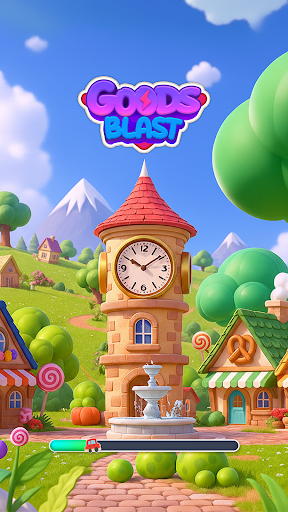
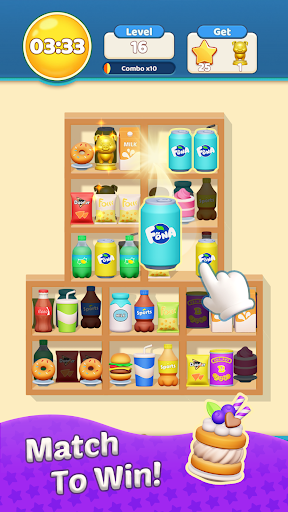
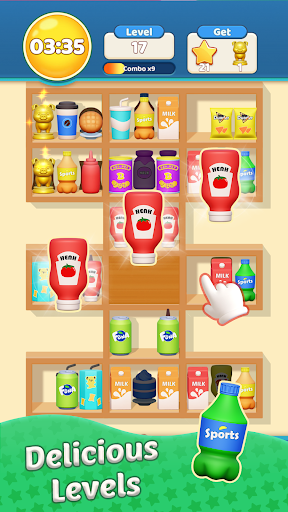
Ever wanted to blast, match, and pop your way through mountains of adorable goods?
In Goods Blast: Sorting Mania, the thrill of sorting meets the joy of explosive puzzle action! Dive into a lively 3D goods world filled with toys, fruits, and sweets just waiting to be matched—and blasted!
Game Features
• Addictive Blast Gameplay: Tap and match identical goods to trigger satisfying chain reactions!
• Vibrant 3D Shelves: Experience stunning, lifelike goods—from juicy fruits to cute plushies and tasty desserts.
• Unique Blast Mechanics: Match more to build combos and unleash powerful boosters that clear entire shelves!
• Thousands of Exciting Levels: Enjoy endless fun across beautifully designed, increasingly challenging stages.
• Special Blast Events: Join weekly events and limited-time challenges to earn exclusive rewards!
• Powerful Boosters & Universal Gems: Use them strategically to solve tricky puzzles and blast faster than ever.
• Dynamic Visuals & Effects: Watch as goods burst, sparkle, and fly with ultra-smooth animations.
• Play at Your Own Pace: Relax and unwind, or aim for perfect combos under time pressure—your choice!
How to Play
• Tap to select and match identical goods on the shelves.
• Combine three or more to blast them away and earn points.
• Create chain reactions to fill your Blast Meter and activate powerful boosters!
• Complete daily missions and themed events to win extra coins and rare items.
• Unlock new shelf designs and special goods as you progress.
Why You’ll Love It
• Super-satisfying blast effects and animations that never get old.
• A growing collection of beautifully designed goods to discover.
• Relaxing yet strategic gameplay perfect for all ages.
• Regular content updates, new power-ups, and seasonal events.
• Offline play support—blast anywhere, anytime!
Whether you’re looking for a relaxing puzzle break or a high-energy matching challenge, Goods Blast delivers non-stop fun that pops off the screen.
Download Goods Blast now and start your explosive matching adventure today!
Can you clear all the shelves and become the ultimate Blast Master?
Show more

1. Download MEmu installer and finish the setup

2. Start MEmu then open Google Play on the desktop

3. Search Goods Blast: Sorting Mania in Google Play
Install
4. Download and Install Goods Blast: Sorting Mania
5. On install completion click the icon to start

6. Enjoy playing Goods Blast: Sorting Mania on PC with MEmu
MEmu Play is the best Android emulator and 100 million people already enjoy its superb Android gaming experience. The MEmu virtualization technology empowers you to play thousands of Android games smoothly on your PC, even the most graphic-intensive ones.
Bigger screen with better graphics; Long duration, without limitation of battery or mobile data.
Full Keymapping support for precise control of keyboard and mouse or gamepad.
Multiple game accounts or tasks on single PC at one time with Multi-Instance manager.
Play Goods Blast: Sorting Mania on PC by following steps: