
LAVOICE
Updated
Current Version
P-1
Offered By

With your passion for LAVOICE, you shouldn’t have to limit yourself to the small screen of a phone. Play like a pro and take full control of the game using a keyboard and mouse. MEmu gives you everything you’re looking for. Download and play LAVOICE on PC. Play as long as you want — no more worries about battery life, mobile data, or unexpected calls. The all-new MEmu 9 is the best way to play LAVOICE on PC. With our expertly designed keymapping system, LAVOICE feels just like a real PC game. The MEmu multi-instance manager lets you run two or more accounts on the same device at the same time. Most importantly, our exclusive emulation engine unlocks your PC’s full potential, delivering smooth and seamless performance.
Show more
Download LAVOICE on PC with MEmu Android Emulator. Enjoy playing on big screen. In LAVOICE, an arena FPS, you ask for a weapon out loud and the game builds it in your hand, piece by piece.

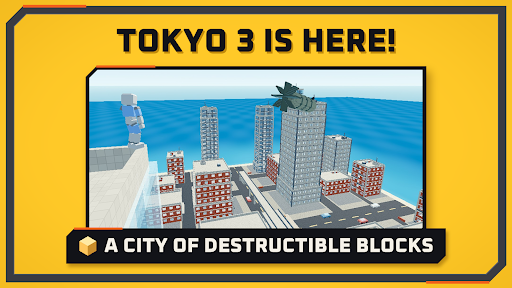
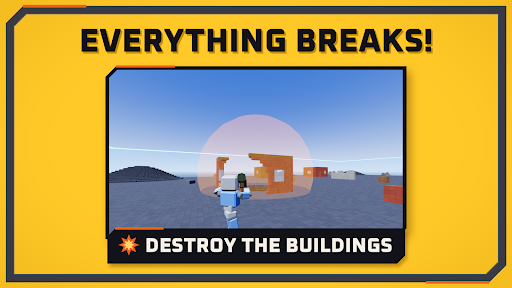
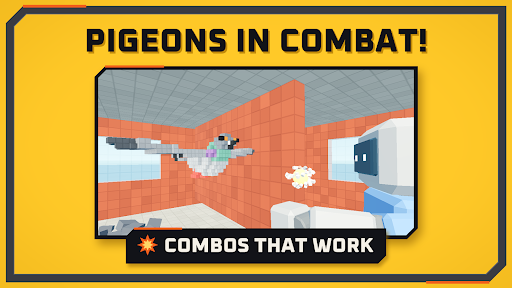
In LAVOICE, an arena FPS, you ask for a weapon out loud and the game builds it in your hand, piece by piece. Say "I want a pistol that shoots a pigeon that drops grenades" and it works the way you said it.
Every match starts with nothing. Rip blocks off the map to gather matter, ask for anything by speaking or typing, and use it against the others. Everything on the map breaks, and whatever you destroy becomes matter for your next idea.
Some requests that work:
• "I want a shotgun with three barrels that shoots walls"
• "I want a tower that drops bombs every 2 seconds"
• "I want a unicorn with machine guns that explodes into a helicopter"
• "I want to fly"
NANOCUBE, the survival mode:
• Push through cube-shaped rooms full of creatures and see how far you get
• The Cube learns the ideas you repeat and starts resisting them, so switching weapons pays off
• Every so often the Core shows up, a room where you recover health and make trades
• Play solo or co-op with up to 4 people
• Leaderboards and achievements on Google Play Games (solo runs count)
Versus and training:
• Duel against a bot, playable without internet
• Matches of up to 4 people on the same network
• Practice, with a creative mode to try ideas freely
• Three maps: a block city with ground you can dig, planets with their own gravity and a metropolis on an island full of skyscrapers
Customize your robot with paint and stickers.
Mobile controls: hold SPEAK, say your request and let go. No microphone? Tap TYPE. To gather matter, turn on extraction mode and hold the main button while aiming at a building. You can move and resize the on-screen buttons in the settings.
About voice: on Android 12 or newer, speech is recognized on the phone itself, without internet. On Android 11 or older, Google speech recognition needs internet. Typing always works.
The game understands English and Portuguese and reads your sentences with its own rules, no generative AI. There are no ads or in-app purchases, and you don't need an account.
Every update brings new words and new things to ask for.
Show more

1. Download MEmu installer and finish the setup

2. Start MEmu then open Google Play on the desktop

3. Search LAVOICE in Google Play
Install
4. Download and Install LAVOICE
5. On install completion click the icon to start

6. Enjoy playing LAVOICE on PC with MEmu
MEmu Play is the best Android emulator and 100 million people already enjoy its superb Android gaming experience. The MEmu virtualization technology empowers you to play thousands of Android games smoothly on your PC, even the most graphic-intensive ones.
Bigger screen with better graphics; Long duration, without limitation of battery or mobile data.
Full Keymapping support for precise control of keyboard and mouse or gamepad.
Multiple game accounts or tasks on single PC at one time with Multi-Instance manager.
Play LAVOICE on PC by following steps: