NYT Games: Word Games & Sudoku
Updated
Current Version
6.40.2
Offered By

With your passion for NYT Games: Word Games & Sudoku, you shouldn’t have to limit yourself to the small screen of a phone. Play like a pro and take full control of the game using a keyboard and mouse. MEmu gives you everything you’re looking for. Download and play NYT Games: Word Games & Sudoku on PC. Play as long as you want — no more worries about battery life, mobile data, or unexpected calls. The all-new MEmu 9 is the best way to play NYT Games: Word Games & Sudoku on PC. With our expertly designed keymapping system, NYT Games: Word Games & Sudoku feels just like a real PC game. The MEmu multi-instance manager lets you run two or more accounts on the same device at the same time. Most importantly, our exclusive emulation engine unlocks your PC’s full potential, delivering smooth and seamless performance.
Show more
Download NYT Games: Word Games & Sudoku on PC with MEmu Android Emulator. Enjoy playing on big screen. New York Times Games is the essential app for anyone who loves word, logic and number games.
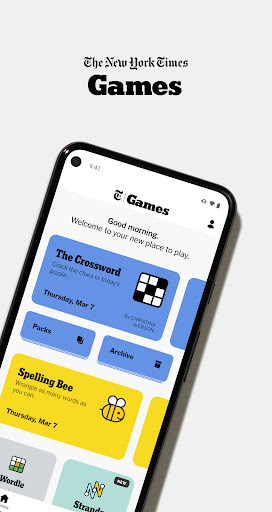
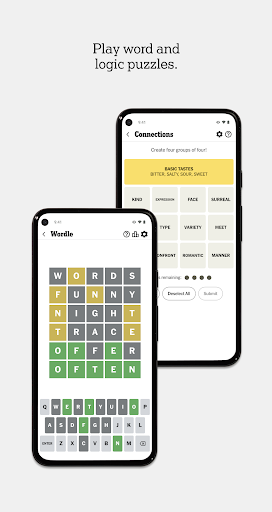
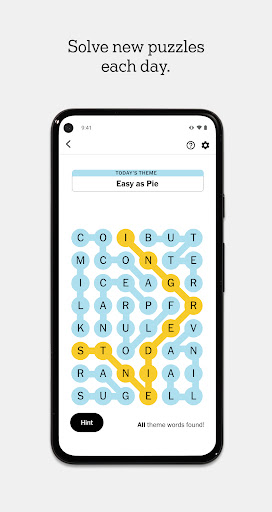
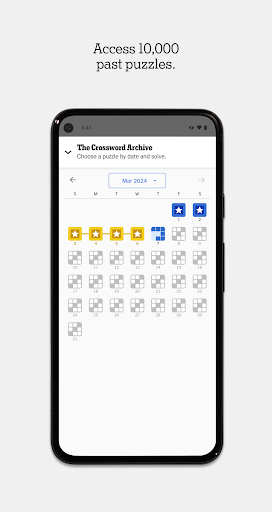
New York Times Games is the essential app for anyone who loves word, logic and number games. Guess the Wordle, solve the Crossword or build words in Spelling Bee. Free to download, the app offers new puzzles daily for every skill level.
App Features and Games:
NEW: THE MIDI CROSSWORD
- Crush this clever midsize word puzzle.
- Just-right size between the Mini and the Crossword.
- Enjoy approachable clues, special puzzles and a path to daily wins.
THE CROSSWORD
- The classic daily New York Times puzzle you love.
- Crack clues and fill the grid with answers.
- Crosswords increase in difficulty throughout the week.
WORDLE
- The official Wordle, a word-guessing game.
- Can you guess the 5-letter word in 6 tries or less?
- Analyze your guesses and improve your skills with Wordle Bot.
CONNECTIONS
- Group words that share a common thread.
- Organize 16 terms into four categories using word associations and strategy in this brain teaser
- Analyze your guesses and see how you stack up with Connections Bot.
SPELLING BEE
- Is spelling your strong suit?
- See how many words you can create with 7 letters.
- Build more words to earn more points.
SUDOKU
- Looking for a numbers game, minus the math?
- Fill each 3x3 set of boxes with numbers 1 to 9.
- Play a new puzzle every day in easy, medium or hard mode.
STRANDS
- Try this classic word search, with a twist.
- Find hidden words and uncover the day’s theme.
- How many words can you find?
THE MINI CROSSWORD
- All the fun of the Crossword, but you can solve it in seconds.
- A spin on our original word game, with simpler clues.
- Puzzles don’t increase in difficulty throughout the week.
PIPS
- Find the right spot for each domino.
- Leverage logic and arrange dominoes in this brain teaser.
- Play three puzzles daily: Easy, medium and hard.
TILES
- Unwind with a pattern-matching game.
- The key is to match elements consecutively.
- Can you keep your chain going?
LETTER BOXED
- Build words using letters around the square.
- Test your word-making skills with daily puzzles.
- Connect characters and see how many words you can create.
BADGES
- Earn badges for Spelling Bee, Wordle and Connections.
- Celebrate your streaks and wins.
STATS
- Looking for your longest solving streak?
- Wondering how many puzzles you’ve solved?
- Track your progress with stats for the Crossword, Spelling Bee, Wordle, Connections and Strands.
- Plus, monitor your average solve times.
LEADERBOARD
- Add friends and follow daily scores across Wordle, Connections, Spelling Bee and the Mini.
- Plus, explore your score history to see how your word game scores stack up over time.
PUZZLE ARCHIVE
- Subscribers can solve over 10,000 past puzzles from New York Times Games.
- Explore puzzle archives for Wordle, Connections, Strands, Spelling Bee, the Crossword and the Mini.
HINTS
- Find tips and strategize with fellow solvers in the forums. Just tap the light bulb while playing.
- Available for Wordle, Connections, Spelling Bee and Strands.
BY DOWNLOADING THE NEW YORK TIMES GAMES APP, you agree to:
• The New York Times Privacy Policy: https://www.nytimes.com/privacy/privacy-policy
• The New York Times Cookie Policy: https://www.nytimes.com/privacy/cookie-policy
• The New York Times California Privacy Notices: https://www.nytimes.com/privacy/california-notice
• The New York Times Terms of Service: https://www.nytimes.com/content/help/rights/terms/terms-of-service.html
Show more

1. Download MEmu installer and finish the setup

2. Start MEmu then open Google Play on the desktop

3. Search NYT Games: Word Games & Sudoku in Google Play
Install
4. Download and Install NYT Games: Word Games & Sudoku
5. On install completion click the icon to start

6. Enjoy playing NYT Games: Word Games & Sudoku on PC with MEmu
MEmu Play is the best Android emulator and 100 million people already enjoy its superb Android gaming experience. The MEmu virtualization technology empowers you to play thousands of Android games smoothly on your PC, even the most graphic-intensive ones.
Bigger screen with better graphics; Long duration, without limitation of battery or mobile data.
Full Keymapping support for precise control of keyboard and mouse or gamepad.
Multiple game accounts or tasks on single PC at one time with Multi-Instance manager.
Play NYT Games: Word Games & Sudoku on PC by following steps: