
The Quiet Execution
Updated
Current Version
Offered By

With your passion for The Quiet Execution, you shouldn’t have to limit yourself to the small screen of a phone. Play like a pro and take full control of the game using a keyboard and mouse. MEmu gives you everything you’re looking for. Download and play The Quiet Execution on PC. Play as long as you want — no more worries about battery life, mobile data, or unexpected calls. The all-new MEmu 9 is the best way to play The Quiet Execution on PC. With our expertly designed keymapping system, The Quiet Execution feels just like a real PC game. The MEmu multi-instance manager lets you run two or more accounts on the same device at the same time. Most importantly, our exclusive emulation engine unlocks your PC’s full potential, delivering smooth and seamless performance.
Show more
Download The Quiet Execution on PC with MEmu Android Emulator. Enjoy playing on big screen. The Quiet Execution is an immersive, spine-chilling first-person horror game that plunges players into the depths of a dark and suspenseful world.
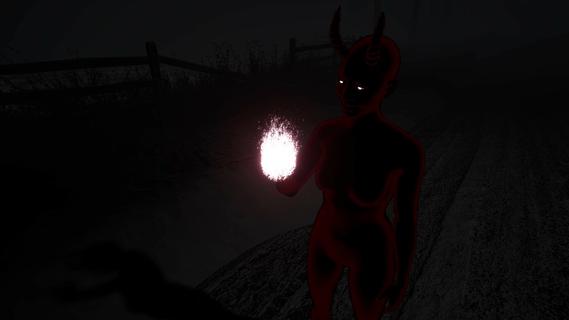



The Quiet Execution is an immersive, spine-chilling first-person horror game that plunges players into the depths of a dark and suspenseful world. In this gripping narrative, players assume the role of an executioner, a grim agent bound to an enigmatic and demonic cult. As the executor of the cult's malevolent will, the protagonist has been complicit in numerous dark rituals and sinister sacrifices meant to appease the ancient evil entities to which the cult is devoted.As the story unfolds, players might think the journey is close to its conclusion as the bodies pile up and the echoes of the damned fade into silence. However, just when a semblance of ending seems within reach, the malevolent force that the cult venerates springs a diabolical surprise—a proposal that cannot be declined. The evil entity offers the executioner a chance to end all ties with the cult, but with a chilling catch: to embody an ancient evil, to once again become the "Quiet Reaper."This offer thrusts players into a moral abyss. To gain freedom, they must commit one final act: the sacrifice of one last life. This task forces players to confront the moral implications of their previous actions and the haunting reality of what their future might hold. Each decision in the game tailors the narrative, steering the executioner down paths laden with ethical dilemmas and supernatural terror.Graphically, "The Quiet Execution" reflects its dark themes with a visually stunning yet eerie aesthetic. The game's environment is steeped in an almost palpable atmosphere of dread, with foreboding shadows and chilling soundscapes that make every corner turned a test of nerve. The decrepit chambers of cult rituals, filled with arcane symbols and remnants of unholy ceremonies, set a perfect stage for the horror to unfold.As players delve deeper into the game, they encounter various characters—each either a puppet of the evil entity or a victim to the cult's ghastly activities. Dialogues and interactions with these characters reveal the backstory and the sinister motives of the cult, enriching the gameplay with layers of narrative complexity."The Quiet Execution" challenges players not just to face external horrors but also to wrestle with inner demons. The game's interactive storyline, combined with its psychologically intense atmosphere, ensures that each player's experience is uniquely unsettling. Whether one chooses to embrace the darkness or fight for redemption, "The Quiet Execution" offers a dense, provocative gaming experience, haunting players long after they've turned away from the screen.
Show more

1. Download MEmu installer and finish the setup

2. Start MEmu then open Google Play on the desktop

3. Search The Quiet Execution in Google Play
Install
4. Download and Install The Quiet Execution
5. On install completion click the icon to start

6. Enjoy playing The Quiet Execution on PC with MEmu
MEmu Play is the best Android emulator and 100 million people already enjoy its superb Android gaming experience. The MEmu virtualization technology empowers you to play thousands of Android games smoothly on your PC, even the most graphic-intensive ones.
Bigger screen with better graphics; Long duration, without limitation of battery or mobile data.
Full Keymapping support for precise control of keyboard and mouse or gamepad.
Multiple game accounts or tasks on single PC at one time with Multi-Instance manager.
Play The Quiet Execution on PC by following steps: