Tomb of the Mask
Updated
Current Version
1.25.2
Offered By

With your passion for Tomb of the Mask, you shouldn’t have to limit yourself to the small screen of a phone. Play like a pro and take full control of the game using a keyboard and mouse. MEmu gives you everything you’re looking for. Download and play Tomb of the Mask on PC. Play as long as you want — no more worries about battery life, mobile data, or unexpected calls. The all-new MEmu 9 is the best way to play Tomb of the Mask on PC. With our expertly designed keymapping system, Tomb of the Mask feels just like a real PC game. The MEmu multi-instance manager lets you run two or more accounts on the same device at the same time. Most importantly, our exclusive emulation engine unlocks your PC’s full potential, delivering smooth and seamless performance.
Show more
Download Tomb of the Mask on PC with MEmu Android Emulator. Enjoy playing on big screen. Tomb of the Mask is a fun game where you need to go through exciting mazes, successfully bypassing all the traps and escaping from the advancing lava!
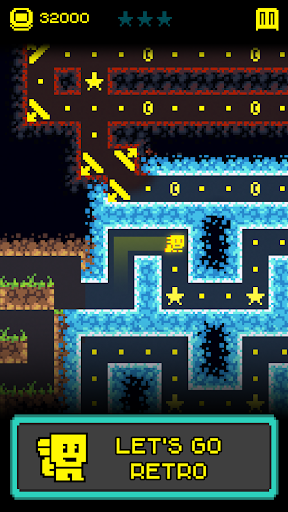
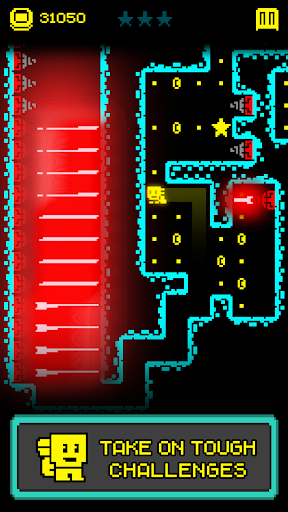
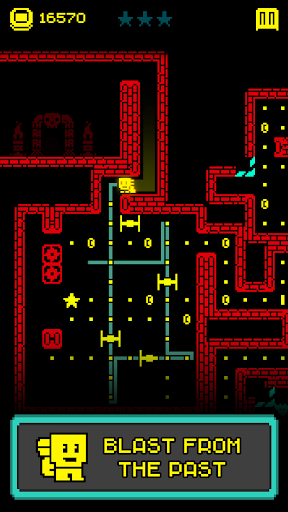
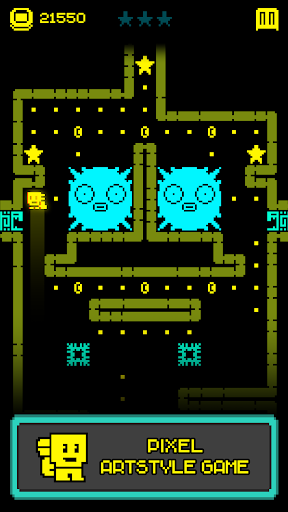
Tomb of the Mask is a fun game where you need to go through exciting mazes, successfully bypassing all the traps and escaping from the advancing lava! This game will appeal to everyone who likes old games, retro games and pixel games, as well as those who want to test their reflexes! Tomb of the Mask is an arcade game with vertical mazes and a variety of enemies and power-ups. At the beginning of the game, find a strange mask that will allow you to easily and quickly climb the walls, and go on a dynamic pixel adventure!
WHY YOU WILL ENJOY PLAYING THIS GAME:
Old games style
This game perfectly captures the spirit of retro games with its pixel art and classic 8 bit mazes! There is also a lot of harmonious geometry and verticality, which is typical of games of the past on slot machines.
Checking the reaction
This game will test your reflexes countless times. The endless maze, as befits maze games, is stuffed with all sorts of traps. In addition, enemies will be waiting for you, for example snakes, from which you need to have time to escape! And that's not all: all this time the lava will constantly rise, so you need to think and move quickly.
Useful power-ups
To successfully pass any trap in the maze, use power-ups! Shields protect against collisions, a magnet attracts all coins and dots, and freezing immobilizes enemies!
Lots of powerful masks
Discover unique masks with special abilities! Put on your favorite powerful mask and use its characteristics, for example, get more coins or power-ups.
ALSO:
Finally, these are very fun games! Fast, intense arcade gameplay, will bring a lot of positive emotions! And you will definitely like the feeling that you were able to escape from the maze, try it yourself! But enough words, check out the famous game yourself and dive into a pixel retro adventure with The Mask! Hurry up and join us!
Show more

1. Download MEmu installer and finish the setup

2. Start MEmu then open Google Play on the desktop

3. Search Tomb of the Mask in Google Play
Install
4. Download and Install Tomb of the Mask
5. On install completion click the icon to start

6. Enjoy playing Tomb of the Mask on PC with MEmu
MEmu Play is the best Android emulator and 100 million people already enjoy its superb Android gaming experience. The MEmu virtualization technology empowers you to play thousands of Android games smoothly on your PC, even the most graphic-intensive ones.
Bigger screen with better graphics; Long duration, without limitation of battery or mobile data.
Full Keymapping support for precise control of keyboard and mouse or gamepad.
Multiple game accounts or tasks on single PC at one time with Multi-Instance manager.
Play Tomb of the Mask on PC by following steps: