Tower King: Defense game
Updated
Current Version
1762035886
Offered By

With your passion for Tower King: Defense game, you shouldn’t have to limit yourself to the small screen of a phone. Play like a pro and take full control of the game using a keyboard and mouse. MEmu gives you everything you’re looking for. Download and play Tower King: Defense game on PC. Play as long as you want — no more worries about battery life, mobile data, or unexpected calls. The all-new MEmu 9 is the best way to play Tower King: Defense game on PC. With our expertly designed keymapping system, Tower King: Defense game feels just like a real PC game. The MEmu multi-instance manager lets you run two or more accounts on the same device at the same time. Most importantly, our exclusive emulation engine unlocks your PC’s full potential, delivering smooth and seamless performance.
Show more
Download Tower King: Defense game on PC with MEmu Android Emulator. Enjoy playing on big screen. The King Has Returned to Defend His Realm!
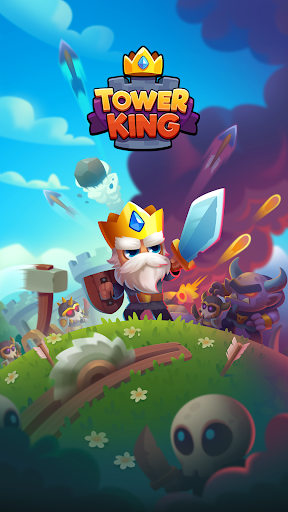
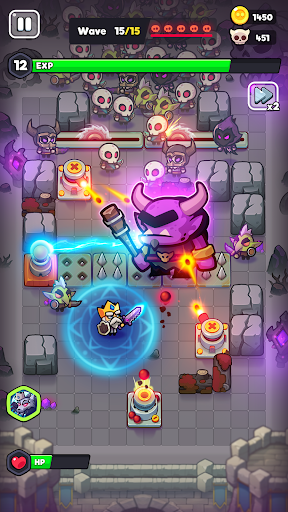
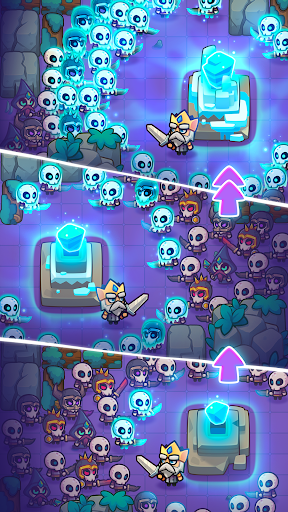
The King Has Returned to Defend His Realm!
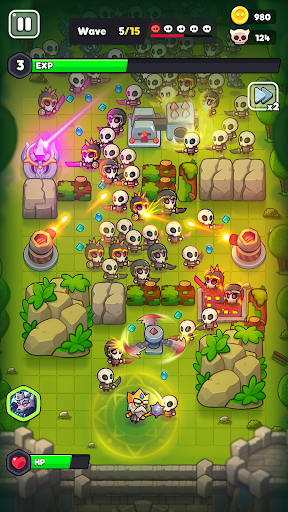
Take command as the ultimate strategist—build an impenetrable defense and crush hordes of undead. Summon mighty defenders, erect and upgrade diverse towers, unlock powerful abilities, and fight for the future of the kingdom!
Defend Your Kingdom
Necromancers, undead armies, and monstrous creatures threaten the royal lands! Lead the charge and prove the King’s strength is no legend. With every stage, enemies grow more formidable—but so do your towers!
Build and Upgrade Towers
Place fiery, icy, magical, and many other types of towers to form the perfect defense. Earn gold and experience from each victory, and invest in upgrades to unlock unique skills. Experiment with tower placement and discover winning strategies to obliterate enemy waves!
Unleash Royal Abilities
The King is no passive ruler—he’s a hero on the battlefield. Cast devastating spells, empower your forces, and strike enemy lines with lightning, meteors, and other lethal powers. Level up to become an even deadlier force against the darkness!
Recruit Heroes and Allies
Other champions in the kingdom stand ready to fight alongside the King. Each hero boasts unique abilities and combat styles. Level them up, equip rare artifacts, and assemble a fearsome team to take on the most daunting bosses!
Epic Progression
Gather trophies, unlock new chapters in the campaign, and traverse the vast kingdom. From blooming valleys to haunted graveyards, each location presents its own perils, rewards, and secrets that can aid or hinder your path to victory.
Challenge Your Tactical Genius
Brace for epic encounters: as you press forward, you’ll face increasingly cunning and numerous enemy waves. Test your strategy, reflexes, and endurance in special boss fights, each featuring its own tricks and challenges.
Claim Your Throne and Become the Legendary Defender!
Download now and dive into a world of strategic tower defense, where every tower placement counts and every victory brings your realm closer to peace. Will you save your kingdom from the looming darkness?
Show more

1. Download MEmu installer and finish the setup

2. Start MEmu then open Google Play on the desktop

3. Search Tower King: Defense game in Google Play
Install
4. Download and Install Tower King: Defense game
5. On install completion click the icon to start

6. Enjoy playing Tower King: Defense game on PC with MEmu
MEmu Play is the best Android emulator and 100 million people already enjoy its superb Android gaming experience. The MEmu virtualization technology empowers you to play thousands of Android games smoothly on your PC, even the most graphic-intensive ones.
Bigger screen with better graphics; Long duration, without limitation of battery or mobile data.
Full Keymapping support for precise control of keyboard and mouse or gamepad.
Multiple game accounts or tasks on single PC at one time with Multi-Instance manager.
Play Tower King: Defense game on PC by following steps: