Tree of Savior: NEO
Updated
Current Version
1.0.1
Offered By

With your passion for Tree of Savior: NEO, you shouldn’t have to limit yourself to the small screen of a phone. Play like a pro and take full control of the game using a keyboard and mouse. MEmu gives you everything you’re looking for. Download and play Tree of Savior: NEO on PC. Play as long as you want — no more worries about battery life, mobile data, or unexpected calls. The all-new MEmu 9 is the best way to play Tree of Savior: NEO on PC. With our expertly designed keymapping system, Tree of Savior: NEO feels just like a real PC game. The MEmu multi-instance manager lets you run two or more accounts on the same device at the same time. Most importantly, our exclusive emulation engine unlocks your PC’s full potential, delivering smooth and seamless performance.
Show more
Download Tree of Savior: NEO on PC with MEmu Android Emulator. Enjoy playing on big screen. Game Official Launch on June 12th!
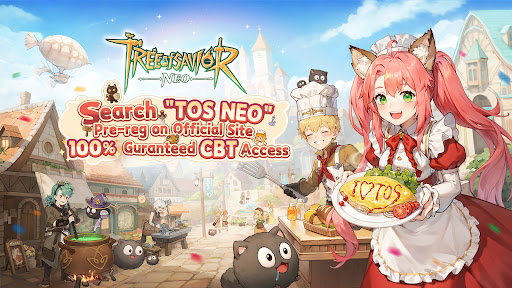


Game Official Launch on June 12th! Mark your calendar!
Website: tos.neocraftstudio.com
Discord: https://discord.gg/sWNZcqPsE2
X: https://x.com/TreeofSaviorNEO
Facebook: https://www.facebook.com/TreeofSaviorNEO
Reddit: https://www.reddit.com/r/TreeofSaviorNeo/
“In a realm where trees sing secrets, your saga begins.”
Beneath ancient boughs and starlit skies, Tree of Savior awaits—a living MMO where magic fuels adventure and camaraderie sparks legends. Forge bonds, master divine classes, and conquer realms where every path thrills.
Endless Adventures Await
Class Mastery & Tactical Depth
5 core classes with third-tier upgrades: Resurrect allies, vanish into shadows, or tank with unbreakable might.
Team up with mystical Cat Spirits to dominate PvE raids or outplay rivals in cross-server tournaments.
Epic Bosses & Loot Glory
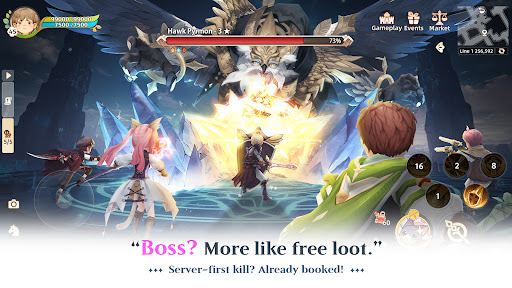
Crush the 72 Demon Gods with your squad—dodge deadly mechanics, claim rare drops.
Explore 12+ vibrant zones, battle 50+ unique bosses, and grind 150+ dungeons—zero copy-paste grind.
Craft, Build, Thrive
Design cozy cottages with rare materials—flex your style or host guild parties.
Cook feasts that buff raids, brew potions that melt bosses—life skills = endgame power.
Server Wars & Dynamic Worlds
Lead your guild to victory in cross-server island sieges—earn bragging rights and loot.
Chase weather-exclusive mounts in storms, loot treasure in blizzards—adapt or miss out.
MMO Vibes, Real Community
Join 50k+ players per server—trade, meme, or find your raid soulmates.
Party up, marry under the World Tree, or flex your drip in the marketplace economy.
Show more

1. Download MEmu installer and finish the setup

2. Start MEmu then open Google Play on the desktop

3. Search Tree of Savior: NEO in Google Play
Install
4. Download and Install Tree of Savior: NEO
5. On install completion click the icon to start

6. Enjoy playing Tree of Savior: NEO on PC with MEmu
MEmu Play is the best Android emulator and 100 million people already enjoy its superb Android gaming experience. The MEmu virtualization technology empowers you to play thousands of Android games smoothly on your PC, even the most graphic-intensive ones.
Bigger screen with better graphics; Long duration, without limitation of battery or mobile data.
Full Keymapping support for precise control of keyboard and mouse or gamepad.
Multiple game accounts or tasks on single PC at one time with Multi-Instance manager.
Play Tree of Savior: NEO on PC by following steps: