AI Face Aging - Photo Editor
Updated
Current Version
1.1.1
Offered By

Stop worrying about high battery drain when using AI Face Aging - Photo Editor on your phone. Free yourself from the tiny screen and enjoy the app on a much larger display. From now on, get a full-screen experience of your app with the convenience of a keyboard and mouse. MEmu offers you all the surprising features you’d expect: quick installation and easy setup, intuitive controls, and no more worries about battery life, mobile data, or unexpected calls. The all-new MEmu 9 is the choice for using AI Face Aging - Photo Editor on your computer. With the MEmu multi-instance manager, you can run two or more accounts at the same time. Most importantly, our exclusive emulation engine unlocks your PC’s full potential, delivering smooth and enjoyable performance.
Show more
Enjoy superb experience of using AI Face Aging - Photo Editor on PC with MEMU App Player. It's a powerful free Android emulator which provides you with thousands of android apps for their desktop version. Enjoy connecting with friends and polishing your work with higher efficiency! Step into the future & the past world with AI Face Aging: Photo Editor - the ultimate photo editor to face swap, and explore future face in seconds!
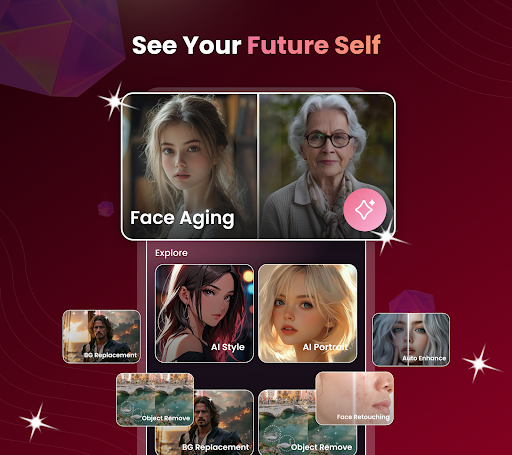
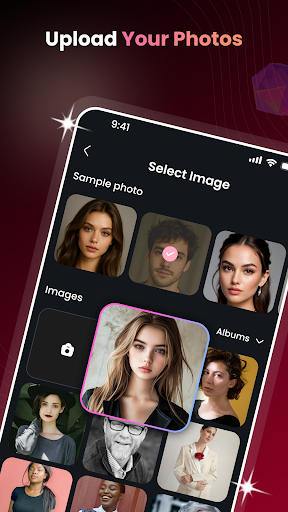
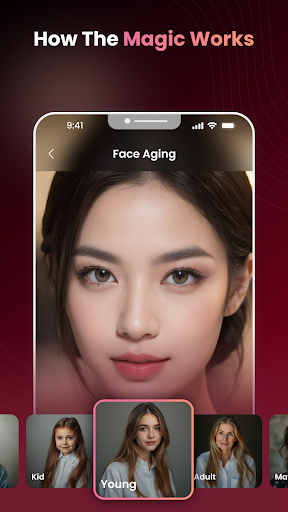
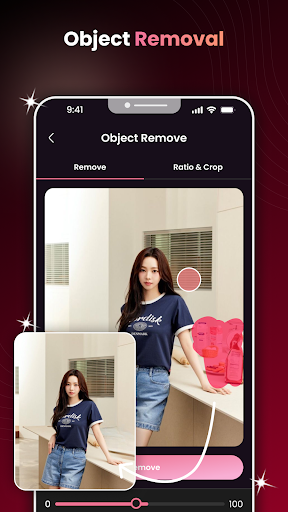
Step into the future & the past world with AI Face Aging: Photo Editor - the ultimate photo editor to face swap, and explore future face in seconds! Powered by advanced AI face technology, this all-in-one photo lab gives you access to the most powerful AI face aging tools in personal imaging and transformation.
Key Features of AI Face Aging: Photo Editor:
Face changer - Discover age filter, face age predictor, and aging face filter. Travel through time with age time machine, or see baby face with smart baby generator, future baby AI, and baby face generator tools.
Explore “Journey” - Generate face aging video to prank friends, or upload to social media to see others' reaction on your freshly brand new AI Face Swap look!
Change Face, Face editor - Gender swap, face shape, remove background.
Art AI & AI Generator - Turn selfie into art with the AI art generator. Let art generator transform photos with photo editing styles.
Edit Image - Remove object, remove background image, enhance image, change sky, remove acne, and color changer. Get a smooth skin and create passport photos with passport maker.
Beauty camera & selfie editor - Photo retouch, face scanner, slim face, body tune, and makeup selfie editor. It’s an all-in-one face body editor & photo editor effects app.
Fun AI Tools - Generate your future baby with the future baby generator, play around with baby simulator, and discover your digital twin. It’s not just editing - it’s exploring!
Why Choose This Age Time Machine?
- Combines the power of a photo editor, face editor, and body editor in one app
- Realistic face swap, gender swap, and aging changer results using advanced AI generator
- Seamless photo editing tools: from remove background to smooth skin and enhance image
- Fun and creative filters like baby AI generator, cartoon photo, face age filter, and future kid generator
I- deal for anyone who loves selfie filters, makeup selfie, face scan, or experimenting with face analysis
- Turn simple portraits into stunning artwork with the AI art generator
- Supports ultra HD output for professional-looking results
Our age time achine is suitable for anyone, whether you are a photographer, a social media influencer, or just a fan of aesthetics, this amazing fun AI Art Generator is perfect for your daily usages: edit image, smooth skin, & generate AI photo.
This AI Face Aging: Photo Editor always needs your recommendation and feedback to be immensely improved. We’d like to receive further suggestions from our beloved users with a deep sincerity. Thank you very much
Show more

1. Download MEmu installer and finish the setup

2. Start MEmu then open Google Play on the desktop

3. Search AI Face Aging - Photo Editor in Google Play
Install
4. Download and Install AI Face Aging - Photo Editor
5. On install completion click the icon to start

6. Enjoy using AI Face Aging - Photo Editor on PC with MEmu
MEmu Play is the best Android emulator, and 100 million users already enjoy its superb Android app experience. Powered by advanced virtualization technology, it lets you enjoy thousands of Android apps smoothly on your PC—including the most graphics-intensive ones.
Bigger screen with better graphics; Long duration, without limitation of battery or mobile data.
Full Keymapping support for precise control of keyboard and mouse or gamepad.
Multiple game accounts or tasks on single PC at one time with Multi-Instance manager.
Use AI Face Aging - Photo Editor on PC by following steps: