Anijam: AI Video Maker
Updated
Current Version
1.2.10
Offered By

Stop worrying about high battery drain when using Anijam: AI Video Maker on your phone. Free yourself from the tiny screen and enjoy the app on a much larger display. From now on, get a full-screen experience of your app with the convenience of a keyboard and mouse. MEmu offers you all the surprising features you’d expect: quick installation and easy setup, intuitive controls, and no more worries about battery life, mobile data, or unexpected calls. The all-new MEmu 9 is the choice for using Anijam: AI Video Maker on your computer. With the MEmu multi-instance manager, you can run two or more accounts at the same time. Most importantly, our exclusive emulation engine unlocks your PC’s full potential, delivering smooth and enjoyable performance.
Show more
Enjoy superb experience of using Anijam: AI Video Maker on PC with MEMU App Player. It's a powerful free Android emulator which provides you with thousands of android apps for their desktop version. Enjoy connecting with friends and polishing your work with higher efficiency! Anijam is your AI video maker for creating stunning videos from ideas, photos, and templates.
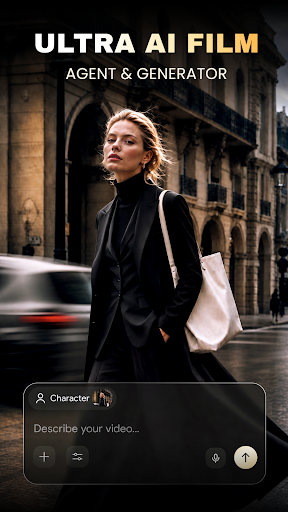
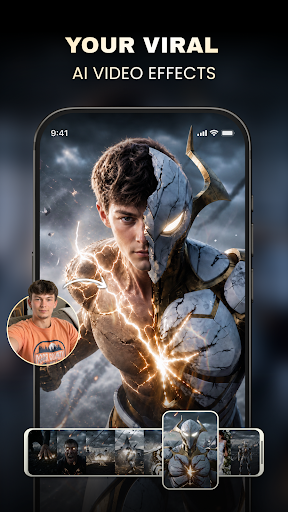

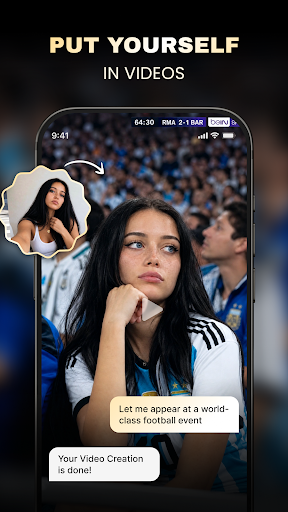
Anijam is your AI video maker for creating stunning videos from ideas, photos, and templates.
Explore trending AI video templates, transform images into cinematic clips, and create social-ready videos for TikTok, Instagram, YouTube Shorts, and more — all with the help of your personal AI video agent.
Whether you want to make anime-style stories, realistic product ads, fashion videos, character transformations, music clips, photo animations, or viral AI reels, Anijam helps you create faster with templates, prompts, and guided AI workflows.
---- AI Video Templates ----
Discover a growing library of AI video templates for every creative scenario:
• Trending AI Reels
• Image-to-Video effects
• AI character videos
• Product ads and brand videos
• Fashion and lifestyle clips
• Anime, cartoon, and 3D styles
• Cinematic story videos
• Creative transformations and visual effects
Choose a template, add your photos or prompt, and let Anijam generate a polished video in seconds.
---- AI Video Agent ----
Anijam is more than a template app — it comes with an AI video agent that helps you create, refine, and improve your videos through conversation.
Tell the agent what you want to make, and it can help you:
• Turn an idea into a video concept
• Generate scenes, shots, and storylines
• Create visuals and video clips
• Improve prompts for better results
• Modify parts of a video based on your feedback
• Continue a story or create a new episode
• Explore different styles and versions
From quick social videos to multi-scene stories, Anijam makes AI video creation feel simple, guided, and creative.
---- Image to Video ----
Bring any image to life with AI motion.
Upload a photo, character, product image, or artwork, then turn it into a dynamic video with realistic movement, cinematic camera motion, and expressive visual effects.
Perfect for:
• Portrait animation
• Product showcases
• Character videos
• Pet videos
• Travel memories
• Fashion content
• Storytelling scenes
• Social media posts
---- Text to Video ----
Start with a prompt and generate a video from scratch.
Describe a scene, a character, a product, a mood, or a story — Anijam helps turn your words into high-quality AI video content.
Create videos for:
• Short films
• Ads and marketing
• Social media content
• Creative storytelling
• Music and mood videos
• Anime and cartoon concepts
• Brand visuals
• Personal projects
---- AI Styles & Effects ----
Experiment with a wide range of AI video styles, including anime, cartoon, cinematic, realistic, 3D, fantasy, fashion, product, retro, cute, dramatic, and more.
New templates, effects, and creative formats are added regularly to help you stay ahead of trends.
Create Your Next Video with Anijam
From a simple idea to a complete AI video, Anijam helps you create faster, explore more styles, and bring your imagination to life.
Show more

1. Download MEmu installer and finish the setup

2. Start MEmu then open Google Play on the desktop

3. Search Anijam: AI Video Maker in Google Play
Install
4. Download and Install Anijam: AI Video Maker
5. On install completion click the icon to start

6. Enjoy using Anijam: AI Video Maker on PC with MEmu
MEmu Play is the best Android emulator, and 100 million users already enjoy its superb Android app experience. Powered by advanced virtualization technology, it lets you enjoy thousands of Android apps smoothly on your PC—including the most graphics-intensive ones.
Bigger screen with better graphics; Long duration, without limitation of battery or mobile data.
Full Keymapping support for precise control of keyboard and mouse or gamepad.
Multiple game accounts or tasks on single PC at one time with Multi-Instance manager.
Use Anijam: AI Video Maker on PC by following steps: