Zenly - Best Friends Only
Updated
Current Version
5.9.1
Offered By

Stop worrying about high battery drain when using Zenly - Best Friends Only on your phone. Free yourself from the tiny screen and enjoy the app on a much larger display. From now on, get a full-screen experience of your app with the convenience of a keyboard and mouse. MEmu offers you all the surprising features you’d expect: quick installation and easy setup, intuitive controls, and no more worries about battery life, mobile data, or unexpected calls. The all-new MEmu 9 is the choice for using Zenly - Best Friends Only on your computer. With the MEmu multi-instance manager, you can run two or more accounts at the same time. Most importantly, our exclusive emulation engine unlocks your PC’s full potential, delivering smooth and enjoyable performance.
Show more
Enjoy superb experience of using Zenly - Best Friends Only on PC with MEMU App Player. It's a powerful free Android emulator which provides you with thousands of android apps for their desktop version. Enjoy connecting with friends and polishing your work with higher efficiency! zenly is the social app that maps your world :)build your very own map of the world, with the people and places that make it uniquely yours!
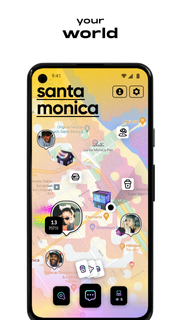
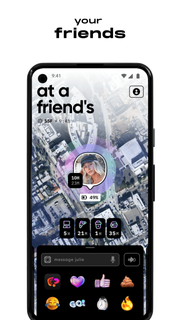
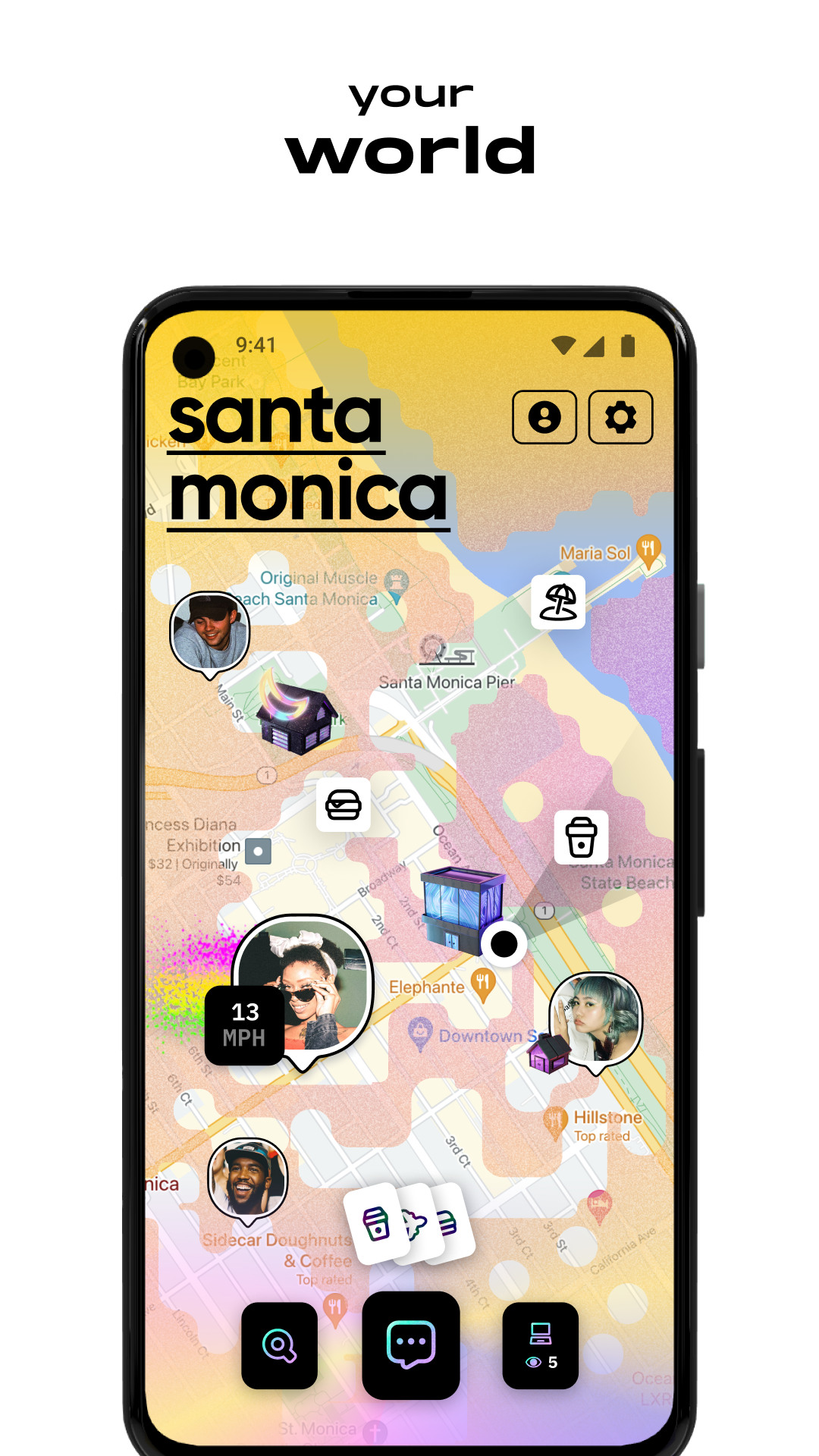
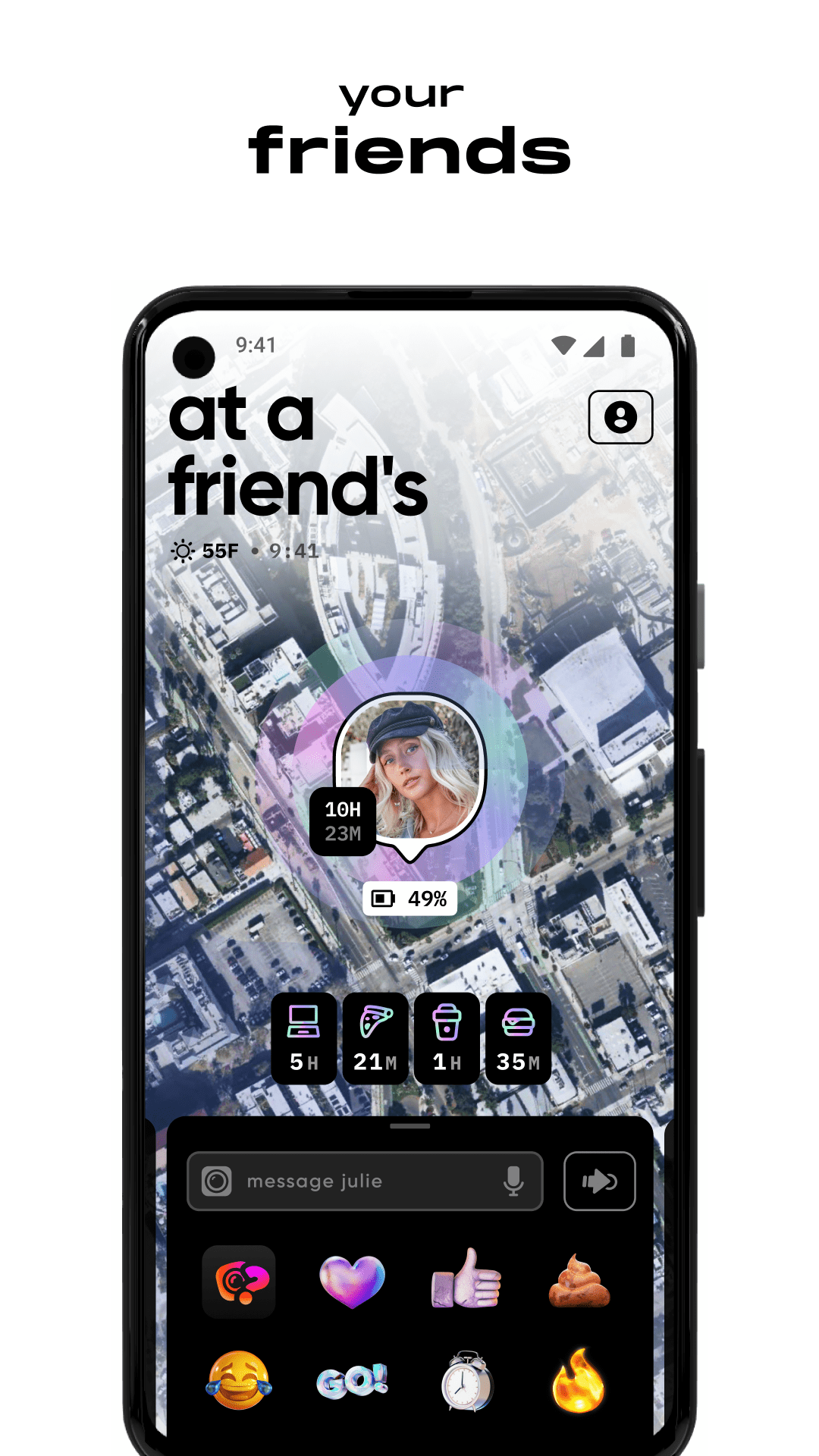
zenly is the social app that maps your world :)build your very own map of the world, with the people and places that make it uniquely yours!! join the 10s of millions of people already using zenly to:KNOW WHAT YOUR FRIENDS ARE UP TOsee their real-time location, if they’re at home, work, or school. see how fast they’re going if they’re on the move, or how long they’ve been pitched up at the coffee shop. check if their phone is running out of battery or if they’re charging up for the party tonightSEE YOUR WORLDzenly shows a live map of your world. see where your friends are, who’s hanging out, and keep tabs on all the places you go. share your real-time location with your people without draining battery. plus, go somewhere new and it will uncover on your map, like your own virtual scratch mapCREATE CHAOS IN YOUR CONVOSbring chaos to your heartfelt 1:1s and your group chats. send voice notes with automatic transcription. say how you really feel with secret emoji combos and text-sizing. send a what’s up to a friend to see a photo or video of what they’re up to right now (ie vibe check the party before making tracks)ADD YOUR PLACESzenly automatically detects where you’re hanging, so you can add your places and personalize your map. climb the public leaderboard each time you visit a place. plus, tag friends that were there with you and get notified when the crew are hanging out somewhere cool. check out your friends’ highlights to see what they were up to over the past 24 hoursSHARE YOUR WORLD share your world on your public profile to show the world who you are based on where you spend your time IRL. check out other people’s worlds to see the places they hang out and the areas they’ve uncoveredFIND ANYTHINGdelete your map app and search for people, places, and addresses on zenly instead. find out if your friend has been to that restaurant you’ve been meaning to try, if it’s a local fav, and if it’s suitable for big groups. no more anonymous reviews, just helpful info that can only be found on zenly :)GET DIRECTIONSzip it to your friend’s place or tonight’s date spot without having to search for directions. get walking, cycling and driving directions, call a car or find a scooter nearby, all without having to leave the app. plus, see public transit options, journey time, and train carriage infoAND BUUUUMMMMPhanging with friends? shake your phone to experience the magic of bump, and celebrate being together :)ZENLY LIKE A PRO-> remember that your friend needs to accept your friend request before you can see each other’s live location on the map-> need some time off the map? turn on ghost mode at any time-> need some help? email [email protected] or contact the care team directly in appgot it?time to zenly your world
Show more

1. Download MEmu installer and finish the setup

2. Start MEmu then open Google Play on the desktop

3. Search Zenly - Best Friends Only in Google Play
Install
4. Download and Install Zenly - Best Friends Only
5. On install completion click the icon to start

6. Enjoy using Zenly - Best Friends Only on PC with MEmu
MEmu Play is the best Android emulator, and 100 million users already enjoy its superb Android app experience. Powered by advanced virtualization technology, it lets you enjoy thousands of Android apps smoothly on your PC—including the most graphics-intensive ones.
Bigger screen with better graphics; Long duration, without limitation of battery or mobile data.
Full Keymapping support for precise control of keyboard and mouse or gamepad.
Multiple game accounts or tasks on single PC at one time with Multi-Instance manager.
Use Zenly - Best Friends Only on PC by following steps: