Artmate: Drawing Together
Updated
Current Version
1.1.39
Offered By

Stop worrying about high battery drain when using Artmate: Drawing Together on your phone. Free yourself from the tiny screen and enjoy the app on a much larger display. From now on, get a full-screen experience of your app with the convenience of a keyboard and mouse. MEmu offers you all the surprising features you’d expect: quick installation and easy setup, intuitive controls, and no more worries about battery life, mobile data, or unexpected calls. The all-new MEmu 9 is the choice for using Artmate: Drawing Together on your computer. With the MEmu multi-instance manager, you can run two or more accounts at the same time. Most importantly, our exclusive emulation engine unlocks your PC’s full potential, delivering smooth and enjoyable performance.
Show more
Enjoy superb experience of using Artmate: Drawing Together on PC with MEMU App Player. It's a powerful free Android emulator which provides you with thousands of android apps for their desktop version. Enjoy connecting with friends and polishing your work with higher efficiency! Overview of Features and Value.
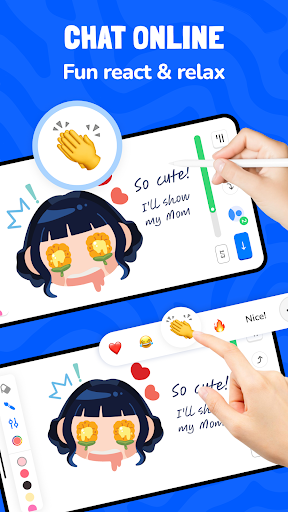
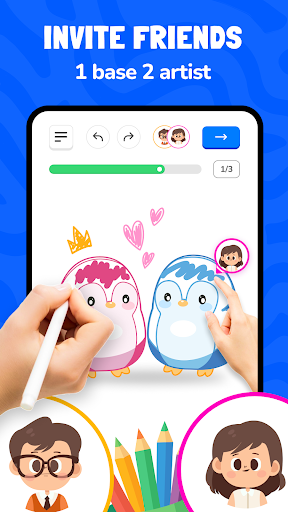
Overview of Features and Value
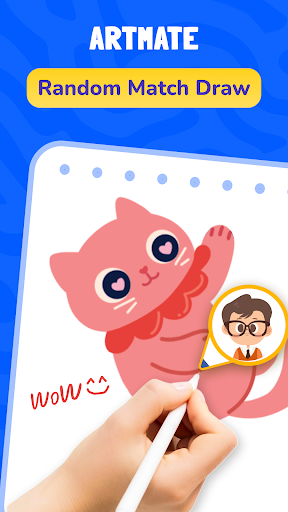
Artmate invites you to discover the absolute joy of social connection and learning art easily through engaging multiplayer drawing.
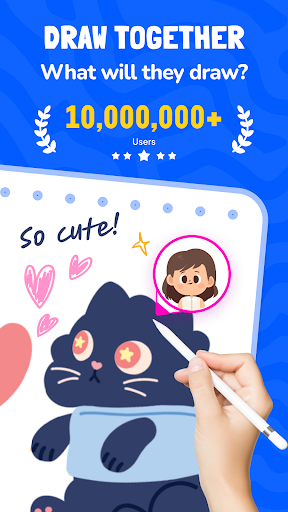
Draw together with loved ones in real-time to build beautiful memories and master our highly relaxing step-by-step drawing.
Artmate completely transforms your mobile device into a shared canvas beautifully designed to foster seamless multiplayer drawing.
Draw together to quickly overcome creative blocks and organically learn fundamental art skills via our easy step-by-step drawing.
Detailed Introduction & Profile Features
Artmate is a collaborative digital haven designed to spark joy, inspire endless creativity, and foster connection through multiplayer drawing.
Draw together, then easily save or share your perfect collaborative and solo artistic creations immediately after your step-by-step drawing.
Artmate lets you deeply track your personal artistic journey with My Profile to beautifully showcase your sessions in multiplayer drawing.
Draw together to gain valuable insights into your daily progress, multiplayer sessions, and wonderful achievements in step-by-step drawing.
Artmate guarantees that every single masterpiece you create is safely stored and always ready to inspire your next multiplayer drawing.
Detailed Description of Each Feature
Step-by-Step Lessons
Artmate offers a massive library of extremely easy, guided tutorials thoughtfully tailored for all skill levels to master step-by-step drawing.
Draw together using these highly intuitive educational lessons that wonderfully simplify complex art concepts into fun multiplayer drawing.
Artmate ensures that you can always learn at your own comfortable pace without any pressure during your step-by-step drawing.
Diverse Categories
Artmate allows you to continuously explore various exciting themes and unique cultural art styles for your daily step-by-step drawing.
Draw together while freely choosing from cute animals, beautiful landscapes, and trendy anime to constantly inspire your next multiplayer drawing.
Artmate keeps your creative spark alive by constantly adding fresh and incredibly fun content to fuel your step-by-step drawing.
Draw with Friends
Artmate lets you easily create a highly secure private key room to quickly invite your best friends for an exclusive multiplayer drawing.
Draw together completely seamlessly by simply entering a unique room key to instantly share a fun and collaborative step-by-step drawing.
Global Match (Draw with Strangers)
Artmate features a lightning-fast quick matching system to instantly connect and draw with amazing users globally for a spontaneous multiplayer drawing.
Draw together with incredibly friendly strangers worldwide and seamlessly share diverse cultural styles in your educational step-by-step drawing.
Summary of Features and Call to Action
Artmate successfully brings passionate people much closer together through the magical and highly educational experience of step-by-step drawing.
Draw together today to fully unlock your boundless creativity, relieve daily stress, and make wonderful new friends in our multiplayer drawing.
Artmate warmly invites you to download the application right now to confidently start your amazing artistic journey in step-by-step drawing!
Draw together and join our ever-growing global community of happy artists who absolutely love our incredible multiplayer drawing.
If you have any questions or contributions to the app, do not hesitate to contact us via email: feedback.outlaw@bralyvn.com. We value your contributions and will do our best to meet all requirements and improve product quality.
Terms of Use: https://bralyvn.com/term-and-condition.php
Privacy Policy: https://bralyvn.com/privacy-policy.php
Show more

1. Download MEmu installer and finish the setup

2. Start MEmu then open Google Play on the desktop

3. Search Artmate: Drawing Together in Google Play
Install
4. Download and Install Artmate: Drawing Together
5. On install completion click the icon to start

6. Enjoy using Artmate: Drawing Together on PC with MEmu
MEmu Play is the best Android emulator, and 100 million users already enjoy its superb Android app experience. Powered by advanced virtualization technology, it lets you enjoy thousands of Android apps smoothly on your PC—including the most graphics-intensive ones.
Bigger screen with better graphics; Long duration, without limitation of battery or mobile data.
Full Keymapping support for precise control of keyboard and mouse or gamepad.
Multiple game accounts or tasks on single PC at one time with Multi-Instance manager.
Use Artmate: Drawing Together on PC by following steps: