
BestPlay: Play Games & Earn
Updated
Current Version
3.6.3
Offered By

Stop worrying about high battery drain when using BestPlay: Play Games & Earn on your phone. Free yourself from the tiny screen and enjoy the app on a much larger display. From now on, get a full-screen experience of your app with the convenience of a keyboard and mouse. MEmu offers you all the surprising features you’d expect: quick installation and easy setup, intuitive controls, and no more worries about battery life, mobile data, or unexpected calls. The all-new MEmu 9 is the choice for using BestPlay: Play Games & Earn on your computer. With the MEmu multi-instance manager, you can run two or more accounts at the same time. Most importantly, our exclusive emulation engine unlocks your PC’s full potential, delivering smooth and enjoyable performance.
Show more
Enjoy superb experience of using BestPlay: Play Games & Earn on PC with MEMU App Player. It's a powerful free Android emulator which provides you with thousands of android apps for their desktop version. Enjoy connecting with friends and polishing your work with higher efficiency! Ready to earn from the screen time you already spend?
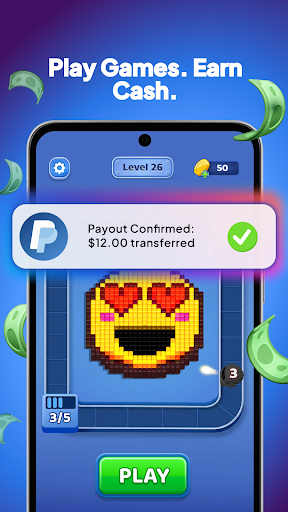
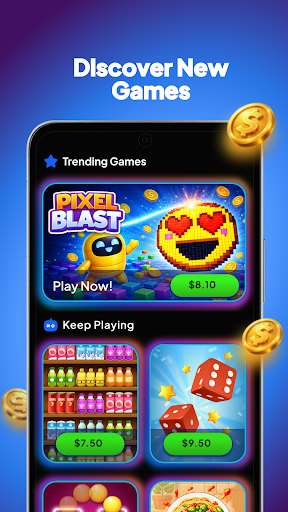
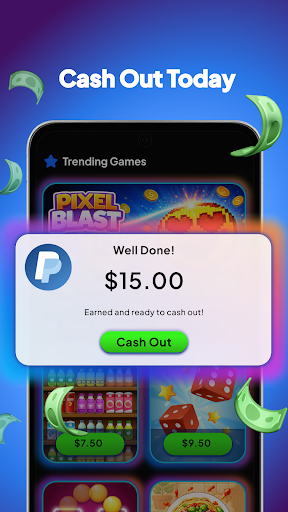
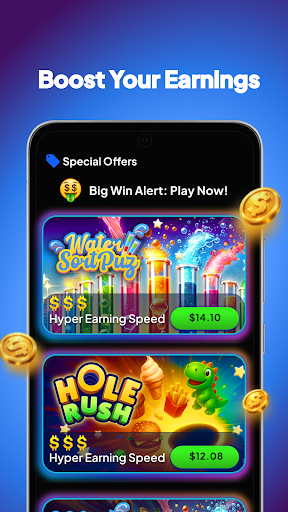
Ready to earn from the screen time you already spend? BestPlay rewards you for playing fun casual games — no catch, no cost to join. Play, earn, and get real rewards on your terms.
Collect coins as you play, then turn them into real rewards: earn cash straight to PayPal, claim gift cards from brands you know, or donate to a cause you believe in. Free to download, free to play, and every reward is yours to keep.
Play Games, Earn Coins, Get Rewarded
Every game you play adds to your balance. Rack up more coins with every round, and redeem as soon as you hit the threshold. Move your rewards to PayPal, or convert coins into gift cards, usually within hours of cashing out. Real payouts, real fast, no gimmicks.
15+ Fun Casual Games, All in One Place
A whole library of games worth playing again and again — pick your favorite and start earning:
• Card games: Solitaire - Classic Card Game, Spider Solitaire - Card Games, Spades Stars - Card Game, Domino Legends: Classic Game
• Puzzle games: Block Blitz: Puzzle Adventure, Hole Rush: Eat All Puzzle, Sort Journey - Travel Puzzle, Dot Link - Connect the Dots
• Tile and match games: Mahjong Voyage: Tile Matching, Zen Tiles - Mahjong Match, Water Sort Puz - Color Game, Ball Sort Puz - Color Game
• Brain and word games: Word Search - Word Puzzle Game, Yatzy - Fun Classic Dice Game
• Action games: Pixel Blast: Robot Shooter, Kitchen Ninja — Knife Thrower
Whatever you feel like playing, every game you play earns coins and moves you closer to a payout.
Rewards Worth Playing For
Redeem your coins for PayPal cash or gift cards the moment you hit the threshold. Keep a daily streak alive for bonus coins, climb the leaderboards, and jump into limited-time events where the rewards ramp up and you can win even more. Your coins, your rewards, your call.
Play With Purpose
Prefer to give back? Put your coins toward good causes instead — from clean water to education — and let the games you play do some good. Real rewards for you, or real impact for others. Either way, you win.
Start Earning in Seconds
Install BestPlay for free
Open any game, play, and start earning coins
Redeem your coins for PayPal cash, gift cards, or a donation
Why players choose BestPlay:
Earn real rewards from fun games you actually enjoy
Free to play, with nothing to buy, ever
Cash out and earn via PayPal, or redeem coins as top-brand gift cards
A whole library of casual games in one app, updated all the time
Play to earn for yourself, or play to give back
Download BestPlay today, play the games you love, and let every session earn you real rewards. The games you love, now rewarding you back.
Show more

1. Download MEmu installer and finish the setup

2. Start MEmu then open Google Play on the desktop

3. Search BestPlay: Play Games & Earn in Google Play
Install
4. Download and Install BestPlay: Play Games & Earn
5. On install completion click the icon to start

6. Enjoy using BestPlay: Play Games & Earn on PC with MEmu
MEmu Play is the best Android emulator, and 100 million users already enjoy its superb Android app experience. Powered by advanced virtualization technology, it lets you enjoy thousands of Android apps smoothly on your PC—including the most graphics-intensive ones.
Bigger screen with better graphics; Long duration, without limitation of battery or mobile data.
Full Keymapping support for precise control of keyboard and mouse or gamepad.
Multiple game accounts or tasks on single PC at one time with Multi-Instance manager.
Use BestPlay: Play Games & Earn on PC by following steps: