Bible Chat - Holy Bible Study
Updated
Current Version
5.0.22
Offered By

Stop worrying about high battery drain when using Bible Chat - Holy Bible Study on your phone. Free yourself from the tiny screen and enjoy the app on a much larger display. From now on, get a full-screen experience of your app with the convenience of a keyboard and mouse. MEmu offers you all the surprising features you’d expect: quick installation and easy setup, intuitive controls, and no more worries about battery life, mobile data, or unexpected calls. The all-new MEmu 9 is the choice for using Bible Chat - Holy Bible Study on your computer. With the MEmu multi-instance manager, you can run two or more accounts at the same time. Most importantly, our exclusive emulation engine unlocks your PC’s full potential, delivering smooth and enjoyable performance.
Show more
Enjoy superb experience of using Bible Chat - Holy Bible Study on PC with MEMU App Player. It's a powerful free Android emulator which provides you with thousands of android apps for their desktop version. Enjoy connecting with friends and polishing your work with higher efficiency! Bible Chat — Bible verses on your lock screen, daily plans, audio Bible, and a Christian calendar, all in one app .
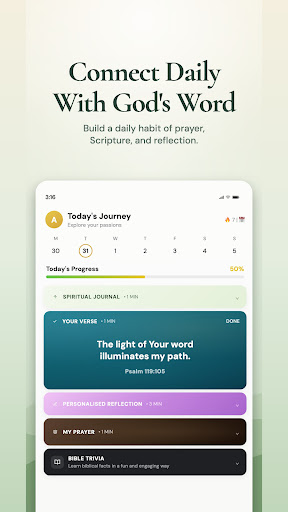
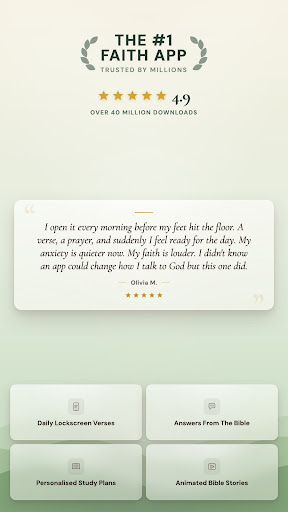
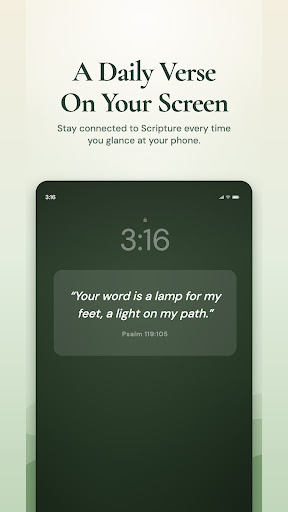
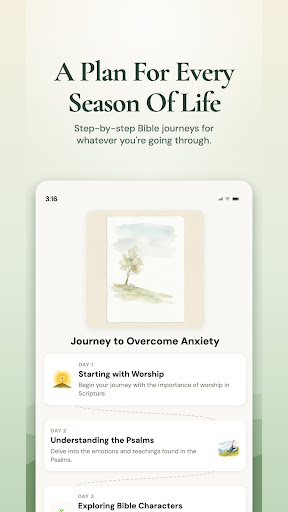
Bible Chat — Bible verses on your lock screen, daily plans, audio Bible, and a Christian calendar, all in one app
Join millions of Christians using the world's #1 faith app. Made for your busy life — at home, at work, on the go.
Most-loved features
• Lock Screen Widget — A new Bible verse on your lock screen, every time you check your phone. No need to open anything.
• Daily Plan — A simple spiritual rhythm for your day: a verse, a reflection and a prayer, delivered one step at a time.
• Christian Calendar — Holy days, saints' days and liturgical events, month by month, right on your phone.
• Multiple Bible Translations — NIV, NKJV, NASB, ESV, KJV, NLT, NRSV, RSVCE, Amplified, WEB, CSB and more — pick the one you read at home or at church.
• Audio Bible — Listen to the Bible while you commute, fold laundry, or walk the dog. Get the Word into your day without adding to your screen time.
• Daily Prayer — Morning and evening prayers, gentle reminders, and a streak so you can see your habit grow.
For the whole family
• Kids' Bible Stories — Turn screen time into time with God: short, captivating stories and videos for little ones.
• Panic Button — Feeling anxious or overwhelmed? Tap for a guided breathing exercise and a verse of comfort.
• Live Prayer — Share what's on your heart and pray alongside other people of faith around the world.
• Send a Blessing — Pick a verse and send it to a friend with an encouraging message. Add a heart or a doodle to make it personal.
For those seeking answers
• Ask the Bible — Ask anything about a passage, a theme, or something you're struggling with. Get a clear answer grounded in the Bible, with chapter-and-verse references.
• Study Plans — Healing, anxiety, forgiveness, wisdom, leadership, grief, marriage, and many more — short, focused plans for real life.
• Bible Profiles — Learn from the people of the Bible: their struggles, their faith, how God worked through them.
• Quick Verse Search — Looking for a specific verse? Find it fast and see what it really means.
• Bible Trivia — Test what you know and learn something new through quick, friendly trivia games.
Your walk with God, one step at a time
Whether you go to church every Sunday or you're just finding your way back, Bible Chat meets you where you are — with reverence, not noise. No pressure. No judgment. Just the Bible, prayer, and a community walking the same road.
Premium (optional)
Unlimited conversations, exclusive Lock Screen Widget designs, and complete study plans. Start with a free 7-day trial. Then choose weekly or longer-term plans with a reduced rate.
Cancel anytime, no commitment.
Privacy & Terms
Privacy Policy: https://thebiblechat.com/privacy-policy/
Terms & Conditions: https://thebiblechat.com/terms-and-conditions/
Support: https://thebiblechat.com/contact
Show more

1. Download MEmu installer and finish the setup

2. Start MEmu then open Google Play on the desktop

3. Search Bible Chat - Holy Bible Study in Google Play
Install
4. Download and Install Bible Chat - Holy Bible Study
5. On install completion click the icon to start

6. Enjoy using Bible Chat - Holy Bible Study on PC with MEmu
MEmu Play is the best Android emulator, and 100 million users already enjoy its superb Android app experience. Powered by advanced virtualization technology, it lets you enjoy thousands of Android apps smoothly on your PC—including the most graphics-intensive ones.
Bigger screen with better graphics; Long duration, without limitation of battery or mobile data.
Full Keymapping support for precise control of keyboard and mouse or gamepad.
Multiple game accounts or tasks on single PC at one time with Multi-Instance manager.
Use Bible Chat - Holy Bible Study on PC by following steps: