BonusTV
Updated
Current Version
3.5.9
Offered By

Stop worrying about high battery drain when using BonusTV on your phone. Free yourself from the tiny screen and enjoy the app on a much larger display. From now on, get a full-screen experience of your app with the convenience of a keyboard and mouse. MEmu offers you all the surprising features you’d expect: quick installation and easy setup, intuitive controls, and no more worries about battery life, mobile data, or unexpected calls. The all-new MEmu 9 is the choice for using BonusTV on your computer. With the MEmu multi-instance manager, you can run two or more accounts at the same time. Most importantly, our exclusive emulation engine unlocks your PC’s full potential, delivering smooth and enjoyable performance.
Show more
Enjoy superb experience of using BonusTV on PC with MEMU App Player. It's a powerful free Android emulator which provides you with thousands of android apps for their desktop version. Enjoy connecting with friends and polishing your work with higher efficiency! Welcome to BonusTV - Watch short dramas for free!
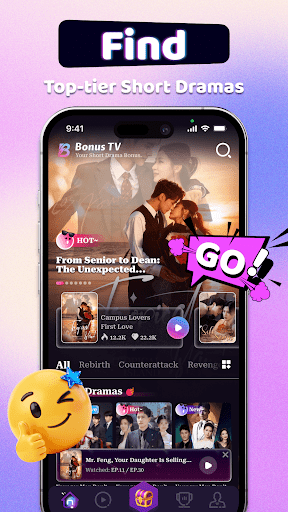
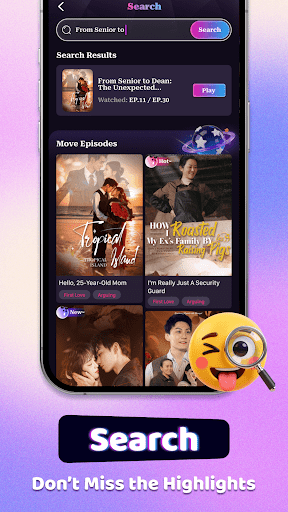
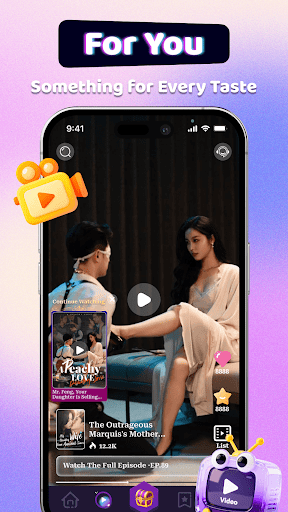
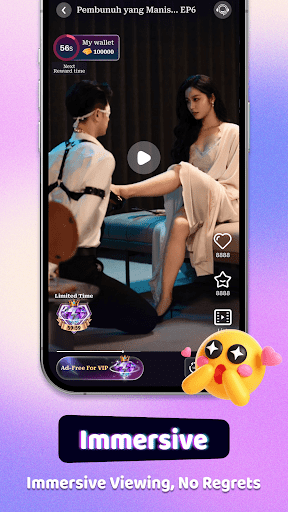
Welcome to BonusTV - Watch short dramas for free!
The hit werewolf series is now available, exclusively on BonusTV, watch it now~
Gold Rush: Not only can you watch dramas for free, you can also win big prizes by completing simple tasks while watching the dramas
Immerse yourself in a variety of dramas
On BonusTV, you will enjoy a variety of dramas, ranging from dramas, romance, suspense and thriller suspense. Embark on an adventure through time and space, solve a case full of mysteries, or indulge in a romantic fantasy with a pretend billionaire. Our story library
is as rich as your imagination!
Immerse yourself in micro-series
In just a few minutes, you will be completely immersed in these fascinating short stories
and ignite your passion for dramas like never before.
Introducing Exclusive Selection
BonusTV presents a series of carefully selected short dramas. Each episode is carefully crafted with creativity, emotion and depth, designed to
easily transport you to many imaginative realms.
BonusTV presents you:
- A wide variety of dramas
From inspirational comebacks to time-travel adventures full of mysteries, from fascinating ancient legends to modern love stories, BonusTV caters to your preferences for a variety of dramas.
- Tailored recommendations
Our smart recommendation system ensures that you can easily find the shows that suit your taste.
- Easy and convenient viewing experience
Each short drama is only a few minutes long, so you can easily watch it during your commute, rest or leisure time.
- Exclusive original content
Exciting and plot-rich original dramas will keep you coming back for more. Non-stop entertainment!
Always fresh
Real-time updates ensure a constant supply of the hottest short dramas and movies.
Discover new favorites every week!
- Your one-stop platform
BonusTV simplifies your viewing experience by providing a unified platform, eliminating the inconvenience of switching video sources.
- Visual feast
High-definition picture quality captures every detail to create an immersive visual feast for you. BonusTV is your gateway to a world of skits and movies with endless possibilities to explore. Download now to embark on an exciting journey of skits and immerse yourself in a captivating viewing experience!
Your use of this application is subject to the Terms of Service, which can be accessed at https://www.bonusdrama.com/pages/app-privacy-policy-bonustv/index.html.
The collection and use of your data is subject to the Privacy Policy, which can be accessed at https://www.bonusdrama.com/pages/app-terms-bonustv/index.html.
Show more

1. Download MEmu installer and finish the setup

2. Start MEmu then open Google Play on the desktop

3. Search BonusTV in Google Play
Install
4. Download and Install BonusTV
5. On install completion click the icon to start

6. Enjoy using BonusTV on PC with MEmu
MEmu Play is the best Android emulator, and 100 million users already enjoy its superb Android app experience. Powered by advanced virtualization technology, it lets you enjoy thousands of Android apps smoothly on your PC—including the most graphics-intensive ones.
Bigger screen with better graphics; Long duration, without limitation of battery or mobile data.
Full Keymapping support for precise control of keyboard and mouse or gamepad.
Multiple game accounts or tasks on single PC at one time with Multi-Instance manager.
Use BonusTV on PC by following steps: