Clean Sweep Master
Updated
Current Version
1.1.1
Offered By

Stop worrying about high battery drain when using Clean Sweep Master on your phone. Free yourself from the tiny screen and enjoy the app on a much larger display. From now on, get a full-screen experience of your app with the convenience of a keyboard and mouse. MEmu offers you all the surprising features you’d expect: quick installation and easy setup, intuitive controls, and no more worries about battery life, mobile data, or unexpected calls. The all-new MEmu 9 is the choice for using Clean Sweep Master on your computer. With the MEmu multi-instance manager, you can run two or more accounts at the same time. Most importantly, our exclusive emulation engine unlocks your PC’s full potential, delivering smooth and enjoyable performance.
Show more
Enjoy superb experience of using Clean Sweep Master on PC with MEMU App Player. It's a powerful free Android emulator which provides you with thousands of android apps for their desktop version. Enjoy connecting with friends and polishing your work with higher efficiency! If your device is cluttered with unnecessary files, you're unsure about your battery status, or managing photos and apps becomes cumbersome, you can use Clean Sweep Master to handle these everyday basic problems.
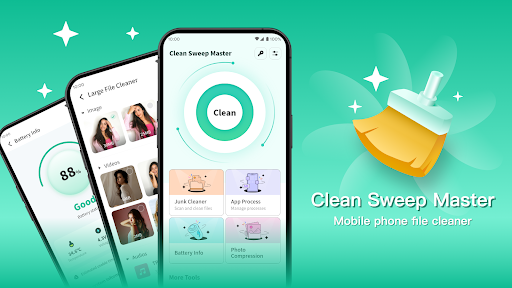
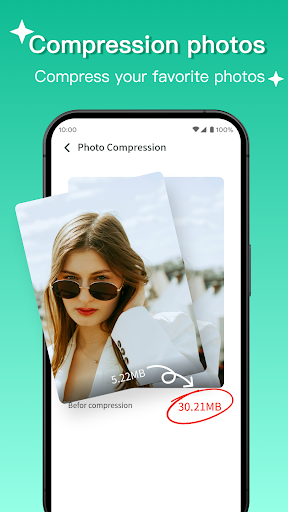
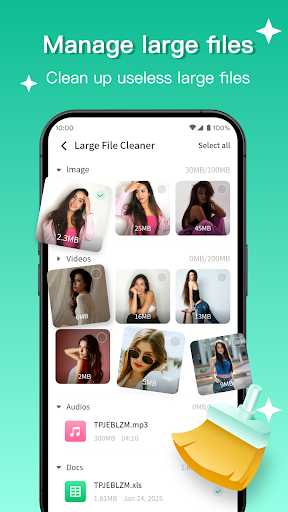
If your device is cluttered with unnecessary files, you're unsure about your battery status, or managing photos and apps becomes cumbersome, you can use Clean Sweep Master to handle these everyday basic problems.
Core Functions
1. File Cleanup
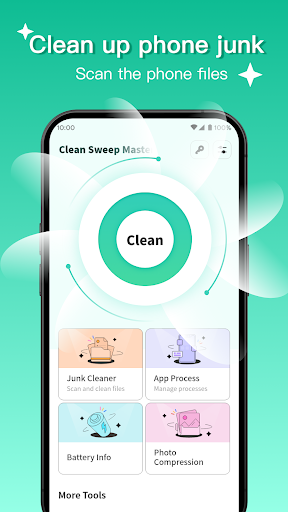
Junk File Cleanup: Scans for commonly cleanable content such as app caches, temporary files, invalid installation packages, and system logs. After scanning, it clearly lists the items and their occupied space, allowing you to confirm and perform the cleanup.
Large File Cleanup: Finds and manages images, videos, music, and documents larger than or equal to 5MB on your device, sorting them by size for easier processing.
2. Battery Information
Provides real-time information such as battery status, temperature, voltage, and remaining capacity.
Displays estimated available time and system data such as battery type and capacity.
3. Accessibility
App Process Management: View and manage background running apps.
Photo Compression: Compress selected photos to reduce file size.
App Uninstallation: Displays installed apps and supports selecting apps for uninstallation.
Why do users choose us?
Clear interface, straightforward operation
Practical functions covering daily needs
Take action
Get Clean Sweep Master to easily handle basic device maintenance.
Show more

1. Download MEmu installer and finish the setup

2. Start MEmu then open Google Play on the desktop

3. Search Clean Sweep Master in Google Play
Install
4. Download and Install Clean Sweep Master
5. On install completion click the icon to start

6. Enjoy using Clean Sweep Master on PC with MEmu
MEmu Play is the best Android emulator, and 100 million users already enjoy its superb Android app experience. Powered by advanced virtualization technology, it lets you enjoy thousands of Android apps smoothly on your PC—including the most graphics-intensive ones.
Bigger screen with better graphics; Long duration, without limitation of battery or mobile data.
Full Keymapping support for precise control of keyboard and mouse or gamepad.
Multiple game accounts or tasks on single PC at one time with Multi-Instance manager.
Use Clean Sweep Master on PC by following steps: