ColorOS 17 Launcher
Updated
Current Version
1.3
Offered By

Stop worrying about high battery drain when using ColorOS 17 Launcher on your phone. Free yourself from the tiny screen and enjoy the app on a much larger display. From now on, get a full-screen experience of your app with the convenience of a keyboard and mouse. MEmu offers you all the surprising features you’d expect: quick installation and easy setup, intuitive controls, and no more worries about battery life, mobile data, or unexpected calls. The all-new MEmu 9 is the choice for using ColorOS 17 Launcher on your computer. With the MEmu multi-instance manager, you can run two or more accounts at the same time. Most importantly, our exclusive emulation engine unlocks your PC’s full potential, delivering smooth and enjoyable performance.
Show more
Enjoy superb experience of using ColorOS 17 Launcher on PC with MEMU App Player. It's a powerful free Android emulator which provides you with thousands of android apps for their desktop version. Enjoy connecting with friends and polishing your work with higher efficiency! We are creating a beautiful wallpaper ecosystem for all Android smartphones.
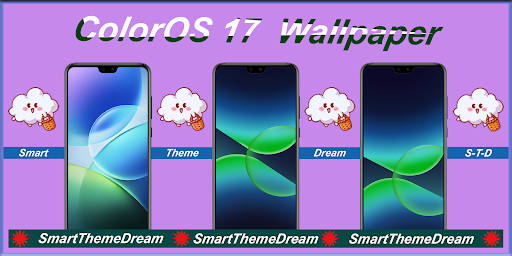
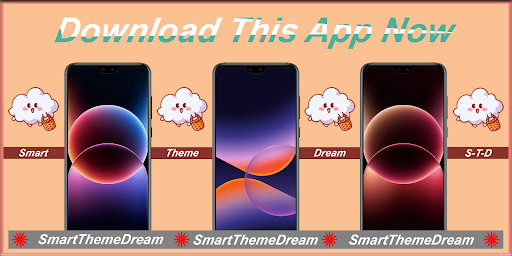
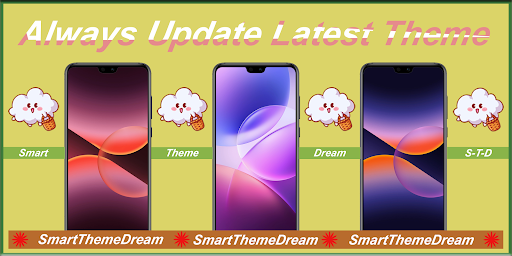
We are creating a beautiful wallpaper ecosystem for all Android smartphones. Therefore, you don't have to find a different way on the internet to get the wallpaper for Color OS17 Launcher. All you need to find are in my "Smart Theme Dream" store. Here you can download all the wallpapers of ColorOS 17 Series.
What is the reason you download "ColorOS 17 Launcher" app?
App is simple and easy to use.
App has the user friendly interface.
One-click wallpaper save, share or set.
The app is 100% free to use and always will be.
Always update lastest wallpaper and update trending theme.
The app does not use internet to load image so you will not lost any mobile data.
If you like any wallpaper from our collection, you can share your favorite Wallpapers with your friends.
You can download wallpaper and save into your smartphone pictures, for this you just accept the storage permission.
How does "ColorOS 17 Wallpapers" app use?
Open the app
Choose your favorite tab
Can swipe to previous image or next image
Tap "+" button to save, share or set wallpaper
Tap "Set as ... " to set wallpaper for Home Screen or Lock Screen or All
Finally, Wallpaper has been changed to your smartphone
Disclaimer:
All the images in this application are believed to be in public domain. We always respect your creation. If you have any issue regarding this application please contact us. Our team will try our best to fix this problem. Any request to remove one of the images/logos/names will be honored. If you find that we mistakenly used your content and forgot to credit you and want to claim credit for a picture or want us to remove it, please don't hesitate to contact us at "smarttheme.dream.std9x@gmail.com" and it will be removed the earliest.
Show more

1. Download MEmu installer and finish the setup

2. Start MEmu then open Google Play on the desktop

3. Search ColorOS 17 Launcher in Google Play
Install
4. Download and Install ColorOS 17 Launcher
5. On install completion click the icon to start

6. Enjoy using ColorOS 17 Launcher on PC with MEmu
MEmu Play is the best Android emulator, and 100 million users already enjoy its superb Android app experience. Powered by advanced virtualization technology, it lets you enjoy thousands of Android apps smoothly on your PC—including the most graphics-intensive ones.
Bigger screen with better graphics; Long duration, without limitation of battery or mobile data.
Full Keymapping support for precise control of keyboard and mouse or gamepad.
Multiple game accounts or tasks on single PC at one time with Multi-Instance manager.
Use ColorOS 17 Launcher on PC by following steps: