
BOMTOON - 正版授權網漫
Updated
Current Version
1.0.10
Offered By

Stop worrying about high battery drain when using BOMTOON - 正版授權網漫 on your phone. Free yourself from the tiny screen and enjoy the app on a much larger display. From now on, get a full-screen experience of your app with the convenience of a keyboard and mouse. MEmu offers you all the surprising features you’d expect: quick installation and easy setup, intuitive controls, and no more worries about battery life, mobile data, or unexpected calls. The all-new MEmu 9 is the choice for using BOMTOON - 正版授權網漫 on your computer. With the MEmu multi-instance manager, you can run two or more accounts at the same time. Most importantly, our exclusive emulation engine unlocks your PC’s full potential, delivering smooth and enjoyable performance.
Show more
Enjoy superb experience of using BOMTOON - 正版授權網漫 on PC with MEMU App Player. It's a powerful free Android emulator which provides you with thousands of android apps for their desktop version. Enjoy connecting with friends and polishing your work with higher efficiency! BOM出更多趣味.


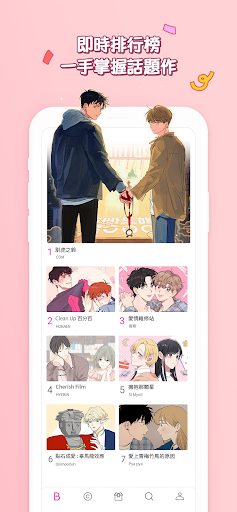
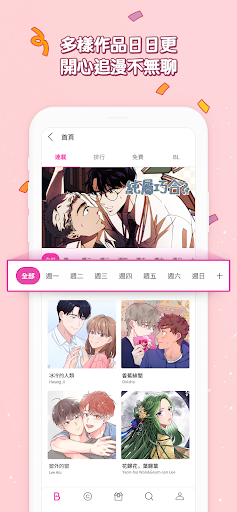
BOM出更多趣味
快做做下面的自我檢測,符合一項以上的你,
快來體驗全新的漫畫世界吧!
1. BL、GL的愛好者?( Yes or No )
最有趣的BL、GL與愛情漫畫都一手掌握!
2. 想要以最划算的價格支持合法的原創作品?( Yes or No )
免費優惠券與各種折扣活動,讓你享受文化生活、追漫不負擔!
3. 超容易投入故事,一不小心就跟著又哭又笑?( Yes or No )
開啟連續閱覽模式,讓你的悸動不被打斷!
4. 有不方便收藏實體書的作品?( Yes or No )
我的書櫃功能讓你輕鬆管理私密的作品書單!
5. 對作品有特殊的喜好?( Yes or No )
使用標籤功能,定義出你喜歡的類型!
【追蹤我們】
BOMTOON官網:https://www.bomtoon.tw/
Facebook:https://www.facebook.com/BomtoonTW/
Instagram : https://www.instagram.com/bomtoon_tw/
Twitter : https://twitter.com/BomtoonTW
有任何問題,都歡迎透過網站或APP的客服中心與我們聯繫。
客服中心營運時間為周一至周五(工作日),台灣時間上午9點至下午6點。
※BOMTOON應用程式內的存取權
1. 必要的存取權限:儲存空間
- 儲存圖片等檔案
2. 選擇性存取權限:相機
- 使用者相簿中的照片
Show more

1. Download MEmu installer and finish the setup

2. Start MEmu then open Google Play on the desktop

3. Search BOMTOON - 正版授權網漫 in Google Play
Install
4. Download and Install BOMTOON - 正版授權網漫
5. On install completion click the icon to start

6. Enjoy using BOMTOON - 正版授權網漫 on PC with MEmu
MEmu Play is the best Android emulator, and 100 million users already enjoy its superb Android app experience. Powered by advanced virtualization technology, it lets you enjoy thousands of Android apps smoothly on your PC—including the most graphics-intensive ones.
Bigger screen with better graphics; Long duration, without limitation of battery or mobile data.
Full Keymapping support for precise control of keyboard and mouse or gamepad.
Multiple game accounts or tasks on single PC at one time with Multi-Instance manager.
Use BOMTOON - 正版授權網漫 on PC by following steps: