
CBS - Full Episodes & Live TV
Updated
Current Version
16.20.1
Offered By

Stop worrying about high battery drain when using CBS - Full Episodes & Live TV on your phone. Free yourself from the tiny screen and enjoy the app on a much larger display. From now on, get a full-screen experience of your app with the convenience of a keyboard and mouse. MEmu offers you all the surprising features you’d expect: quick installation and easy setup, intuitive controls, and no more worries about battery life, mobile data, or unexpected calls. The all-new MEmu 9 is the choice for using CBS - Full Episodes & Live TV on your computer. With the MEmu multi-instance manager, you can run two or more accounts at the same time. Most importantly, our exclusive emulation engine unlocks your PC’s full potential, delivering smooth and enjoyable performance.
Show more
Enjoy superb experience of using CBS - Full Episodes & Live TV on PC with MEMU App Player. It's a powerful free Android emulator which provides you with thousands of android apps for their desktop version. Enjoy connecting with friends and polishing your work with higher efficiency! Stream exclusive originals, blockbuster movies, live sports like NFL on CBS, UFC, and UEFA Champions League, all of SHOWTIME® (Premium plan only), and favorites from CBS, BET, Nickelodeon, Comedy Central, MTV, VH1, and more.
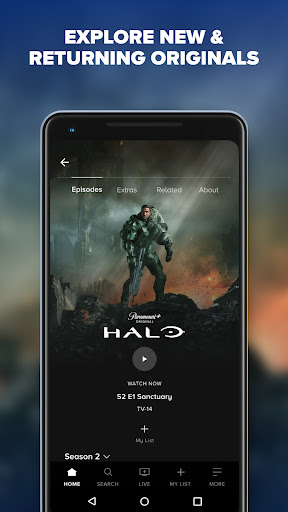
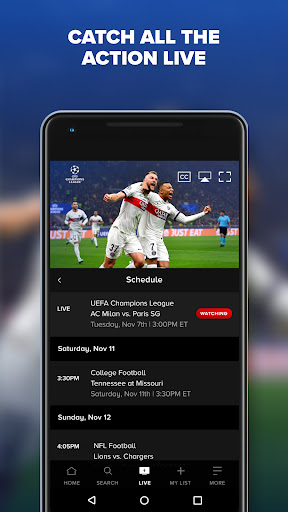
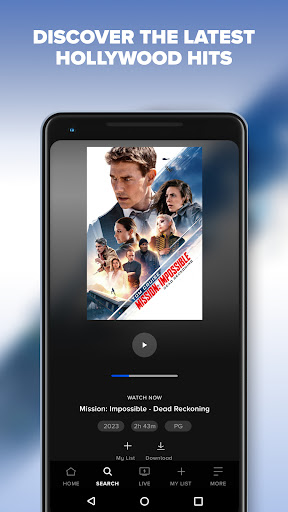
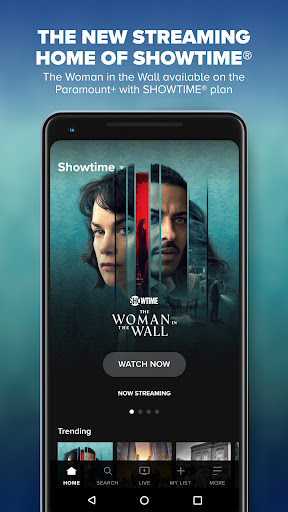
Stream exclusive originals, blockbuster movies, live sports like NFL on CBS, UFC, and UEFA Champions League, all of SHOWTIME® (Premium plan only), and favorites from CBS, BET, Nickelodeon, Comedy Central, MTV, VH1, and more.
- Watch full episodes on demand from hit series like Survivor, South Park, SpongeBob SquarePants and more.
- Obsess over originals. Watch subscriber-only originals such as Landman, 1923 and Star Trek: Strange New Worlds.
- Stream UFC live and on demand. Catch all Numbered Events and Fight Nights, plus a huge library of iconic fights and finishes.
- Make every night a movie night with blockbuster hits and fan-favorite films from Paramount Pictures, MGM and more.
- Access live streams with around-the-clock news coverage on CBS News 24/7, scores + highlights on CBS Sports HQ and entertainment news on Mixible, plus 20 live channels of curated favorites.
- Create up to 6 individual profiles for each member of your household. Have kids? Use our Kids Mode profile feature.
- Save your faves with our watchlist feature, My List.
Get even MORE on the Premium plan:
- Watch ad-free* shows and movies.
- Stream your local CBS station live.
- Catch the best in live events including March Madness®, The Masters Tournament, The GRAMMYs and more.
- Stream all of SHOWTIME, including SHOWTIME East and West live.
Sign up for Paramount+ now. See prmntpl.us/SubscriptionPlans for more details on plans and pricing. Download the app to get started.
*Plans include trailers & sponsorship or similar. Live TV has ads. Content availability subject to change. Please note use of the Paramount+ app is limited to the United States. Paramount+ promotional offers for new subscribers only. Live TV subject to availability. Prices shown are in U.S. dollars. Other restrictions apply.
Your subscription will automatically renew after any applicable promotional period and your Apple ID account will be charged the subscription price on a recurring basis until you cancel. You can cancel your subscription at any time through your Apple ID account settings. If you cancel your subscription, the cancellation will go into effect at the end of your current subscription period, as applicable. You will have continued access to the Paramount+ Service for the remainder of your paid subscription period.
Please note: This app features Nielsen’s proprietary measurement software which will allow you to contribute to market research, like Nielsen’s TV Ratings. Please visit http://www.nielsen.com/digitalprivacy for more information.
Paramount+ Terms of Use:
https://pplus.legal/terms
Paramount Privacy Policy:
https://privacy.paramount.com/policy
Children’s Privacy Policy:
https://privacy.paramount.com/childrens
Additional Privacy Rights:
https://privacy.paramount.com/en/policy#additional-information-us-states
Do Not Sell My Personal Information:
https://privacy.paramount.com/app-donotsell
Show more

1. Download MEmu installer and finish the setup

2. Start MEmu then open Google Play on the desktop

3. Search CBS - Full Episodes & Live TV in Google Play
Install
4. Download and Install CBS - Full Episodes & Live TV
5. On install completion click the icon to start

6. Enjoy using CBS - Full Episodes & Live TV on PC with MEmu
MEmu Play is the best Android emulator, and 100 million users already enjoy its superb Android app experience. Powered by advanced virtualization technology, it lets you enjoy thousands of Android apps smoothly on your PC—including the most graphics-intensive ones.
Bigger screen with better graphics; Long duration, without limitation of battery or mobile data.
Full Keymapping support for precise control of keyboard and mouse or gamepad.
Multiple game accounts or tasks on single PC at one time with Multi-Instance manager.
Use CBS - Full Episodes & Live TV on PC by following steps: