
CineMe:Trace Memory Trails
Updated
Current Version
1.3.1
Offered By

Stop worrying about high battery drain when using CineMe:Trace Memory Trails on your phone. Free yourself from the tiny screen and enjoy the app on a much larger display. From now on, get a full-screen experience of your app with the convenience of a keyboard and mouse. MEmu offers you all the surprising features you’d expect: quick installation and easy setup, intuitive controls, and no more worries about battery life, mobile data, or unexpected calls. The all-new MEmu 9 is the choice for using CineMe:Trace Memory Trails on your computer. With the MEmu multi-instance manager, you can run two or more accounts at the same time. Most importantly, our exclusive emulation engine unlocks your PC’s full potential, delivering smooth and enjoyable performance.
Show more
Enjoy superb experience of using CineMe:Trace Memory Trails on PC with MEMU App Player. It's a powerful free Android emulator which provides you with thousands of android apps for their desktop version. Enjoy connecting with friends and polishing your work with higher efficiency! CineMe: make each recording its own ritual.
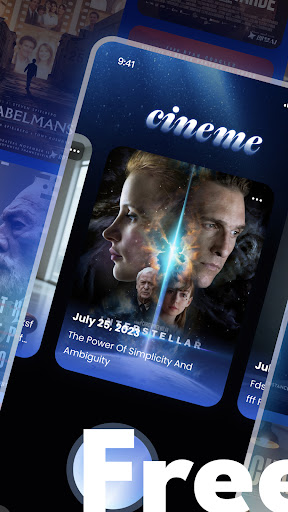
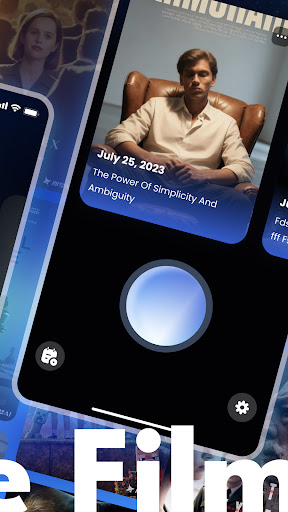

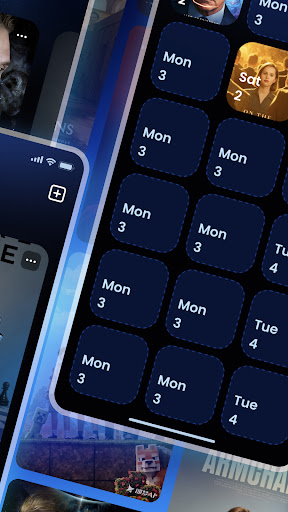
CineMe: make each recording its own ritual
Every video is a slice of time. CineMe reframes the opening of the record in an immersive way, making the retrospective a gentle reunion with the past.
Full-screen immersion on the home page: A Glance at the time frame coordinates
The front page spreads out the video cover on a full-screen scale, putting the visual focus squarely on your record itself. The shooting date is suspended in a lightweight design that doesn't distract but clearly anchors the time and location; clicking on the cover will wake up the details panel, and information such as video titles and shooting scenes will be displayed in an orderly manner, make the background of each recording clear and traceable. Non-redundant elements of the interface design, let you connect with the past more direct, more pure.
More options on the front page: both organizing and browsing efficiency
The"More" entry on the home page contains efficient management logic: if you want to go back through all the records, click on"View all videos"; if you need to clean up redundant content, the"Delete videos" function makes sorting out easier. No need to jump more than one page, in the familiar home scene to complete the core operation, taking into account the immersion of browsing and management practicality.
All video pages: concatenate memory threads by date
Enter the"All videos" page, all records are ordered by date axis, with a clear video cover thumbnails, so that the flow of time trajectory intuitively visible. Looking up a record of a particular date, or going back through a period of experience in a timeline, quickly pinpoints the target, allowing fragmented video clips to form a coherent memory.
Library switching: Photos and video seamlessly
Open the Library function, only one switch operation, you can freely switch between photos and video recordings. There is no need to jump between different modules. The static moments of photos and the dynamic clips of video are in the same management scene, which makes your visual record library more complete and unified, and meets the needs of multiple reviews.
CineMe's compact design accommodates the need for a rich record, making every review efficient and warm
Show more

1. Download MEmu installer and finish the setup

2. Start MEmu then open Google Play on the desktop

3. Search CineMe:Trace Memory Trails in Google Play
Install
4. Download and Install CineMe:Trace Memory Trails
5. On install completion click the icon to start

6. Enjoy using CineMe:Trace Memory Trails on PC with MEmu
MEmu Play is the best Android emulator, and 100 million users already enjoy its superb Android app experience. Powered by advanced virtualization technology, it lets you enjoy thousands of Android apps smoothly on your PC—including the most graphics-intensive ones.
Bigger screen with better graphics; Long duration, without limitation of battery or mobile data.
Full Keymapping support for precise control of keyboard and mouse or gamepad.
Multiple game accounts or tasks on single PC at one time with Multi-Instance manager.
Use CineMe:Trace Memory Trails on PC by following steps: