Spotify - Music and Podcasts
Updated
Current Version
1790692689
Offered By

Stop worrying about high battery drain when using Spotify - Music and Podcasts on your phone. Free yourself from the tiny screen and enjoy the app on a much larger display. From now on, get a full-screen experience of your app with the convenience of a keyboard and mouse. MEmu offers you all the surprising features you’d expect: quick installation and easy setup, intuitive controls, and no more worries about battery life, mobile data, or unexpected calls. The all-new MEmu 9 is the choice for using Spotify - Music and Podcasts on your computer. With the MEmu multi-instance manager, you can run two or more accounts at the same time. Most importantly, our exclusive emulation engine unlocks your PC’s full potential, delivering smooth and enjoyable performance.
Show more
Enjoy superb experience of using Spotify - Music and Podcasts on PC with MEMU App Player. It's a powerful free Android emulator which provides you with thousands of android apps for their desktop version. Enjoy connecting with friends and polishing your work with higher efficiency! Explore an extensive library of free music and podcasts with Spotify.
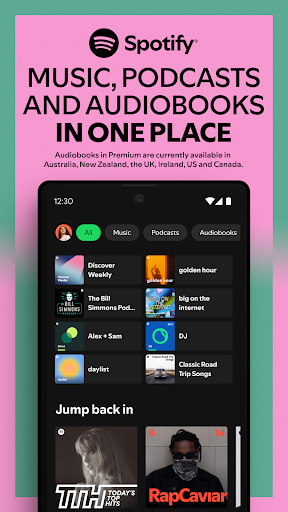
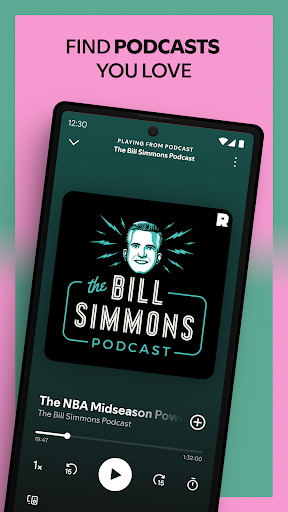
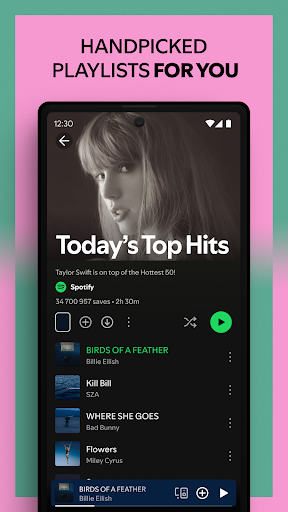
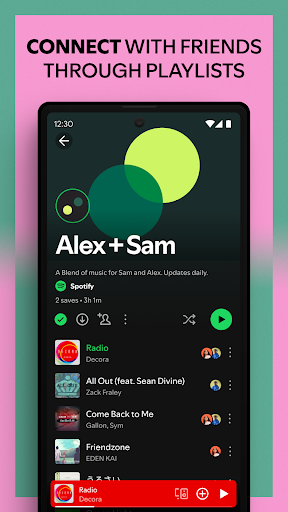
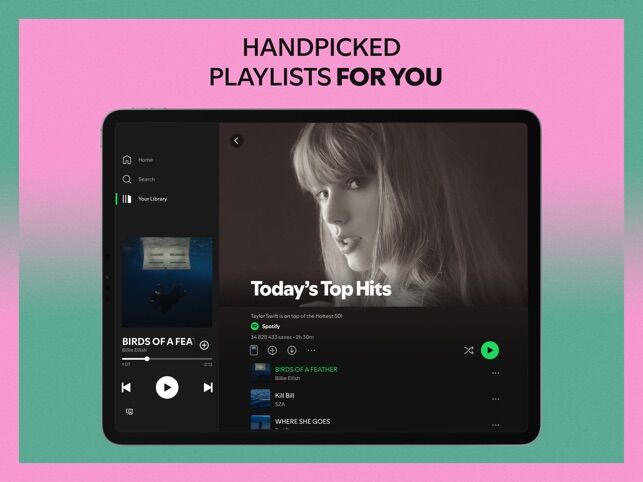
Explore an extensive library of free music and podcasts with Spotify. Curate your own music playlists and stream millions of free songs, albums, and podcasts on your phone or tablet. Subscribe to Spotify to download and listen to music offline, and unlock a catalog of audiobooks from around the world.
Why choose Spotify as your go-to music and podcast app? Here, you can:
• Listen to over 100 million songs and 6 million podcast titles
• Explore Spotify's selection of specially-crafted artist playlists
• Easily search for your favorite songs, albums, artists, and podcasts
• Discover personalized music recommendations tailored to your unique taste
• Subscribe to your favorite free podcasts so you never miss an episode, and even curate your own podcast library
Spotify Free is more than a music player - find the sounds you love and stream free music and podcasts online. Enjoy personalized music playlists or curate and share your own, discover the hottest new releases, explore upcoming events from your favorite artists, and more.
• Stream millions of songs and podcasts for free
• Create playlists with your favorite music
• Share songs and playlists with friends and family (feature restrictions may apply in some regions)
• Discover personalized playlists, and collaborate on playlists with your friends
• Enjoy your personal Discover Weekly playlist to find your new favorite songs every week
• Stay in the know with the Release Radar and New Music Friday playlists
• Find nearby events and gigs by your favorite artists
• See your most played songs, genres, artists, podcasts, and more with yearly Spotify Wrapped
• Stream music across your devices with Spotify
• Use Spotify Connect and enjoy listening on smart speakers, desktop, laptop, smart TV, Chromecast, PlayStation®, XBOX®, smartwatch, in your car, and more - limited number of device models apply
Spotify Premium - enjoy the benefits of an offline music player and stream music without WiFi. The music downloader option allows you to access your songs, podcasts, and playlists offline, wherever you are.
• Listen to music, podcasts, and audiobooks without ads
• Ad-free music listening: enjoy your music with no ad interruptions
• Enjoy full on-demand playback
• Audiobooks in Premium are currently available in the US, UK, Australia, Ireland, New Zealand, and Canada. Discover 250,000+ titles, 15 hours/month of available listening for Premium Individual subscribers and Duo & Family plan managers.
• Enjoy high quality audio on supported devices
• Spotify's AI DJ: a personalized guide that knows your music taste so well it can choose what to play for you
• Enjoy on desktop, phone, tablet, computer, smartwatch, and in your car
• Listen and control the listening session together by hosting a Jam in real time with friends
• Download and listen to music, podcasts, and audiobooks offline, without an internet connection
• No contract required - cancel your Spotify Premium subscription whenever you want
Experience Spotify on your Wear OS device:
• Play music, podcasts, and audiobooks without having your phone around.
• Get instant access to the Spotify music player with our Tiles and Complications
Show more

1. Download MEmu installer and finish the setup

2. Start MEmu then open Google Play on the desktop

3. Search Spotify - Music and Podcasts in Google Play
Install
4. Download and Install Spotify - Music and Podcasts
5. On install completion click the icon to start

6. Enjoy using Spotify - Music and Podcasts on PC with MEmu
MEmu Play is the best Android emulator, and 100 million users already enjoy its superb Android app experience. Powered by advanced virtualization technology, it lets you enjoy thousands of Android apps smoothly on your PC—including the most graphics-intensive ones.
Bigger screen with better graphics; Long duration, without limitation of battery or mobile data.
Full Keymapping support for precise control of keyboard and mouse or gamepad.
Multiple game accounts or tasks on single PC at one time with Multi-Instance manager.
Use Spotify - Music and Podcasts on PC by following steps: