
МАТЧ! КЛУБ
Updated
Current Version
Varies with device
Offered By

Stop worrying about high battery drain when using МАТЧ! КЛУБ on your phone. Free yourself from the tiny screen and enjoy the app on a much larger display. From now on, get a full-screen experience of your app with the convenience of a keyboard and mouse. MEmu offers you all the surprising features you’d expect: quick installation and easy setup, intuitive controls, and no more worries about battery life, mobile data, or unexpected calls. The all-new MEmu 9 is the choice for using МАТЧ! КЛУБ on your computer. With the MEmu multi-instance manager, you can run two or more accounts at the same time. Most importantly, our exclusive emulation engine unlocks your PC’s full potential, delivering smooth and enjoyable performance.
Show more
Enjoy superb experience of using МАТЧ! КЛУБ on PC with MEMU App Player. It's a powerful free Android emulator which provides you with thousands of android apps for their desktop version. Enjoy connecting with friends and polishing your work with higher efficiency! «МАТЧ!
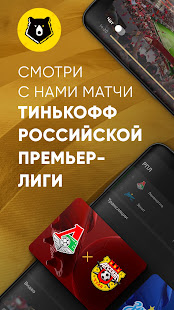
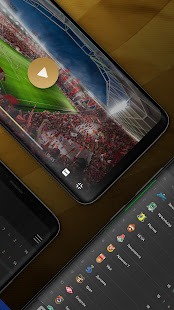

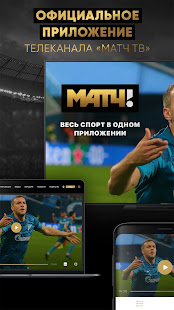
«МАТЧ!» – социальный медиа ресурс, настоящий компаньон для любителей спорта и поклонников соревнований.
В приложении вам доступны трансляции спортивных каналов* и популярных турниров, статистика и новости из мира спорта, «матч-игры» второго экрана
*Доступ к тематическим каналам предоставляется на основе подписной модели (1 месяц / 1 год). Дополнительно в приложении предусмотрена покупка отдельных трансляций прямого эфира и записей.
Автовозобновление подписки на следующий период будет включено автоматически, оплата за возобновление будет снята с вашего счета в течении 24 часов до окончания текущего периода подписки. Управлять автоматическим возобновлением подписки вы можете в разделе «Подписки» своего аккаунта Google. Информация о цене и сроке действия подписки доступна до осуществления покупки. Подписка возобновляется автоматически пока вы ее не отмените как минимум за 24 часа до истечения текущей подписки. Отмена оплаченного периода подписки невозможна.
При оформлении встроенной покупки, нажимая кнопку оплаты, вы соглашаетесь с условиями Пользовательского соглашения (https://v2.match-club.ru/terms) и Политикой Конфиденциальности (https://v2.match-club.ru/privacy).
Трансляции доступны только на территории Российской Федерации.
Если у вас возникли какие-либо вопросы о работе приложения, пожалуйста, обратитесь на почту club@matchtv.ru и наши специалисты свяжутся с вами
Show more

1. Download MEmu installer and finish the setup

2. Start MEmu then open Google Play on the desktop

3. Search МАТЧ! КЛУБ in Google Play
Install
4. Download and Install МАТЧ! КЛУБ
5. On install completion click the icon to start

6. Enjoy using МАТЧ! КЛУБ on PC with MEmu
MEmu Play is the best Android emulator, and 100 million users already enjoy its superb Android app experience. Powered by advanced virtualization technology, it lets you enjoy thousands of Android apps smoothly on your PC—including the most graphics-intensive ones.
Bigger screen with better graphics; Long duration, without limitation of battery or mobile data.
Full Keymapping support for precise control of keyboard and mouse or gamepad.
Multiple game accounts or tasks on single PC at one time with Multi-Instance manager.
Use МАТЧ! КЛУБ on PC by following steps: