Emergent AI: Vibe Code Apps
Updated
Current Version
1.0.17
Offered By

Stop worrying about high battery drain when using Emergent AI: Vibe Code Apps on your phone. Free yourself from the tiny screen and enjoy the app on a much larger display. From now on, get a full-screen experience of your app with the convenience of a keyboard and mouse. MEmu offers you all the surprising features you’d expect: quick installation and easy setup, intuitive controls, and no more worries about battery life, mobile data, or unexpected calls. The all-new MEmu 9 is the choice for using Emergent AI: Vibe Code Apps on your computer. With the MEmu multi-instance manager, you can run two or more accounts at the same time. Most importantly, our exclusive emulation engine unlocks your PC’s full potential, delivering smooth and enjoyable performance.
Show more
Enjoy superb experience of using Emergent AI: Vibe Code Apps on PC with MEMU App Player. It's a powerful free Android emulator which provides you with thousands of android apps for their desktop version. Enjoy connecting with friends and polishing your work with higher efficiency! Emergent AI is the only reliable no-code app builder for turning your dreams into fully functional web apps and mobile apps.
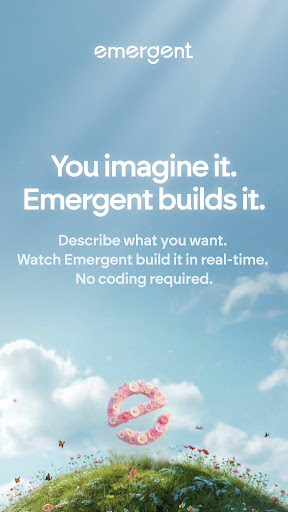
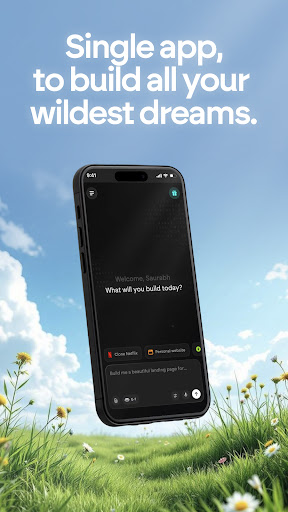
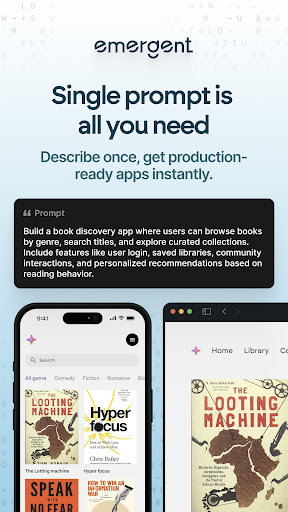
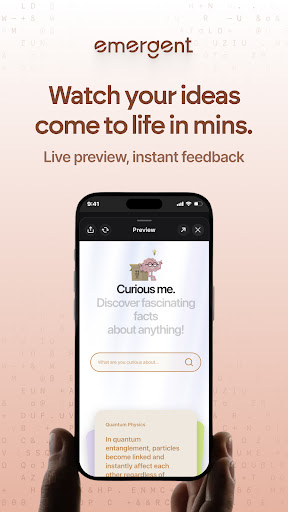
Emergent AI is the only reliable no-code app builder for turning your dreams into fully functional web apps and mobile apps. Build apps by chatting with AI - no coding required. Our AI app builder turns your ideas into production-ready applications.
Whether you want to build apps for business, create apps for startups, or develop mobile apps for your side project - Emergent is the AI development platform that makes app development accessible to everyone.
Now build your ideas on the go with Emergent's Mobile App
HOW IT WORKS
────────────
Emergent is more than a vibe coding platform. It's a coordinated system of AI agents that handle every stage of app development:
• Planning Agent - Translates your vision into structured project requirements
• Frontend Agent - Designs and builds user interfaces for web apps and mobile apps
• Backend Agent - Creates APIs, databases, and application logic
• Testing Agent - Identifies bugs and ensures your app works reliably
• Deployment Agent - Publishes your application with managed hosting
This AI-powered app builder lets you build apps through natural conversation - just describe what you want, and our AI agents create it.
One platform. Build through vibe coding. Full-stack results.
WHAT YOU CAN BUILD
──────────────────
Web applications with complete backend functionality
Cross-platform mobile apps using React Native and Expo
Landing pages and marketing websites
Internal tools and admin dashboards
SaaS products ready for real customers
Emergent is the app builder that handles everything - from no-code app development to deployment.
POWERFUL FEATURES
─────────────────
No-code app development through natural language
Build apps without writing code - just describe your idea
Built-in hosting - deploy your web apps and mobile apps instantly
Real-time preview on your Android device
Cross-device sync - start building on mobile, continue on desktop
Clean, maintainable code following industry best practices
BUILT FOR EVERYONE
──────────────────
Whether you're an experienced developer or an entrepreneur, Emergent adapts to your expertise. Create applications through intuitive interfaces and natural language.
For Non-Technical Founders: Vibe real world app without coding knowledge. Our AI app builder translates your vision into working software.
For Entrepreneurs & Startups: Rapidly prototype and develop your ideas. This AI development platform helps you validate ideas faster than traditional app development.
WHY CHOOSE EMERGENT
───────────────────
• The vibe coding platform designed for serious builders
• Complete no-code app development from idea to deployment
• Build apps that are production-ready, not just prototypes
START BUILDING FOR FREE
───────────────────
Get 10 free credits to explore the platform. Create your first app and see what AI-powered app development can do before you subscribe.
Your app idea deserves to ship. Emergent makes it happen. Start building today.
By using Emergent AI app, you agree to Emergent's terms of service (https://app.emergent.sh/terms-of-service) and acknowledge Emergent's privacy policy (https://app.emergent.sh/privacy-policy)
Show more

1. Download MEmu installer and finish the setup

2. Start MEmu then open Google Play on the desktop

3. Search Emergent AI: Vibe Code Apps in Google Play
Install
4. Download and Install Emergent AI: Vibe Code Apps
5. On install completion click the icon to start

6. Enjoy using Emergent AI: Vibe Code Apps on PC with MEmu
MEmu Play is the best Android emulator, and 100 million users already enjoy its superb Android app experience. Powered by advanced virtualization technology, it lets you enjoy thousands of Android apps smoothly on your PC—including the most graphics-intensive ones.
Bigger screen with better graphics; Long duration, without limitation of battery or mobile data.
Full Keymapping support for precise control of keyboard and mouse or gamepad.
Multiple game accounts or tasks on single PC at one time with Multi-Instance manager.
Use Emergent AI: Vibe Code Apps on PC by following steps: