Emoji Battery & Shimeji Pets
Updated
Current Version
1.0.3
Offered By

Stop worrying about high battery drain when using Emoji Battery & Shimeji Pets on your phone. Free yourself from the tiny screen and enjoy the app on a much larger display. From now on, get a full-screen experience of your app with the convenience of a keyboard and mouse. MEmu offers you all the surprising features you’d expect: quick installation and easy setup, intuitive controls, and no more worries about battery life, mobile data, or unexpected calls. The all-new MEmu 9 is the choice for using Emoji Battery & Shimeji Pets on your computer. With the MEmu multi-instance manager, you can run two or more accounts at the same time. Most importantly, our exclusive emulation engine unlocks your PC’s full potential, delivering smooth and enjoyable performance.
Show more
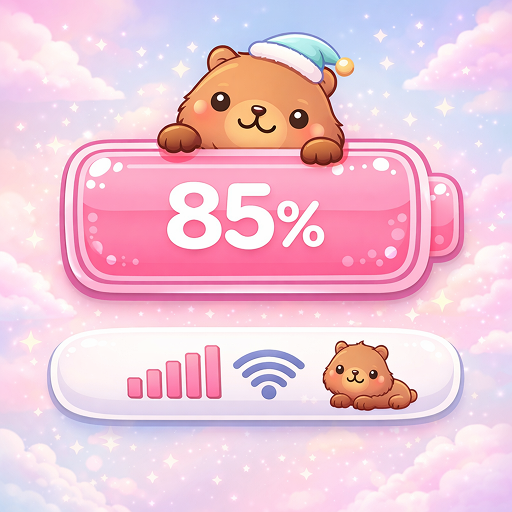
Enjoy superb experience of using Emoji Battery & Shimeji Pets on PC with MEMU App Player. It's a powerful free Android emulator which provides you with thousands of android apps for their desktop version. Enjoy connecting with friends and polishing your work with higher efficiency! Emoji Battery & Shimeji Pets adds adorable anime-style screen pets, interactive Shimeji companions, and expressive emoji battery icon to make your phone more fun and personal.
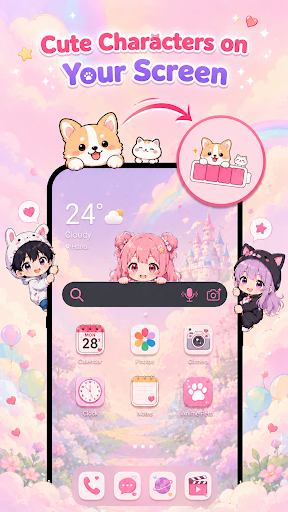
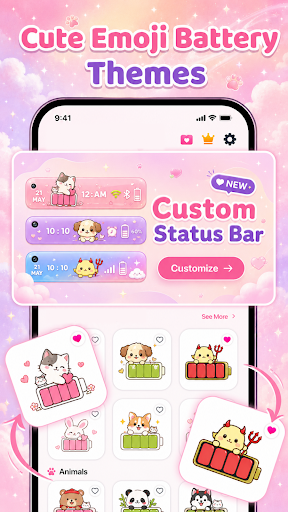
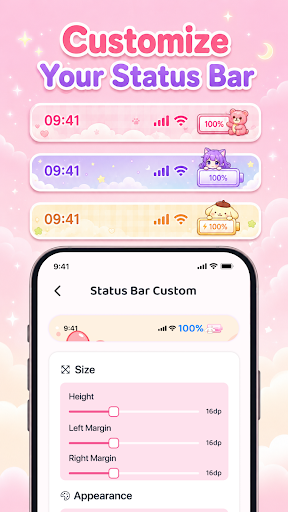
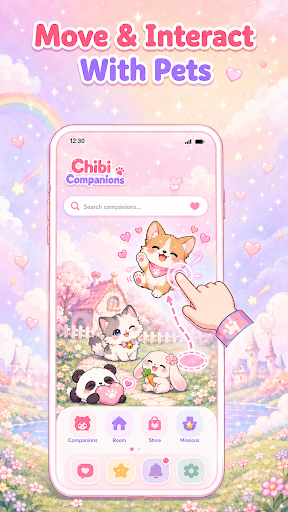
Emoji Battery & Shimeji Pets adds adorable anime-style screen pets, interactive Shimeji companions, and expressive emoji battery icon to make your phone more fun and personal.
Add tiny animated pets that walk, climb, jump, sit, and nap while you browse, chat, watch videos, or play games. Customize their movement, and quantity to create a screen that's uniquely yours.
Cute Shimeji Screen Pets
Add adorable Shimeji pets that live on your screen
Watch pets walk, climb, sit, sleep, and interact with your display
Tap and drag pets for fun interactive reactions
Enjoy a lively and personalized phone experience every day
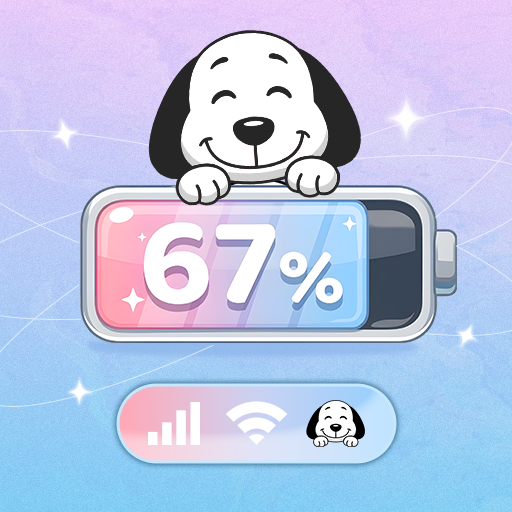
Emoji Battery Icon
Customize your battery display with cute emoji battery icon
Choose from a variety of expressive battery styles
Match battery icon with your favorite Shimeji pets
Give your status bar a fun and unique look
Mix & Swarm Pet Modes
Combine different Shimeji characters on one screen
Create a swarm of your favorite pets
Fill your display with cute animated companions
Build a cozy, funny, or energetic atmosphere
Personalize
Resize pets to fit your screen
Adjust movement speed from calm to energetic
Choose how many pets appear at once
Easily enable or disable pets anytime
⭐ Why You'll Love It
Cute anime-inspired Shimeji pets bring your screen to life
Interactive companions add personality to your device
Emoji Battery icon make your status bar more expressive
Multiple customization options for a unique experience
Suitable for anime lovers, kawaii fans, and anyone who enjoys personalizing their phone
Permissions
Display over other apps permission is required to show Shimeji pets and emoji battery overlays on your screen.
If Accessibility Service is enabled, it is used only for optional battery icon or status bar overlay positioning after your explicit consent. It is never used to collect personal data, read messages, capture passwords, or monitor your activity.
Enjoy Emoji Battery & Shimeji Pets today and transform your phone with adorable animated companions, expressive emoji battery icon, and a variety of customization options to make every screen feel more fun.
Show more

1. Download MEmu installer and finish the setup

2. Start MEmu then open Google Play on the desktop

3. Search Emoji Battery & Shimeji Pets in Google Play
Install
4. Download and Install Emoji Battery & Shimeji Pets
5. On install completion click the icon to start

6. Enjoy using Emoji Battery & Shimeji Pets on PC with MEmu
MEmu Play is the best Android emulator, and 100 million users already enjoy its superb Android app experience. Powered by advanced virtualization technology, it lets you enjoy thousands of Android apps smoothly on your PC—including the most graphics-intensive ones.
Bigger screen with better graphics; Long duration, without limitation of battery or mobile data.
Full Keymapping support for precise control of keyboard and mouse or gamepad.
Multiple game accounts or tasks on single PC at one time with Multi-Instance manager.
Use Emoji Battery & Shimeji Pets on PC by following steps: