Fire Plus
Updated
Current Version
1.10.2
Offered By

Stop worrying about high battery drain when using Fire Plus on your phone. Free yourself from the tiny screen and enjoy the app on a much larger display. From now on, get a full-screen experience of your app with the convenience of a keyboard and mouse. MEmu offers you all the surprising features you’d expect: quick installation and easy setup, intuitive controls, and no more worries about battery life, mobile data, or unexpected calls. The all-new MEmu 9 is the choice for using Fire Plus on your computer. With the MEmu multi-instance manager, you can run two or more accounts at the same time. Most importantly, our exclusive emulation engine unlocks your PC’s full potential, delivering smooth and enjoyable performance.
Show more
Enjoy superb experience of using Fire Plus on PC with MEMU App Player. It's a powerful free Android emulator which provides you with thousands of android apps for their desktop version. Enjoy connecting with friends and polishing your work with higher efficiency! Aplicativo Media Player para Android.
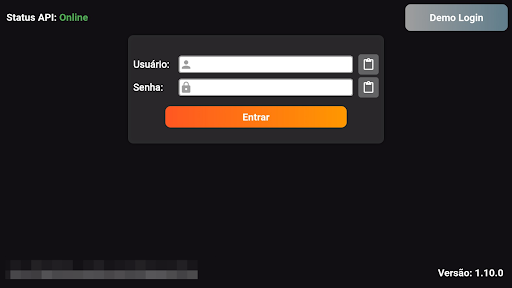
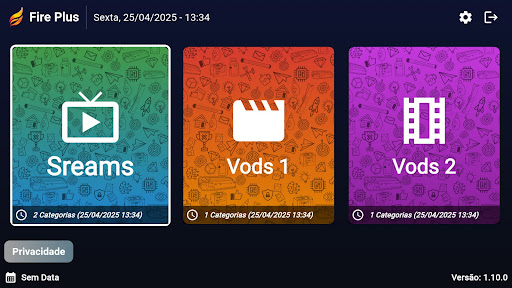
Aplicativo Media Player para Android. Aplicativo fácil de usar. Totalmente personalizável e com marca para provedores de serviços OTT.
O Fire Plus não são necessários aplicativos ou players de terceiros. Design de interface do usuário simples para fácil navegação.
Fire Plus está usando ExoPlayer. Fácil de navegação.
IMPORTANTE:
O Fire Plus oficial não contém nenhum conteúdo de mídia. Isso significa que você deve fornecer seu próprio conteúdo de um local remoto ou de qualquer outra mídia de sua propriedade. Qualquer outro meio de assistir a conteúdo ilegal que de outra forma seria pago não é endossado ou aprovado pela Equipe.
AVISO LEGAL:
- Fire Plus não fornece ou inclui qualquer mídia ou conteúdo.
- Os usuários devem fornecer seu próprio conteúdo
- O Fire Plus não tem nenhuma afiliação com nenhum fornecedor ou provedor de conteúdo de mídia.
- Não endossamos o streaming de material protegido por direitos autorais sem a permissão do detentor dos direitos autorais.
Show more

1. Download MEmu installer and finish the setup

2. Start MEmu then open Google Play on the desktop

3. Search Fire Plus in Google Play
Install
4. Download and Install Fire Plus
5. On install completion click the icon to start

6. Enjoy using Fire Plus on PC with MEmu
MEmu Play is the best Android emulator, and 100 million users already enjoy its superb Android app experience. Powered by advanced virtualization technology, it lets you enjoy thousands of Android apps smoothly on your PC—including the most graphics-intensive ones.
Bigger screen with better graphics; Long duration, without limitation of battery or mobile data.
Full Keymapping support for precise control of keyboard and mouse or gamepad.
Multiple game accounts or tasks on single PC at one time with Multi-Instance manager.
Use Fire Plus on PC by following steps: