mObywatel
Updated
Current Version
D
Offered By

Stop worrying about high battery drain when using mObywatel on your phone. Free yourself from the tiny screen and enjoy the app on a much larger display. From now on, get a full-screen experience of your app with the convenience of a keyboard and mouse. MEmu offers you all the surprising features you’d expect: quick installation and easy setup, intuitive controls, and no more worries about battery life, mobile data, or unexpected calls. The all-new MEmu 9 is the choice for using mObywatel on your computer. With the MEmu multi-instance manager, you can run two or more accounts at the same time. Most importantly, our exclusive emulation engine unlocks your PC’s full potential, delivering smooth and enjoyable performance.
Show more
Enjoy superb experience of using mObywatel on PC with MEMU App Player. It's a powerful free Android emulator which provides you with thousands of android apps for their desktop version. Enjoy connecting with friends and polishing your work with higher efficiency! mObywatel is an application of the Ministry of Digital Affairs.
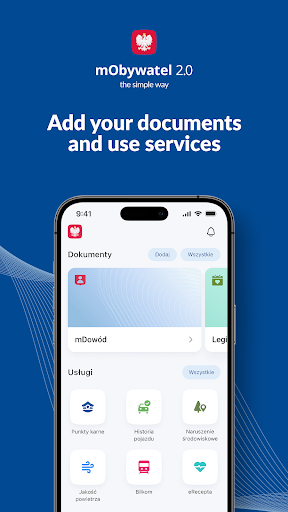
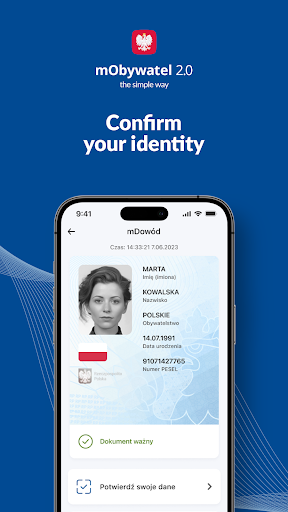
mObywatel is an application of the Ministry of Digital Affairs. Now you can safely, quickly, and conveniently use digital documents and handle your official matters online.
With mObywatel, you can:
- use digital documents, such as mDowód, electronic driving license (including temporary electronic driving license), ID cards (e.g. school, student, pensioner), Large Family Card, Diia.pl, and many others;
- handle your affairs from anywhere, e.g. submit applications, fill e-prescriptions, pay taxes;
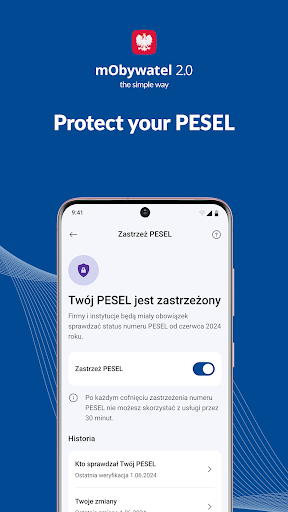
- place a security freeze on your PESEL number to protect yourself against fraud and data theft;
- check information useful for drivers, such as data about your vehicles, penalty points, fines, as well as the vehicles which you want to buy;
- report environmental violations, e.g. abandoned garbage;
- make sure that the bus, which you are going to travel by, has valid technical inspections and civil liability insurance;
- check air pollution in your area;
- confirm your data in the Central Electoral Register and your voting place in the upcoming elections;
- present your train tickets for inspection in the Bilkom service;
- find useful information for travels abroad,
- in the service Company, you can, among other things, share invoice data, download the CEIDG entry certificate and check the data of your sole proprietorship,
- you can check if one of your documents - for example your liability insurance policy - has expired,
- you can check your passport details.
In addition, we have introduced a new feature: What has changed in the app? It will keep you up to date with all the changes and updates in mObywatel 2.0.
Download the app and do it easier!
For more info, go to www.info.mobywatel.gov.pl and the Bulletin of Public Information.
Accessibility statement www.gov.pl/mobywatel-w-aplikacji/deklaracja
Technical Support +48 42 253 54 74 (working days from 7:00 a.m. Until 6:00 p.m.), mobywatel-pomoc@coi.gov.pl
Developer: Centre for Information Technology (Centralny Ośrodek Informatyki) www.coi.gov.pl
Show more

1. Download MEmu installer and finish the setup

2. Start MEmu then open Google Play on the desktop

3. Search mObywatel in Google Play
Install
4. Download and Install mObywatel
5. On install completion click the icon to start

6. Enjoy using mObywatel on PC with MEmu
MEmu Play is the best Android emulator, and 100 million users already enjoy its superb Android app experience. Powered by advanced virtualization technology, it lets you enjoy thousands of Android apps smoothly on your PC—including the most graphics-intensive ones.
Bigger screen with better graphics; Long duration, without limitation of battery or mobile data.
Full Keymapping support for precise control of keyboard and mouse or gamepad.
Multiple game accounts or tasks on single PC at one time with Multi-Instance manager.
Use mObywatel on PC by following steps: