MovieOne: Watch Movies & Shows
Updated
Current Version
1.0.2
Offered By

Stop worrying about high battery drain when using MovieOne: Watch Movies & Shows on your phone. Free yourself from the tiny screen and enjoy the app on a much larger display. From now on, get a full-screen experience of your app with the convenience of a keyboard and mouse. MEmu offers you all the surprising features you’d expect: quick installation and easy setup, intuitive controls, and no more worries about battery life, mobile data, or unexpected calls. The all-new MEmu 9 is the choice for using MovieOne: Watch Movies & Shows on your computer. With the MEmu multi-instance manager, you can run two or more accounts at the same time. Most importantly, our exclusive emulation engine unlocks your PC’s full potential, delivering smooth and enjoyable performance.
Show more
Enjoy superb experience of using MovieOne: Watch Movies & Shows on PC with MEMU App Player. It's a powerful free Android emulator which provides you with thousands of android apps for their desktop version. Enjoy connecting with friends and polishing your work with higher efficiency! "MovieOne: Watch Movies & TV Shows is your all-in-one streaming app for discovering movies, TV shows, and trending content anytime.
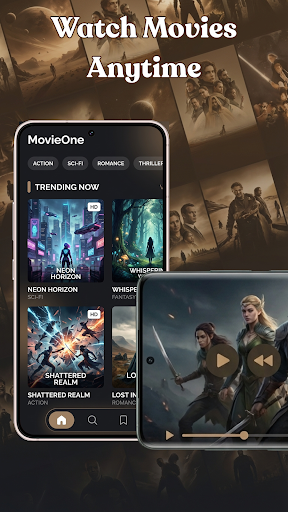
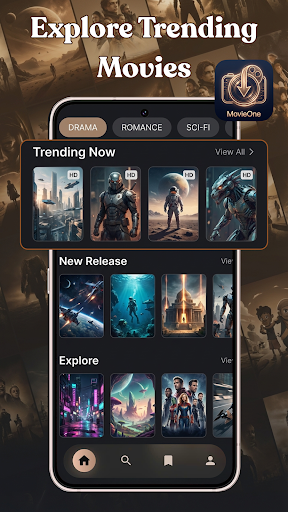
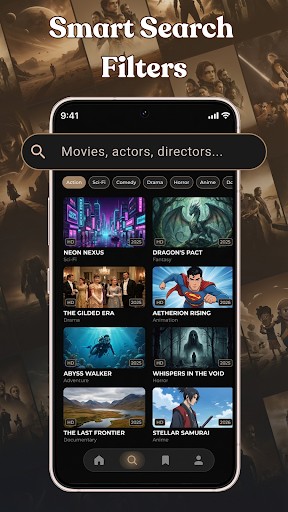
"MovieOne: Watch Movies & TV Shows is your all-in-one streaming app for discovering movies, TV shows, and trending content anytime. Whether you enjoy romance, thriller, crime, or sci-fi, MovieOne brings a diverse library of films and shows right to your device.
Explore curated collections, watch high-quality videos, and build your personal watchlist with ease. Designed for smooth navigation and immersive viewing, MovieOne helps you enjoy movies online or offline, anytime you want.
Key Features of this Watch Movies & TV Shows App:
Discover trending movies and TV shows across multiple genres in one place. Browse curated collections and explore fresh content updated regularly to keep your watch experience engaging.
Use smart search to find movies, actors, and directors quickly. Filter content by categories like thriller, noir, classics, or romance to match your mood.
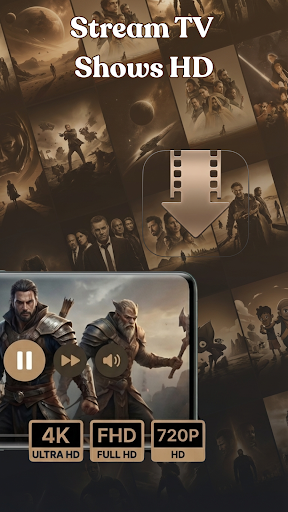
Watch movies and TV shows in clear HD quality. Enjoy smooth playback and sharp visuals for a more comfortable viewing experience.
Create and manage your personal watchlist easily. Save your favorite movies and TV shows to watch later and keep track of what you love.
⬇ Download movies and watch anytime, anywhere with ease. Access your saved content easily and manage storage your way.
Personalize your profile and enjoy a tailored experience. Organize your content and access settings that fit your preferences.
MovieOne: Watch Movies & TV Shows is designed to bring a simple and enjoyable streaming experience to everyone. From discovering trending titles to managing your personal watchlist, everything is built to help you enjoy movies effortlessly.
Download MovieOne today to watch movies, explore TV shows, and experience seamless entertainment. Don’t forget to rate and share your feedback to help us improve your streaming experience."
Show more

1. Download MEmu installer and finish the setup

2. Start MEmu then open Google Play on the desktop

3. Search MovieOne: Watch Movies & Shows in Google Play
Install
4. Download and Install MovieOne: Watch Movies & Shows
5. On install completion click the icon to start

6. Enjoy using MovieOne: Watch Movies & Shows on PC with MEmu
MEmu Play is the best Android emulator, and 100 million users already enjoy its superb Android app experience. Powered by advanced virtualization technology, it lets you enjoy thousands of Android apps smoothly on your PC—including the most graphics-intensive ones.
Bigger screen with better graphics; Long duration, without limitation of battery or mobile data.
Full Keymapping support for precise control of keyboard and mouse or gamepad.
Multiple game accounts or tasks on single PC at one time with Multi-Instance manager.
Use MovieOne: Watch Movies & Shows on PC by following steps: