MyToyota
Updated
Current Version
2.11.1
Offered By

Stop worrying about high battery drain when using MyToyota on your phone. Free yourself from the tiny screen and enjoy the app on a much larger display. From now on, get a full-screen experience of your app with the convenience of a keyboard and mouse. MEmu offers you all the surprising features you’d expect: quick installation and easy setup, intuitive controls, and no more worries about battery life, mobile data, or unexpected calls. The all-new MEmu 9 is the choice for using MyToyota on your computer. With the MEmu multi-instance manager, you can run two or more accounts at the same time. Most importantly, our exclusive emulation engine unlocks your PC’s full potential, delivering smooth and enjoyable performance.
Show more
Enjoy superb experience of using MyToyota on PC with MEMU App Player. It's a powerful free Android emulator which provides you with thousands of android apps for their desktop version. Enjoy connecting with friends and polishing your work with higher efficiency! Introducing the new MyToyota app, a set of connected and remote services designed to make life easier for owners of a connectable Toyota model.
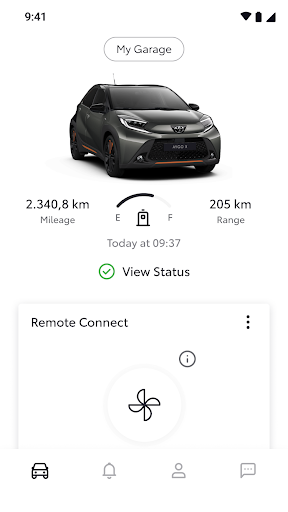
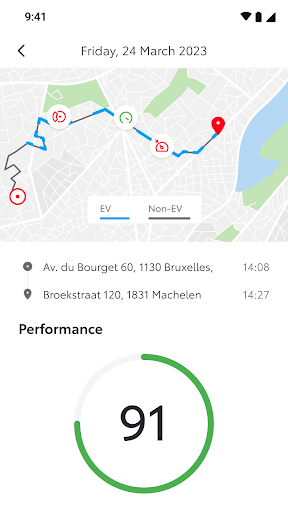
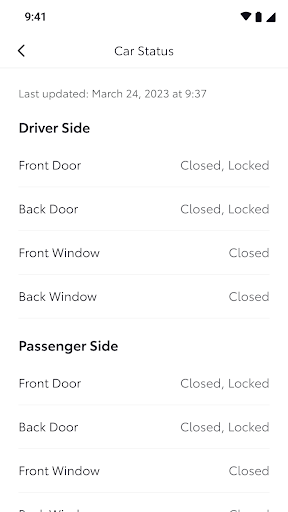
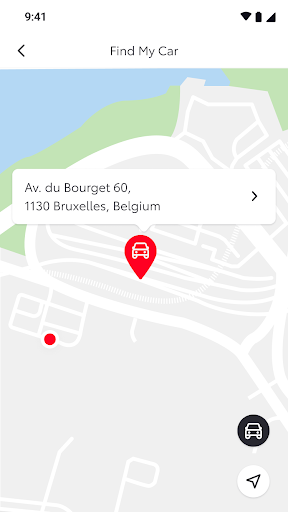
Introducing the new MyToyota app, a set of connected and remote services designed to make life easier for owners of a connectable Toyota model.
Communicate and manage your car wherever you are using the MyToyota app on your smartphone. Find your car, precondition your car’s cabin temperature remotely, optimise your driving style, receive driving analytics, service reminders and maintenance notifications – and so much more.
How can you benefit?
SAVE TIME FINDING YOUR CAR: Forgot where you parked your Toyota? Locate it easily with Find My Car.¹
SPOT YOUR CAR IN A CROWD: Can’t find your Toyota in a busy car park? Tap Hazard Lights to quickly locate it with a flash of your car’s hazard lights. ¹
DRIVE MORE EFFICIENTLY: Enjoy personalised Hybrid Driving Coaching on how you can drive your Hybrid car to its full capability based on previous journeys, reduce your fuel consumption and track your progress over time.¹
CONVENIENT CONTROL: Check your Vehicle Status and use the Remote Door Lock/Unlock feature to remotely lock or unlock your Toyota’s doors at the press of a button, for complete peace of mind and convenience wherever you are. ¹
SET THE IDEAL TEMPERATURE: Remote Climate allows you to remotely activate the heating and ventilation controls of your Toyota before you begin a journey. Pre-heat and defrost your windscreens in winter or pre-cool the interior in summer for comfort on every trip.¹
ANALYSE YOUR JOURNEYS: Get access to valuable data and insights around your driving behaviour with Driving analytics. ¹
CONVENIENT SERVICING: With Online Service Booking you can book your service or check maintenance history in a few simple steps to ensure your Toyota’s always safe to drive and in optimal condition.¹
STAY BETTER INFORMED: Receive important Service and Maintenance reminders and never miss an appointment again. ¹
REDUCE YOUR INSURANCE PREMIUMS: Make the most of your Hybrid vehicle. Full Hybrid Insurance (FHI) not only protects your vehicle, but also encourages you to make the best use of your Hybrid and rewards you for driving safely in electric mode. The more you drive in electric mode, the more you save on your insurance renewal premiums. Don’t own a Toyota Hybrid? No problem. Our Usage Based Insurance also rewards safer, smoother driving with savings on your insurance renewals. ¹
HELP WITH WARNINGS: Be alerted to any warnings displayed in your Toyota and automatically receive timely support and assistance from your Toyota Retailer if a repair is required with Warning Lights. ¹
MyToyota connected services are available on selected models and grades of connectable Toyota vehicles.
For more information, contact your Toyota Retailer. ¹
Show more

1. Download MEmu installer and finish the setup

2. Start MEmu then open Google Play on the desktop

3. Search MyToyota in Google Play
Install
4. Download and Install MyToyota
5. On install completion click the icon to start

6. Enjoy using MyToyota on PC with MEmu
MEmu Play is the best Android emulator, and 100 million users already enjoy its superb Android app experience. Powered by advanced virtualization technology, it lets you enjoy thousands of Android apps smoothly on your PC—including the most graphics-intensive ones.
Bigger screen with better graphics; Long duration, without limitation of battery or mobile data.
Full Keymapping support for precise control of keyboard and mouse or gamepad.
Multiple game accounts or tasks on single PC at one time with Multi-Instance manager.
Use MyToyota on PC by following steps: