Open Chat - AI bot app
Updated
Current Version
1.2.9
Offered By

Stop worrying about high battery drain when using Open Chat - AI bot app on your phone. Free yourself from the tiny screen and enjoy the app on a much larger display. From now on, get a full-screen experience of your app with the convenience of a keyboard and mouse. MEmu offers you all the surprising features you’d expect: quick installation and easy setup, intuitive controls, and no more worries about battery life, mobile data, or unexpected calls. The all-new MEmu 9 is the choice for using Open Chat - AI bot app on your computer. With the MEmu multi-instance manager, you can run two or more accounts at the same time. Most importantly, our exclusive emulation engine unlocks your PC’s full potential, delivering smooth and enjoyable performance.
Show more
Enjoy superb experience of using Open Chat - AI bot app on PC with MEMU App Player. It's a powerful free Android emulator which provides you with thousands of android apps for their desktop version. Enjoy connecting with friends and polishing your work with higher efficiency! Open Chat is a revolutionary AI chatbot, the #1 AI assistant app powered by ChatGPT that utilizes the latest AI chat technology.
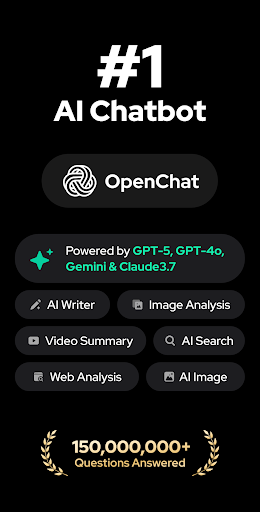
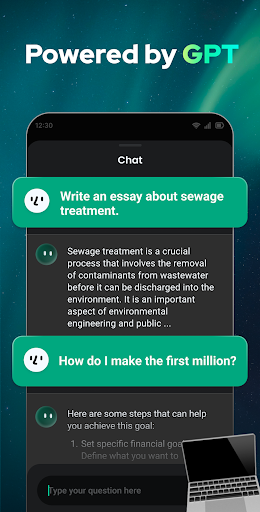
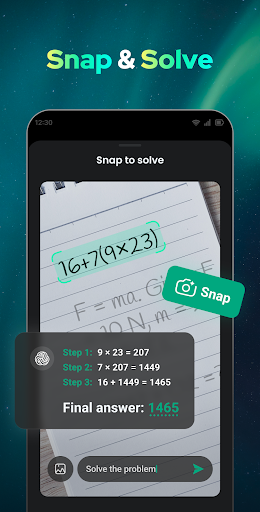
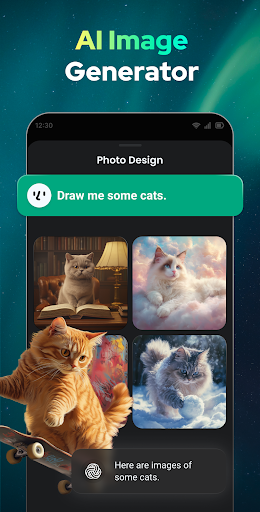
Open Chat is a revolutionary AI chatbot, the #1 AI assistant app powered by ChatGPT that utilizes the latest AI chat technology.
This AI chatbot with industry-leading features can understand any questions and generate human-like text responses; Assist with your writing, such as essays, stories, lyrics, etc., in any language.
Download the best AI chat bot app and enjoy continuous and fluid AI chat now!
Features of Open Chat:
● Answer questions in any field (Social, health, work, entertainment, etc)
● Powered by latest ChatGPT technology (GPT-4)
● Continuous dialogue
● Handle any task
● Simple and elegant AI chatbot UI
● Night Mode
⁉【 ASK AI ANYTHING 】
You can ask Open Chat any question and get instant responses, just like chatting with a knowledgeable friend.
Ask AI to:
answer questions in any area;
write a poem, a rap song, a story;
translate something;
tell you a joke;
role play;
make a travel plan for you, etc.
【 AI WRITING ASSISTANT 】
Open Chat is not only a smart chatbot but also a creative AI writing assistant. From essays to social media posts, lyrics, stories, homework, and more, it can help you with any writing task. Write anything effortlessly with this ChatGPT powered app!
【 RELIABLE AI CHAT PARTNER 】
Seeking advice? Need a chat partner? Open Chat is always at your service. It can generate human-like responses, giving you the feeling that you are talking with a friend. Ask AI to recommend you movies, books, entertainment activities, etc., maybe there will be surprises!
【 GRAMMAR CHECKER 】
Open Chat was developed on GPT-4 and can act as a grammar checker, spell checker, and punctuation corrector, ensuring that your writing is error-free and of the highest quality. It’s your perfect proofreading assistant.
【 CONTINUOUS DIALOGUE 】
Smart Open Chat remembers your chat history and can pick up where you left off. Whether you want to ask follow-up questions or just continue a previous chat, AI chatbot is always ready to talk. The more you talk to it, the more it learns about your preferences and style.
【 SUPPORT ALL LANGUAGES 】
Multilingual AI chatbot can help you translate text, learn and practice languages. Chat with Open Chat in any language you want!
【 CHAT HISTORY 】
Open Chat automatically saves your chat history, you can review the information anytime you need and delete the conversation if you don’t need it.
More features of Open Chat are waiting for you to explore! Download this powerful chat bot app and start your AI chat now. You'll always have a personal AI assistant for life, work, and study.
Disclaimer
* Open Chat is not affiliated with OpenAI.
* The information provided by Open Chat is only for informational purposes, and should not be regarded as authoritative.
If you have any questions, feedback, or suggestions, please feel free to contact us at openchat.gptfeedback@gmail.com.
Show more

1. Download MEmu installer and finish the setup

2. Start MEmu then open Google Play on the desktop

3. Search Open Chat - AI bot app in Google Play
Install
4. Download and Install Open Chat - AI bot app
5. On install completion click the icon to start

6. Enjoy using Open Chat - AI bot app on PC with MEmu
MEmu Play is the best Android emulator, and 100 million users already enjoy its superb Android app experience. Powered by advanced virtualization technology, it lets you enjoy thousands of Android apps smoothly on your PC—including the most graphics-intensive ones.
Bigger screen with better graphics; Long duration, without limitation of battery or mobile data.
Full Keymapping support for precise control of keyboard and mouse or gamepad.
Multiple game accounts or tasks on single PC at one time with Multi-Instance manager.
Use Open Chat - AI bot app on PC by following steps: