PDF Reader, All PDF Editor
Updated
Current Version
1.0.8
Offered By

Stop worrying about high battery drain when using PDF Reader, All PDF Editor on your phone. Free yourself from the tiny screen and enjoy the app on a much larger display. From now on, get a full-screen experience of your app with the convenience of a keyboard and mouse. MEmu offers you all the surprising features you’d expect: quick installation and easy setup, intuitive controls, and no more worries about battery life, mobile data, or unexpected calls. The all-new MEmu 9 is the choice for using PDF Reader, All PDF Editor on your computer. With the MEmu multi-instance manager, you can run two or more accounts at the same time. Most importantly, our exclusive emulation engine unlocks your PC’s full potential, delivering smooth and enjoyable performance.
Show more
Enjoy superb experience of using PDF Reader, All PDF Editor on PC with MEMU App Player. It's a powerful free Android emulator which provides you with thousands of android apps for their desktop version. Enjoy connecting with friends and polishing your work with higher efficiency! Discover the ultimate PDF reader and viewer!
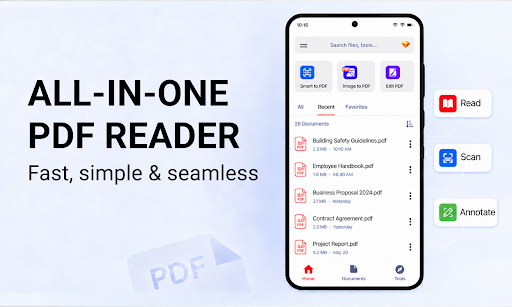
Discover the ultimate PDF reader and viewer!
Imagine having an entire office in your pocket - a tool so powerful it lets you read contracts, scan receipts, convert images, merge reports, and even edit PDFs, all in seconds. Whether you’re a student racing against deadlines, a professional handling paperwork on the go, or simply someone who values convenience, this PDF Reader, All PDF Opener app is perfect for you.
Ready to work smarter, not harder?
Let’s explore why PDF Reader is quickly becoming the choice for millions of users worldwide.
PDF Reader:
- Open PDF files quickly, ebook reader
- Smooth page scrolling & zooming
- Dark mode reading for better eye comfort
- Bookmarks for important files
- Search for a specific phrase on file
- Customize viewing mode: vertical and horizontal
- PDF organizer: Sort file, rename file, delete PDF...
PDF Scanner:
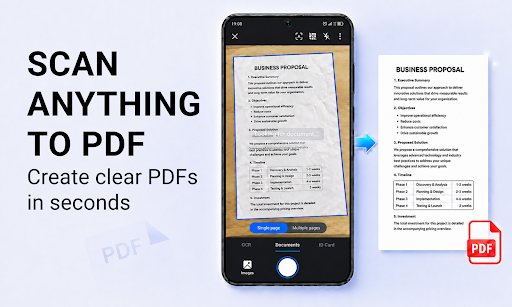
- The smart pdf reader app includes a high-quality PDF Scanner that transforms your physical documents into clear, professional PDFs using your device’s camera. Scan any document and convert to PDF, scan your ID cards & passport
- Powerful editing tool after scanning: Add filter, crop pages, and adjust scans
PDF Editor:
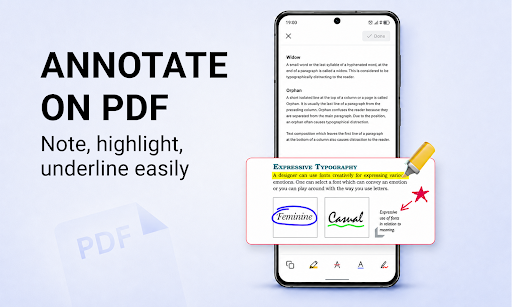
- Annotate PDFs like a pro: Easily highlight important text, underline key points, or draw directly on the PDF. Perfect for students, lawyers, or anyone who needs to mark up documents for review.
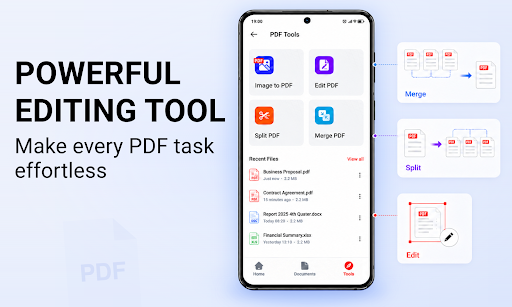
- Merge PDF files: Combine multiple PDFs into one seamless document in seconds.
- Split PDF files: Need to extract pages or separate a document into smaller files? The split feature lets you do this in a few taps.
Image to PDF converter:
- Turn your photos into high-quality PDFs has never been easier. Just select one or more images from your gallery or camera, and the powerful pdf reader app instantly converts them into PDF document.
All-in-One document viewer:
- PDF Reader is more than just a PDF tool, it’s a universal document viewer that lets you open and read all file: docx, txt, xls, xlsx, ppt...
- No need to switch apps for each file type. Now you can access and manage your documents from this pdf file management app.
Read, edit, scan, and manage documents with one app. Our pdf viewer ebook reader app gives you the power to do it all fast, simple, and free. Use the PDF Reader, All PDF Opener app now and experience a smarter way to handle your documents.
Show more

1. Download MEmu installer and finish the setup

2. Start MEmu then open Google Play on the desktop

3. Search PDF Reader, All PDF Editor in Google Play
Install
4. Download and Install PDF Reader, All PDF Editor
5. On install completion click the icon to start

6. Enjoy using PDF Reader, All PDF Editor on PC with MEmu
MEmu Play is the best Android emulator, and 100 million users already enjoy its superb Android app experience. Powered by advanced virtualization technology, it lets you enjoy thousands of Android apps smoothly on your PC—including the most graphics-intensive ones.
Bigger screen with better graphics; Long duration, without limitation of battery or mobile data.
Full Keymapping support for precise control of keyboard and mouse or gamepad.
Multiple game accounts or tasks on single PC at one time with Multi-Instance manager.
Use PDF Reader, All PDF Editor on PC by following steps: