PDF Reader - File Manager
Updated
Current Version
3.0
Offered By

Stop worrying about high battery drain when using PDF Reader - File Manager on your phone. Free yourself from the tiny screen and enjoy the app on a much larger display. From now on, get a full-screen experience of your app with the convenience of a keyboard and mouse. MEmu offers you all the surprising features you’d expect: quick installation and easy setup, intuitive controls, and no more worries about battery life, mobile data, or unexpected calls. The all-new MEmu 9 is the choice for using PDF Reader - File Manager on your computer. With the MEmu multi-instance manager, you can run two or more accounts at the same time. Most importantly, our exclusive emulation engine unlocks your PC’s full potential, delivering smooth and enjoyable performance.
Show more
Enjoy superb experience of using PDF Reader - File Manager on PC with MEMU App Player. It's a powerful free Android emulator which provides you with thousands of android apps for their desktop version. Enjoy connecting with friends and polishing your work with higher efficiency! PDF Reader - File Manager is a fast, offline document reader and file manager in one app.
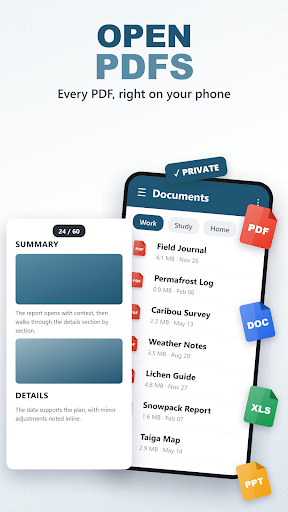
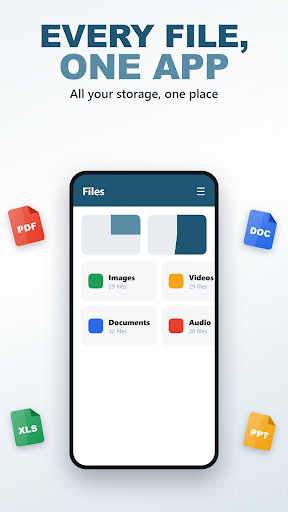
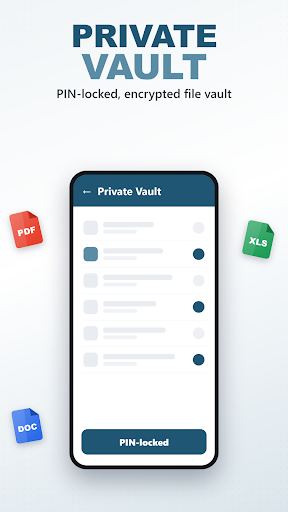
PDF Reader - File Manager is a fast, offline document reader and file manager in one app. Open PDFs and Office documents instantly, browse every file on your device by category, and keep private files locked away - all without an account and without an internet connection.
DOCUMENT READER
Open and read your documents right inside the app - no other viewer required:
- PDF - smooth page-by-page reading with pinch-to-zoom.
- Word (.doc, .docx) - headings, bold/italic/underline, colours, bullet lists and tables.
- Excel (.xls, .xlsx) - every sheet laid out as a clean table.
- PowerPoint (.ppt, .pptx) - slide-by-slide titles and text.
- Plain text (.txt) - automatic character-set detection.
Documents are rendered by our own lightweight engine, so pages open quickly and stay on your device.
FILE MANAGER
See everything at a glance and take control of your storage:
- A dashboard with animated storage and memory gauges.
- Files grouped into Photos, Clips, Tracks, Documents, Packages, Archives and Downloads, each with a live count and total size.
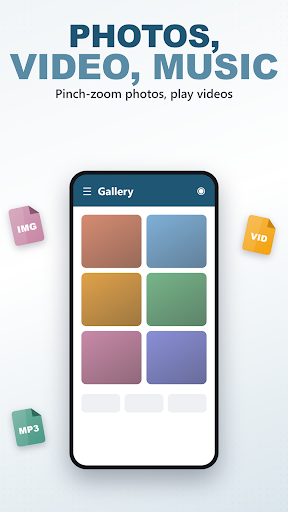
- Full-screen photo viewer with pinch-to-zoom, plus built-in video and audio players.
- Multi-select and delete with a clear confirmation step.
- Install APK files through Android's standard installer.
SIGNATURE TOOLS
- Private Vault: protect sensitive files behind a PIN. Files are encrypted with AES (via Android's own crypto) and moved into a hidden folder; restore them any time with your PIN.
- Zip & Unzip: pack several files into a .zip archive or extract an existing archive, with a built-in guard against malicious archive paths.
- Bulk Rename: tidy up many files at once with a prefix and an automatic running number.
PRIVACY FIRST
This app does not collect any personal data, has no ads and no analytics. Everything happens on your device.
Show more

1. Download MEmu installer and finish the setup

2. Start MEmu then open Google Play on the desktop

3. Search PDF Reader - File Manager in Google Play
Install
4. Download and Install PDF Reader - File Manager
5. On install completion click the icon to start

6. Enjoy using PDF Reader - File Manager on PC with MEmu
MEmu Play is the best Android emulator, and 100 million users already enjoy its superb Android app experience. Powered by advanced virtualization technology, it lets you enjoy thousands of Android apps smoothly on your PC—including the most graphics-intensive ones.
Bigger screen with better graphics; Long duration, without limitation of battery or mobile data.
Full Keymapping support for precise control of keyboard and mouse or gamepad.
Multiple game accounts or tasks on single PC at one time with Multi-Instance manager.
Use PDF Reader - File Manager on PC by following steps: