PDF Reader & PDF Viewer
Updated
Current Version
1.3.9-CoreTools
Offered By

Stop worrying about high battery drain when using PDF Reader & PDF Viewer on your phone. Free yourself from the tiny screen and enjoy the app on a much larger display. From now on, get a full-screen experience of your app with the convenience of a keyboard and mouse. MEmu offers you all the surprising features you’d expect: quick installation and easy setup, intuitive controls, and no more worries about battery life, mobile data, or unexpected calls. The all-new MEmu 9 is the choice for using PDF Reader & PDF Viewer on your computer. With the MEmu multi-instance manager, you can run two or more accounts at the same time. Most importantly, our exclusive emulation engine unlocks your PC’s full potential, delivering smooth and enjoyable performance.
Show more
Enjoy superb experience of using PDF Reader & PDF Viewer on PC with MEMU App Player. It's a powerful free Android emulator which provides you with thousands of android apps for their desktop version. Enjoy connecting with friends and polishing your work with higher efficiency! Need a powerful way to manage all your documents on the go?
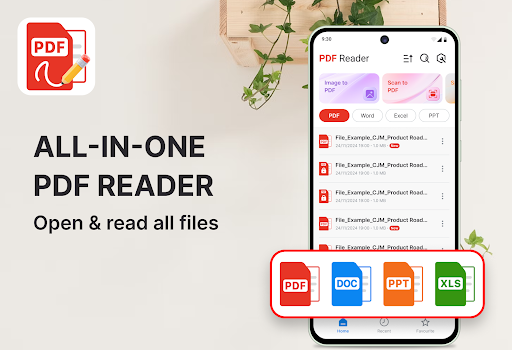
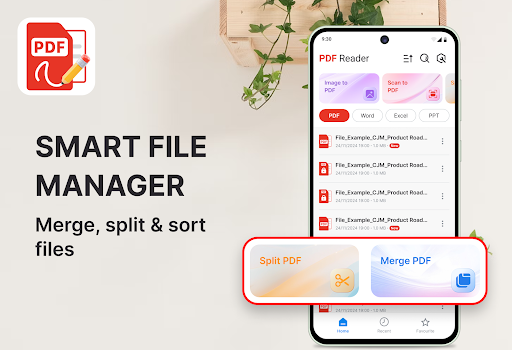
Need a powerful way to manage all your documents on the go? With PDF Reader & PDF Viewer, you can open, edit, convert, and organize all your PDF files directly from your phone. Fast, smooth, and convenient!
Smooth & Flexible Reading Experience
• Instantly open any PDF with lightning-fast performance
• Switch easily between vertical or horizontal reading modes
• Zoom in or out without losing text clarity
• Enjoy light and dark themes for day or night reading
• Quickly navigate to any page using smart page controls
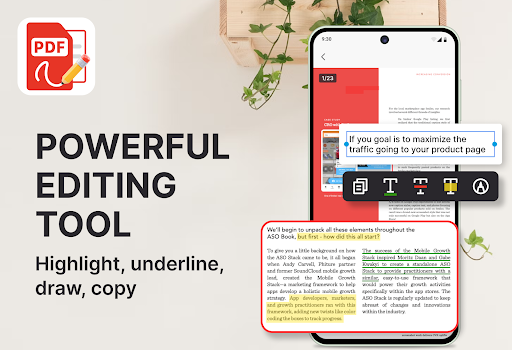
Advanced Editing and Annotation Tools
• Highlight, underline, or strike through important content
• Add notes or freehand drawings directly on the page
• Search and copy text instantly for easy reference
• Ideal for students reviewing lessons or professionals checking documents
Easy File Management and Conversion
• Sort your files by name, date, or recent activity
• Merge multiple PDFs into one document or split large files
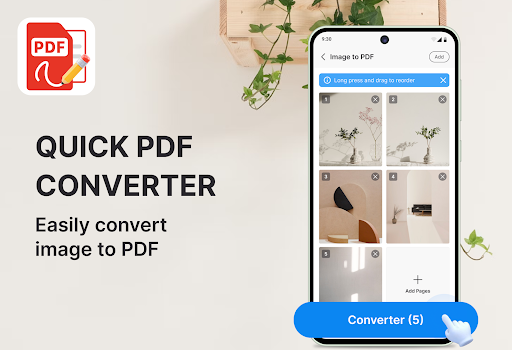
• Convert images (JPG, PNG) into PDFs in seconds
• Rename, move, or delete files easily
• Share via email, cloud, or print directly from your device
Designed for All Types of Users
• Students: Annotate textbooks, take notes, and prepare assignments
• Professionals: Review contracts, sign files, and manage work reports
• Everyday users: Keep personal files tidy and accessible anytime
What You Can Do with PDF Reader & PDF Viewer
Open and read PDFs smoothly with high-speed scrolling
Edit and annotate files easily with flexible tools
Convert photos or scanned images to PDF format
Merge or split PDF files in just a few taps
Manage your files with built-in organization tools
Share or print documents instantly from your phone
Switch between light and dark modes to reduce eye strain
PDF Reader & PDF Viewer brings every PDF feature you need into one simple app.
Experience a powerful and reliable PDF tool that keeps your documents organized anytime, anywhere.
Show more

1. Download MEmu installer and finish the setup

2. Start MEmu then open Google Play on the desktop

3. Search PDF Reader & PDF Viewer in Google Play
Install
4. Download and Install PDF Reader & PDF Viewer
5. On install completion click the icon to start

6. Enjoy using PDF Reader & PDF Viewer on PC with MEmu
MEmu Play is the best Android emulator, and 100 million users already enjoy its superb Android app experience. Powered by advanced virtualization technology, it lets you enjoy thousands of Android apps smoothly on your PC—including the most graphics-intensive ones.
Bigger screen with better graphics; Long duration, without limitation of battery or mobile data.
Full Keymapping support for precise control of keyboard and mouse or gamepad.
Multiple game accounts or tasks on single PC at one time with Multi-Instance manager.
Use PDF Reader & PDF Viewer on PC by following steps: