
Plabable for PLAB and MLA
Updated
Current Version
3.54.0
Offered By

Stop worrying about high battery drain when using Plabable for PLAB and MLA on your phone. Free yourself from the tiny screen and enjoy the app on a much larger display. From now on, get a full-screen experience of your app with the convenience of a keyboard and mouse. MEmu offers you all the surprising features you’d expect: quick installation and easy setup, intuitive controls, and no more worries about battery life, mobile data, or unexpected calls. The all-new MEmu 9 is the choice for using Plabable for PLAB and MLA on your computer. With the MEmu multi-instance manager, you can run two or more accounts at the same time. Most importantly, our exclusive emulation engine unlocks your PC’s full potential, delivering smooth and enjoyable performance.
Show more
Enjoy superb experience of using Plabable for PLAB and MLA on PC with MEMU App Player. It's a powerful free Android emulator which provides you with thousands of android apps for their desktop version. Enjoy connecting with friends and polishing your work with higher efficiency! Plabable provides the ultimate resource to revise for the Professional and Linguistic Assessment Board (PLAB) and United Kingdom Medical Licensing Assessment (UKMLA).
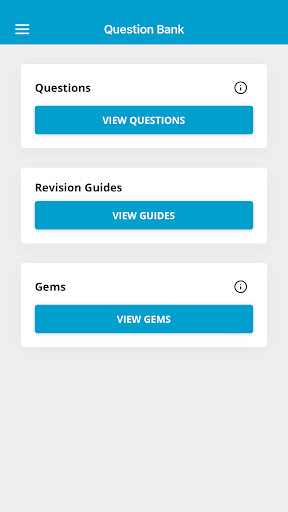
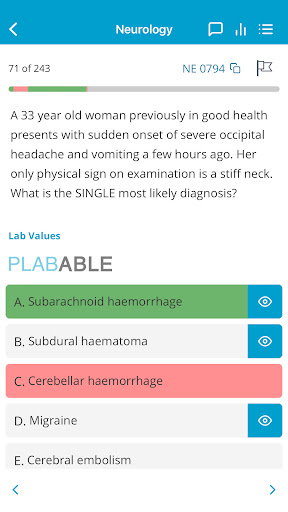
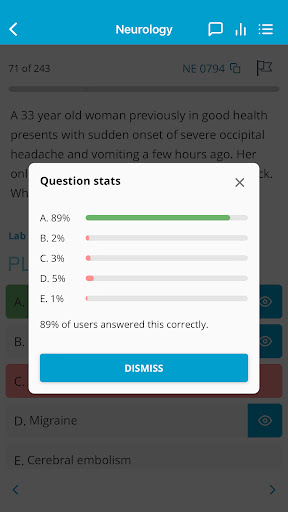
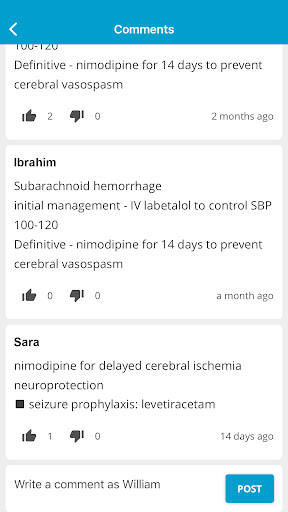
Plabable provides the ultimate resource to revise for the Professional and Linguistic Assessment Board (PLAB) and United Kingdom Medical Licensing Assessment (UKMLA).
PLAB is the main route by which International Medical Graduates demonstrate they have the necessary skills and knowledge to practise medicine in the UK. The exam includes PLAB part 1 and 2. At Plabable, we focus on high yield questions that mimic the PLAB part 1 exam, giving you the best opportunity to pass on the first attempt. PLAB part 1 is a three-hour computer-marked written examination comprising 180 single best answer questions.
The UKMLA is an exam for all UK medical graduates, starting 2024 in order to obtain a license to practise medicine in the UK. The exam will assess fundamental knowledge, abilities and behaviours required to practise safely as a doctor in the UK. We offer a comprehensive revision guide for you to prepare and pass the Applied Knowledge Test (AKT) which is the first part of the UKMLA.
Revise on the go with:
More than 3500 high yield questions
Questions organised by categories
Timed mock exams
Comprehensive revision notes
Question and notes flagging for ease of revision
Dedicated Whatsapp groups for discussion
GEMS featuring revision flash cards (add-on)
We take pride in staying on par with the current changes in the NHS and we consistently update our questions and explanations. The answers we provide on Plabable are evidence-based and our explanations are from various reliable sources such as NICE guidelines and Clinical Knowledge Summaries, Patient.info website as well as expert opinions from NHS prescribers.
Show more

1. Download MEmu installer and finish the setup

2. Start MEmu then open Google Play on the desktop

3. Search Plabable for PLAB and MLA in Google Play
Install
4. Download and Install Plabable for PLAB and MLA
5. On install completion click the icon to start

6. Enjoy using Plabable for PLAB and MLA on PC with MEmu
MEmu Play is the best Android emulator, and 100 million users already enjoy its superb Android app experience. Powered by advanced virtualization technology, it lets you enjoy thousands of Android apps smoothly on your PC—including the most graphics-intensive ones.
Bigger screen with better graphics; Long duration, without limitation of battery or mobile data.
Full Keymapping support for precise control of keyboard and mouse or gamepad.
Multiple game accounts or tasks on single PC at one time with Multi-Instance manager.
Use Plabable for PLAB and MLA on PC by following steps:




















![[3D Platformer] Super Bear Adventure PC](https://dl.memuplay.com/new_market/img/com.Earthkwak.Platformer.icon.2024-09-08-15-16-43.png)









