ReelMax
Updated
Current Version
1.6.0
Offered By

Stop worrying about high battery drain when using ReelMax on your phone. Free yourself from the tiny screen and enjoy the app on a much larger display. From now on, get a full-screen experience of your app with the convenience of a keyboard and mouse. MEmu offers you all the surprising features you’d expect: quick installation and easy setup, intuitive controls, and no more worries about battery life, mobile data, or unexpected calls. The all-new MEmu 9 is the choice for using ReelMax on your computer. With the MEmu multi-instance manager, you can run two or more accounts at the same time. Most importantly, our exclusive emulation engine unlocks your PC’s full potential, delivering smooth and enjoyable performance.
Show more
Enjoy superb experience of using ReelMax on PC with MEMU App Player. It's a powerful free Android emulator which provides you with thousands of android apps for their desktop version. Enjoy connecting with friends and polishing your work with higher efficiency! Captivating short dramas at your fingertips—you won't be able to put them down.


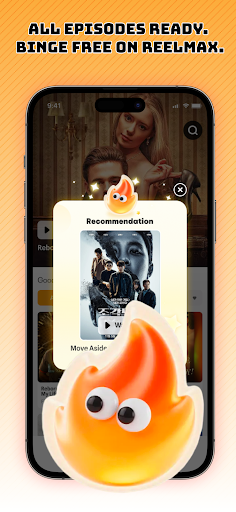

Captivating short dramas at your fingertips—you won't be able to put them down.
Want to enjoy the hottest short dramas anytime, anywhere?
ReelMax brings together a vast collection of trending short dramas. From domineering CEOs, satisfying revenge tales, and sweet romances to thrilling plot twists and historical epics—we have it all to ensure non-stop entertainment.
Open ReelMax and start your viewing journey instantly. Every episode is packed with suspense and surprises.
Daily updates, endless excitement
ReelMax constantly expands its library so you can always discover fresh content.
- Frequent new releases
- Daily updates for trending series
- Concise, punchy episodes perfect for a busy lifestyle
Whether you're unwinding after get off work or taking a quick break during a hectic day, ReelMax makes entertainment easy and convenient.
HD quality, smooth playback
Enjoy a premium viewing experience:
- Crystal-clear 1080P resolution
- Lightning-fast loading
- Smooth, stable playback
Every episode is crafted with care to keep you fully immersed.
Personalized recommendations
ReelMax understands your preferences and recommends more great shows based on your viewing habits.
No need to waste time searching—simply open the app to discover new dramas tailored to your taste.
Make binge-watching a fun part of your daily routine.
Enjoy watching anytime, anywhere
ReelMax supports multiple devices, including smartphones and tablets, with seamless progress synchronization across them.
Pick up exactly where you left off, anytime, anywhere—so you never miss a moment of the action.
Download ReelMax now and enjoy trending short dramas for free.
Show more

1. Download MEmu installer and finish the setup

2. Start MEmu then open Google Play on the desktop

3. Search ReelMax in Google Play
Install
4. Download and Install ReelMax
5. On install completion click the icon to start

6. Enjoy using ReelMax on PC with MEmu
MEmu Play is the best Android emulator, and 100 million users already enjoy its superb Android app experience. Powered by advanced virtualization technology, it lets you enjoy thousands of Android apps smoothly on your PC—including the most graphics-intensive ones.
Bigger screen with better graphics; Long duration, without limitation of battery or mobile data.
Full Keymapping support for precise control of keyboard and mouse or gamepad.
Multiple game accounts or tasks on single PC at one time with Multi-Instance manager.
Use ReelMax on PC by following steps: