
Reelway: feel-good clips
Updated
Current Version
10.36.11
Offered By

Stop worrying about high battery drain when using Reelway: feel-good clips on your phone. Free yourself from the tiny screen and enjoy the app on a much larger display. From now on, get a full-screen experience of your app with the convenience of a keyboard and mouse. MEmu offers you all the surprising features you’d expect: quick installation and easy setup, intuitive controls, and no more worries about battery life, mobile data, or unexpected calls. The all-new MEmu 9 is the choice for using Reelway: feel-good clips on your computer. With the MEmu multi-instance manager, you can run two or more accounts at the same time. Most importantly, our exclusive emulation engine unlocks your PC’s full potential, delivering smooth and enjoyable performance.
Show more
Enjoy superb experience of using Reelway: feel-good clips on PC with MEMU App Player. It's a powerful free Android emulator which provides you with thousands of android apps for their desktop version. Enjoy connecting with friends and polishing your work with higher efficiency! Unpredictable clips.
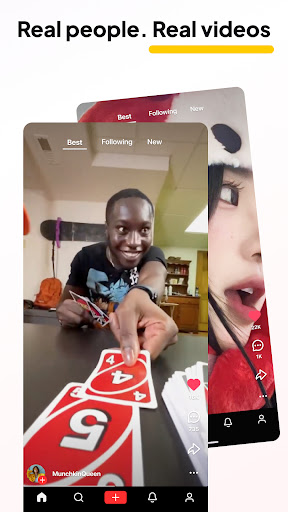
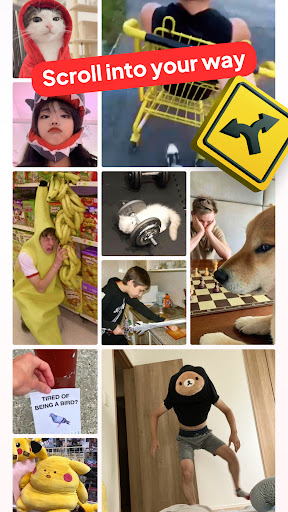
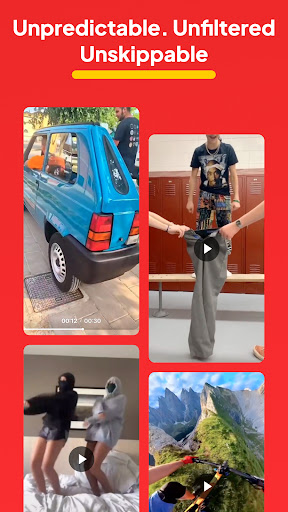

Unpredictable clips. Real videos. Unskippable.
Reelway is your space for honest short content — real people, real moments, no performances. From random clips to unstaged reactions and real videos that hit different, this is where it just is what it is.
No filters. No pressure. Just presence. Real shorts that show life, not a performance.
Your scroll shapes your world
Every swipe and tap fine-tunes your feed. The more you use Reelway, the more it feels like you. No guessing games with the algorithm — just content that clicks, reels that relate, and memes that actually make you laugh.
Reelway listens to what you like. It’s not about perfection — it’s about connection.
Post without pressure
Hit record whenever it feels right. No edits, no polish, no perfection required. Whether it’s a fleeting thought or something real you want to share, drop it as is. With our simple clips' video maker and easy-to-use clips video editor, you can share raw moments with zero effort.
Just record, trim if you want, and post your truth. The clips video editor keeps it smooth — without losing the real.
It’s not about going viral. It’s about feeling seen.
Reelway is built for people who scroll slower, think deeper, and want content that means something. A zone for real videos and real stories — the kind you don’t usually see in overly polished reels. This is your space for authenticity.
You won’t find fake trends here — just reels shared with honesty.
A space to feel connected
This isn’t just another feed. It’s a place to find others who laugh at the same memes, feel the same emotions, and post in the moment. Reelway connects people who value presence over performance — and who’d rather like what feels honest than follow what’s trending.
More than just reels — this is a space for truth.
Fresh clips, every day
New clips hit the feed daily — funny, strange, heartfelt, and always real. Skip what doesn’t speak to you, like what does, and shape your space with every tap. Every scroll is a step toward something more you.
Our clips' video maker and built-in clips video editor are here if you want to tweak — but never fake — your content. Real shorts, real energy, real videos.
Download Reelway now and scroll your vibe.
Whether you're here for reels that reflect reality, real shorts that make you pause, or memes that actually land — Reelway’s got you. Like, post, and stay real.
Need help or got an idea for us? Drop a note at app_support@trinexis.co. We’d love to hear from you!
Show more

1. Download MEmu installer and finish the setup

2. Start MEmu then open Google Play on the desktop

3. Search Reelway: feel-good clips in Google Play
Install
4. Download and Install Reelway: feel-good clips
5. On install completion click the icon to start

6. Enjoy using Reelway: feel-good clips on PC with MEmu
MEmu Play is the best Android emulator, and 100 million users already enjoy its superb Android app experience. Powered by advanced virtualization technology, it lets you enjoy thousands of Android apps smoothly on your PC—including the most graphics-intensive ones.
Bigger screen with better graphics; Long duration, without limitation of battery or mobile data.
Full Keymapping support for precise control of keyboard and mouse or gamepad.
Multiple game accounts or tasks on single PC at one time with Multi-Instance manager.
Use Reelway: feel-good clips on PC by following steps: