
Salaat First: Prayer Times
Updated
Current Version
1732807080
Offered By

Stop worrying about high battery drain when using Salaat First: Prayer Times on your phone. Free yourself from the tiny screen and enjoy the app on a much larger display. From now on, get a full-screen experience of your app with the convenience of a keyboard and mouse. MEmu offers you all the surprising features you’d expect: quick installation and easy setup, intuitive controls, and no more worries about battery life, mobile data, or unexpected calls. The all-new MEmu 9 is the choice for using Salaat First: Prayer Times on your computer. With the MEmu multi-instance manager, you can run two or more accounts at the same time. Most importantly, our exclusive emulation engine unlocks your PC’s full potential, delivering smooth and enjoyable performance.
Show more
Enjoy superb experience of using Salaat First: Prayer Times on PC with MEMU App Player. It's a powerful free Android emulator which provides you with thousands of android apps for their desktop version. Enjoy connecting with friends and polishing your work with higher efficiency! Salaat First calculates local prayer times accurately using multiple conventions.
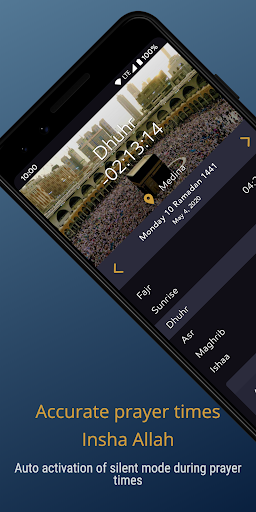
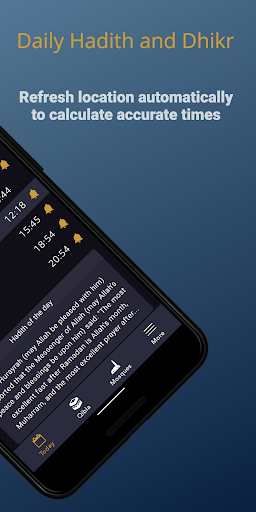
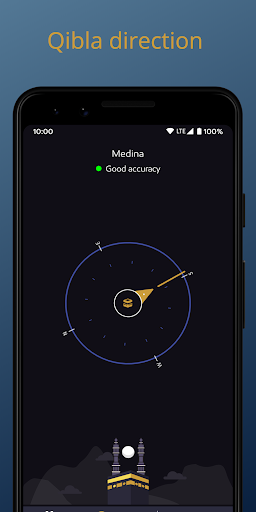
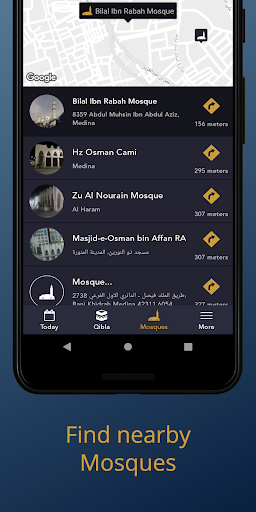
Salaat First calculates local prayer times accurately using multiple conventions
Application Features:
• Notification for each prayer with the ability to choose the sound from multiple adhans.
• Reminder before adhan with the ability to choose the duration for each prayer.
• Finding the location using GPS, or manually by searching in a database with more than 40000 city, or using internet.
• Multiple widgets
• Ahadith nabawia from Sahih Al Bukhari
• Updating location in background to get accurate prayer times without the need to change configuration.
• A Compass to show the Qibla direction.
• View monthly prayer times.
• Hijri Calendar
• Ability to adjust prayer times manually.
• Multilingual: Arabic, English, French and Spanish.
• Wear OS companion app that offers a custom tile and complication.
Implemented Calculation Methods:
1- Umm Al Qura University
2- Moroccan Ministry of Habous and Islamic Affairs
3- Muslim World League
4- University of Islamic Sciences, Karachi
5- Egyptian General Authority of Survey
6- Islamic Union of North America
7- Union of Islamic Organisations in France
8- Ministry of Awqaf and Islamic Affairs in Kuwait
9- Ministry of Religious Affairs and Wakfs in Algeria
10- Ministry of Religious Affairs in Tunisia
11 - Grand Mosque of Paris
12 - General Authority of Islamic Affairs And Endowments - UAE
13 - The Ministry of Awqaf and Religious Affairs of Palestine
14 - Directorate of Religious Affairs of Turkey (Dyanet)
15 - Muslim Executive of Belgium (EMB)
16 - Islamic Community Millî Görüş (IGMG)
important
We are trying to update the app regularty to have prayer times as accurate as possible, but it stays the responsibility of the user to ensure that the times provided by the app matches the official times of his location before applying them.
Show more

1. Download MEmu installer and finish the setup

2. Start MEmu then open Google Play on the desktop

3. Search Salaat First: Prayer Times in Google Play
Install
4. Download and Install Salaat First: Prayer Times
5. On install completion click the icon to start

6. Enjoy using Salaat First: Prayer Times on PC with MEmu
MEmu Play is the best Android emulator, and 100 million users already enjoy its superb Android app experience. Powered by advanced virtualization technology, it lets you enjoy thousands of Android apps smoothly on your PC—including the most graphics-intensive ones.
Bigger screen with better graphics; Long duration, without limitation of battery or mobile data.
Full Keymapping support for precise control of keyboard and mouse or gamepad.
Multiple game accounts or tasks on single PC at one time with Multi-Instance manager.
Use Salaat First: Prayer Times on PC by following steps: