Shopify - Your Ecommerce Store
Updated
Current Version
9.2450.2
Offered By

Stop worrying about high battery drain when using Shopify - Your Ecommerce Store on your phone. Free yourself from the tiny screen and enjoy the app on a much larger display. From now on, get a full-screen experience of your app with the convenience of a keyboard and mouse. MEmu offers you all the surprising features you’d expect: quick installation and easy setup, intuitive controls, and no more worries about battery life, mobile data, or unexpected calls. The all-new MEmu 9 is the choice for using Shopify - Your Ecommerce Store on your computer. With the MEmu multi-instance manager, you can run two or more accounts at the same time. Most importantly, our exclusive emulation engine unlocks your PC’s full potential, delivering smooth and enjoyable performance.
Show more
Enjoy superb experience of using Shopify - Your Ecommerce Store on PC with MEMU App Player. It's a powerful free Android emulator which provides you with thousands of android apps for their desktop version. Enjoy connecting with friends and polishing your work with higher efficiency! Start your ecommerce business and manage it from anywhere, with no coding or design skills needed.
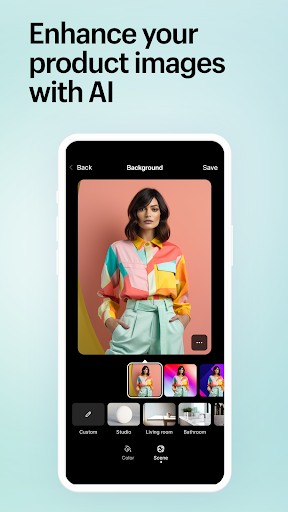
Start your ecommerce business and manage it from anywhere, with no coding or design skills needed. Process orders, manage products, track sales, run marketing campaigns, and more, all from your mobile device.
Seamlessly manage your drop shipping inventory, streamline order automation, and optimize your drop shipping operations for increased efficiency and profit - all through the Shopify app.
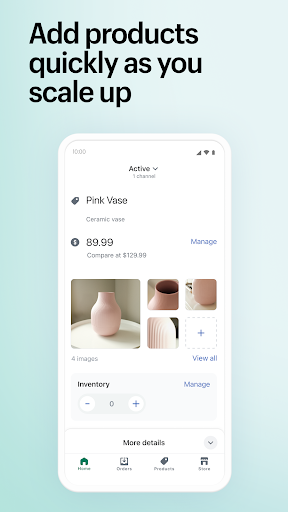
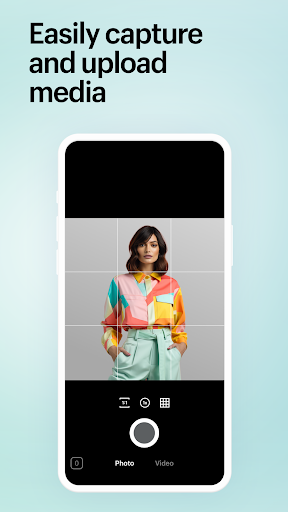
MANAGE YOUR PRODUCTS IN‑APP
• Upload product photos
• Set product and pricing details
• Add products to collections
• Scan barcodes to adjust inventory
PROCESS YOUR ORDERS IN A FEW TAPS
• Fulfill, refund, or archive orders
• Buy and print shipping labels
• See your conversion details
RESPOND TO REAL-TIME INFORMATION
• See live sales and visitor traffic
• Get new order notifications
• Communicate with staff
SELL ON MORE SALES CHANNELS
• Reach customers online, in-store, and more
• Sell on Instagram, Facebook, and Messenger
• Sync inventory and orders across each channel
• Manage multiple store locations
RUN MARKETING CAMPAIGNS
• Set up Google Smart Shopping campaigns
• Create Facebook and Instagram ads on the go
• Track results and optimize the next campaign
FOLLOW UP WITH CUSTOMERS
• View and manage your customer segments
• Add and edit customer details
• Contact your customers
• Add timeline comments to customer orders
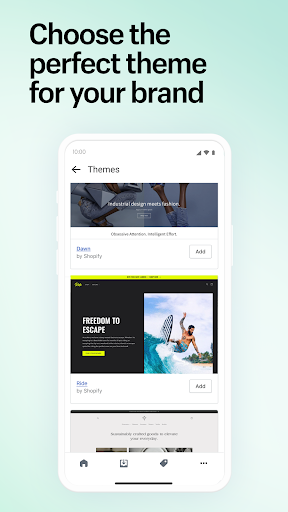
POWER YOUR STORE WITH APPS AND THEMES
• Access your Shopify apps for easy use
• Browse our catalog of free themes
• Change your online store’s appearance
MANAGE YOUR FINANCES AND ACCESS FUNDING
• Streamline your finances with up to 6 Balance accounts
• Apply for funding through Shopify Credit and Capital
• Monitor account balances and cash flow
• Make secure payments and transfers
Whether you want to run a last-minute promotion, launch a new product, or create a special discount, you can do it all on our ecommerce platform. You have the power to make edits to your ecommerce store theme, like adding announcement banners, posting blog posts, and more, all from your smartphone.
Review from eCommerce News HQ (https://ecommercenewshq.com/the-complete-shopify-mobile-app-review/)
“Taking the top eCommerce platform and translating it into a mobile experience can be challenging, but it seems as if Shopify has nailed this attempt. The dynamic between the “normal” web-based version of Shopify, and the mobile app, is amazing, with little to no changes (Except the size being scaled down of course.)“
Review from David B via g2.com (https://www.g2.com/products/shopify/reviews/shopify-review-2822877)
“Shopify [..] allows me to do important things for my store from anywhere. That is because it gives me advantages in managing the store from a mobile device.”
ABOUT SHOPIFY
Shopify’s ecommerce app can keep your business moving quickly. In the fast-paced world of ecommerce, that speed can be the difference between a sale for you or for your competitor.
Shopify has everything you need to start selling online, for any ecommerce business. Start your business today on the one platform with the ecommerce and point of sale features to start, run, and grow your business.
Show more

1. Download MEmu installer and finish the setup

2. Start MEmu then open Google Play on the desktop

3. Search Shopify - Your Ecommerce Store in Google Play
Install
4. Download and Install Shopify - Your Ecommerce Store
5. On install completion click the icon to start

6. Enjoy using Shopify - Your Ecommerce Store on PC with MEmu
MEmu Play is the best Android emulator, and 100 million users already enjoy its superb Android app experience. Powered by advanced virtualization technology, it lets you enjoy thousands of Android apps smoothly on your PC—including the most graphics-intensive ones.
Bigger screen with better graphics; Long duration, without limitation of battery or mobile data.
Full Keymapping support for precise control of keyboard and mouse or gamepad.
Multiple game accounts or tasks on single PC at one time with Multi-Instance manager.
Use Shopify - Your Ecommerce Store on PC by following steps: