Splash - Imposter Game
Updated
Current Version
2.2.8
Offered By

Stop worrying about high battery drain when using Splash - Imposter Game on your phone. Free yourself from the tiny screen and enjoy the app on a much larger display. From now on, get a full-screen experience of your app with the convenience of a keyboard and mouse. MEmu offers you all the surprising features you’d expect: quick installation and easy setup, intuitive controls, and no more worries about battery life, mobile data, or unexpected calls. The all-new MEmu 9 is the choice for using Splash - Imposter Game on your computer. With the MEmu multi-instance manager, you can run two or more accounts at the same time. Most importantly, our exclusive emulation engine unlocks your PC’s full potential, delivering smooth and enjoyable performance.
Show more
Enjoy superb experience of using Splash - Imposter Game on PC with MEMU App Player. It's a powerful free Android emulator which provides you with thousands of android apps for their desktop version. Enjoy connecting with friends and polishing your work with higher efficiency! Splash - The Ultimate App for Classic Party & Group Games with Friends.
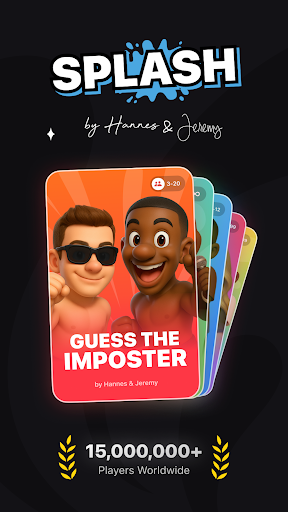
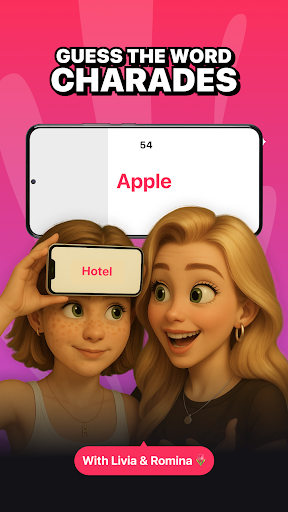
Splash - The Ultimate App for Classic Party & Group Games with Friends
Hey, we’re Hannes & Jeremy.
We’ve been there: Every game night starts with googling rules, finding pens and paper, or jumping between five different apps. But there’s no party app that brings it all together. So we’re building one, with Splash.
Our goal? To put the best and most viral games into a single app, easy to understand, instantly playable and made for groups. Classics like Would You Rather, Truth or Dare, Werewolves or Charades meet new hits like 100 Questions, Bomb Party or 10/10: He or She is a 10/10… but.
⸻
Games in Splash:
• Who’s Most Likely To - Decide together who fits the craziest statements best.
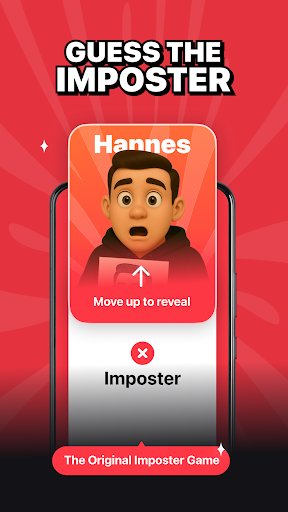
• Impostor – The perfect party game to lie, guess, and laugh with friends.
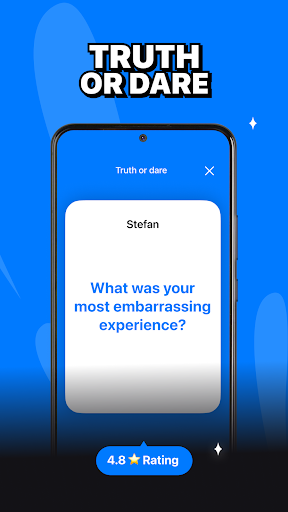
• Truth or Dare - The party classic. Choose between an honest truth or a bold dare - no turning back!
• 10/10 - He or She is a 10/10… but. Rate hilarious, awkward or personal dealbreakers.
• Bomb Party - The chaotic bomb game under pressure and random categories.
• Who Am I or Charades - Describe, act and guess until someone gets the secret word.
• Who’s the Liar? - One player got a secret question. Can you spot the bluff?
• 100 Questions - Personal, wild or deep questions. Perfect for honest talks or funny chaos.
• Bet Buddy - Your team bets, you deliver. Who’s braver and nails the challenge?
• Would You Rather…? - The ultimate choice game. Ask wild “Would you rather…?” questions, argue and choose!
• Fake or Fact - The group lie detector. What’s real and what’s completely made up?
• Chooser - Let fate decide: Finger Chooser, Spinning Arrow or Lucky Wheel.
• Werewolves - The cult game with new roles and thrilling rounds. Find out who the werewolf is!
• Taboom - Explain the word without using the taboo ones. Say one? Boom. you’re out!
Splash is perfect for fun game nights with friends, whether you’re planning a birthday party, a school trip, a spontaneous hangout or just chilling at home.
Whether you’re into fast guessing, bluffing, storytelling, pantomime-style acting or awkward honesty, Splash brings your group together with fun, dynamic games made for connection and laughter.
⸻
Why Splash?
• For 3 to 20 players, perfect for small or big groups of friends
• No setup, no props, just open the app and start playing instantly
• Works offline, great for road trips, school breaks, vacations or sleepovers
• Ideal for birthdays, cozy nights in, classic game nights or spontaneous fun
se your words, your acting skills or just your gut feeling, every game night becomes a shared memory. Who’s ready for a round of Werewolf, Chooser or one of the other party bangers?
⸻
Terms & Privacy Policy
https://cranberry.app/terms
Note: This app is not intended for use as a drinking game and contains no alcohol-related content. Splash is suitable for all audiences looking for fun, social, and safe gameplay.
Show more

1. Download MEmu installer and finish the setup

2. Start MEmu then open Google Play on the desktop

3. Search Splash - Imposter Game in Google Play
Install
4. Download and Install Splash - Imposter Game
5. On install completion click the icon to start

6. Enjoy using Splash - Imposter Game on PC with MEmu
MEmu Play is the best Android emulator, and 100 million users already enjoy its superb Android app experience. Powered by advanced virtualization technology, it lets you enjoy thousands of Android apps smoothly on your PC—including the most graphics-intensive ones.
Bigger screen with better graphics; Long duration, without limitation of battery or mobile data.
Full Keymapping support for precise control of keyboard and mouse or gamepad.
Multiple game accounts or tasks on single PC at one time with Multi-Instance manager.
Use Splash - Imposter Game on PC by following steps:



























