SuperLight: AI Photo Editor
Updated
Current Version
1.3.10
Offered By

Stop worrying about high battery drain when using SuperLight: AI Photo Editor on your phone. Free yourself from the tiny screen and enjoy the app on a much larger display. From now on, get a full-screen experience of your app with the convenience of a keyboard and mouse. MEmu offers you all the surprising features you’d expect: quick installation and easy setup, intuitive controls, and no more worries about battery life, mobile data, or unexpected calls. The all-new MEmu 9 is the choice for using SuperLight: AI Photo Editor on your computer. With the MEmu multi-instance manager, you can run two or more accounts at the same time. Most importantly, our exclusive emulation engine unlocks your PC’s full potential, delivering smooth and enjoyable performance.
Show more
Enjoy superb experience of using SuperLight: AI Photo Editor on PC with MEMU App Player. It's a powerful free Android emulator which provides you with thousands of android apps for their desktop version. Enjoy connecting with friends and polishing your work with higher efficiency! Outstanding photo and video editing for your favorite moments.
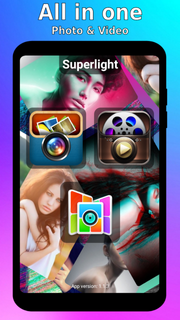
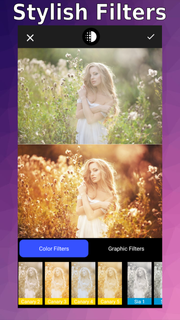
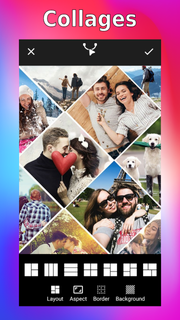
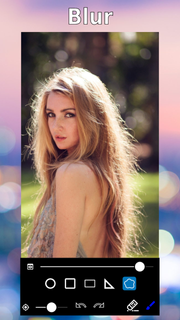
Outstanding photo and video editing for your favorite moments.Ultralight photo video editor offers wide and powerful control for photo editing. Suits amateurs and professionals alike.Tools for photo editing:• Сolor and graphic filters• Appearance regulation• Skin smoothing• Wrinkle removal• Saturation & Temperature• Text• Stickers• Paint• Hue, saturation and luminosity color controls• Clarity, sharpen, emphasize and noise controls• Double exposure• Vignette• Texture overlays• Motion effect• Сircuit• Background removal• Background blur• Trimmer• Crop and perspective correctionMain features:• Capable of editing photos.• Capable of editing video.• Ultralight photo video editor is easy to use and understand.• Full screen editing.• High quality filters and customisable filter presets.• Creative and intuitive editing tools.• Real-time preview. See the effects real-time while editing.• Non-destructive editing and automatic saving. Continue or revert your changes later.• Undo and redo. Easily step back and forth to compare your adjustments.• No importing needed. Your photo and video collection is directly available.Ultralight photo video editor app whith a variety of stylish effects, filters, grids and drawing tools will help you create an attractive collage, even if you have never edited a photo before. With the help of the ultralight photo editor, you can create your own works for social networks. Unlock your creativity and edit photos like professionals with Ultralight photo editor!Ultralight photo editor allows you to use Effects, filters, stickers, texts, bluring, crop, overlays.It seems that something else is missing? Take a look at the section with ultralight filters for photo, there you will find the option that will perfectly set off your creation: from romance to retro.Photo processing has ceased to be difficult. Ultralight photo video editor is the perfect combination of professional features and simple controls. You will find a lot of effects with which you can create postcards, memes and just beautiful pictures from your own pictures. In just a couple of minutes you will turn your photo into magnificent picture and our Ulralight photo editor will help you.You will cope with what seemed so difficult before in no time. Try editing or blurring the background, applying a layer to the photo, adding additional shapes, highlights or stickers. It's never been so ultralight.
Show more

1. Download MEmu installer and finish the setup

2. Start MEmu then open Google Play on the desktop

3. Search SuperLight: AI Photo Editor in Google Play
Install
4. Download and Install SuperLight: AI Photo Editor
5. On install completion click the icon to start

6. Enjoy using SuperLight: AI Photo Editor on PC with MEmu
MEmu Play is the best Android emulator, and 100 million users already enjoy its superb Android app experience. Powered by advanced virtualization technology, it lets you enjoy thousands of Android apps smoothly on your PC—including the most graphics-intensive ones.
Bigger screen with better graphics; Long duration, without limitation of battery or mobile data.
Full Keymapping support for precise control of keyboard and mouse or gamepad.
Multiple game accounts or tasks on single PC at one time with Multi-Instance manager.
Use SuperLight: AI Photo Editor on PC by following steps: