UNNI: Plastic Surgery & Review
Updated
Current Version
3.245.0
Offered By

Stop worrying about high battery drain when using UNNI: Plastic Surgery & Review on your phone. Free yourself from the tiny screen and enjoy the app on a much larger display. From now on, get a full-screen experience of your app with the convenience of a keyboard and mouse. MEmu offers you all the surprising features you’d expect: quick installation and easy setup, intuitive controls, and no more worries about battery life, mobile data, or unexpected calls. The all-new MEmu 9 is the choice for using UNNI: Plastic Surgery & Review on your computer. With the MEmu multi-instance manager, you can run two or more accounts at the same time. Most importantly, our exclusive emulation engine unlocks your PC’s full potential, delivering smooth and enjoyable performance.
Show more
Enjoy superb experience of using UNNI: Plastic Surgery & Review on PC with MEMU App Player. It's a powerful free Android emulator which provides you with thousands of android apps for their desktop version. Enjoy connecting with friends and polishing your work with higher efficiency! UNNI: Korean Plastic Surgery & Aesthetic (Double Eyelid, Rhinoplasty, Fat grafting, Skin care, Filler, Fat rejection).

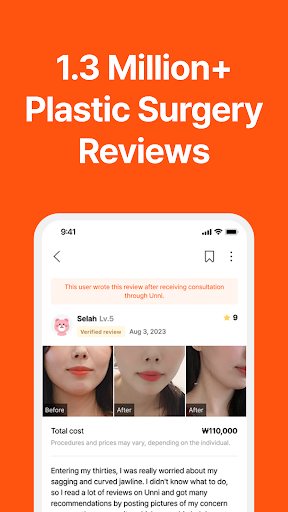
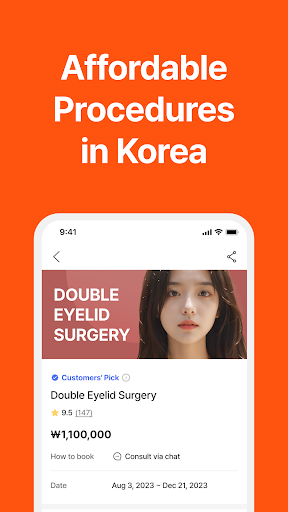
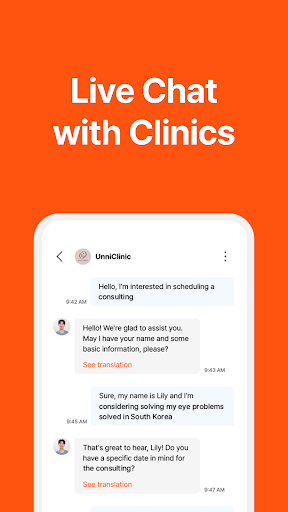
UNNI: Korean Plastic Surgery & Aesthetic (Double Eyelid, Rhinoplasty, Fat grafting, Skin care, Filler, Fat rejection)
UNNI is the largest and most trusted platform for Korean plastic surgery and Aesthetic, connecting over 5.8 million users with verified surgeons and clinics in Korea and Japan. With a focus on safety, transparency, and personalized care, UNNI empowers you to make informed decisions about your plastic surgery and Aesthetic journey.
When do you need UNNI?
“I want to see various Korean surgery reviews & before and after photos”
- Largest database of verified reviews & before and after photos: See the results from real patients who have undergone a variety of procedures, including plastic surgery, fat grafting, fillers, and fat rejection
“I want to ask about my skin status and information about Plastic Surgery, Aesthetic”
- 24/7 live chat with Korean doctors: Get personalized advice and book appointments directly with top surgeons & hospitals from the comfort of your home.
“I want to get treatment at an affordable price”
- Everyday hot deals: Check out our daily deals on popular procedures like double eyelid surgery, rhinoplasty, fat grafting, skin care, fillers, and fat removal!
“I want to share my Korean beauty experience with others”
- Active global community: Connect with other users from around the world, share your experiences, and get support throughout your journey.
Download the app today to:
- Browse our extensive database of Korean hospitals, surgeons, and clinics
- Read verified reviews and see before and after photos of real patients
- Get personalized advice from Korean doctors about your face, skin, and aesthetic goals
- Book appointments directly through the app for plastic surgery, dermatology, face lift, fat grafting, fat rejection, and fillers
- Connect with other users and share your experiences in our global community
UNNI: Your trusted partner on your journey to a more beautiful you.
*Necessary authorization access
- Call : Used to make a phone call to contact clinics
- Save : Used to save and upload photos
* Optional authorization access
- Location: Used to specify location of clinics on map
- Camera : Used to upload photos on review/ chats
[Settings > UNNI > Authorization to UNNI] You can agree/withdraw the authorization using the path above.
UNNI’s authorization access works on versions above AOS 6.0. If the version you are using is below 6.0, we highly recommend to update the version as you cannot selectively agree on the authorization access.
*Social Media
- Facebook : https://www.facebook.com/unni.global
- Instagram : https://www.instagram.com/unni_global/
- Tiktok : https://www.tiktok.com/@unni_global
*Contacts for questions
Please contact the customer service if you have any questions or problems.
- Customer Service : https://unni.channel.io
****- Email: cs.global@healingpaper.com
**-** Website **:** https://www.unni.global
(It is difficult to answer questions uploaded as a review.)
*Developer’s contacts
- UNNI (Healing Paper Co.,Ltd | CEO: Seungil Hong)
- Company Registration Number : 117-81-81256
- Mail order sales approval number : 2015-SeoulSeocho-1147
- TEL: +82234438854
Show more

1. Download MEmu installer and finish the setup

2. Start MEmu then open Google Play on the desktop

3. Search UNNI: Plastic Surgery & Review in Google Play
Install
4. Download and Install UNNI: Plastic Surgery & Review
5. On install completion click the icon to start

6. Enjoy using UNNI: Plastic Surgery & Review on PC with MEmu
MEmu Play is the best Android emulator, and 100 million users already enjoy its superb Android app experience. Powered by advanced virtualization technology, it lets you enjoy thousands of Android apps smoothly on your PC—including the most graphics-intensive ones.
Bigger screen with better graphics; Long duration, without limitation of battery or mobile data.
Full Keymapping support for precise control of keyboard and mouse or gamepad.
Multiple game accounts or tasks on single PC at one time with Multi-Instance manager.
Use UNNI: Plastic Surgery & Review on PC by following steps: